

Translate
Enables multi-lingual websites and translate website contents.
Translate
Enables multi-lingual websites and translate website contents.
Selecting a Language
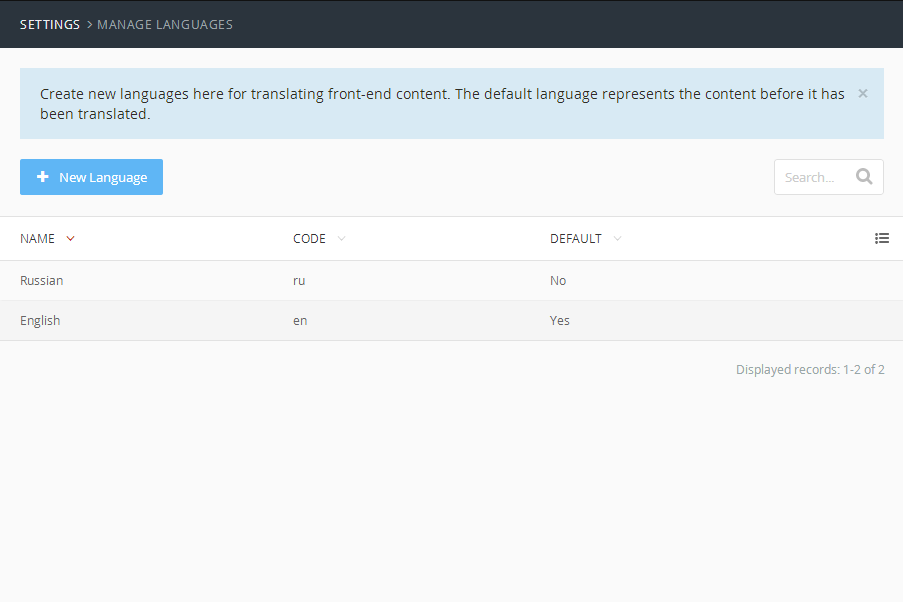
Different languages can be set up in the admin panel using the Settings → Sites area. Each site should use a different locale to be considered a language.
The visitor can select a language by prefixing the language code to the URL or using a dedicated hostname. For example:
http://website.tld/will display the site in the default languagehttp://website.tld/ru/will display the site in Russianhttp://website.tld/fr/will display the site in French
The following plugins extend or depend on the plugin
 Free
Real Estate
Buying and selling real estate
Real Estate
Buying and selling real estate
 Free
EditMe
In-context frontend text translator and editor
EditMe
In-context frontend text translator and editor
 Free
Extend translate plugin
Helper for RainLab.Translate plugin
Extend translate plugin
Helper for RainLab.Translate plugin
 Free
Translate Tabs
Edit translatable backend form fields and theme options grouped into tabs by locales
Translate Tabs
Edit translatable backend form fields and theme options grouped into tabs by locales
 $7
Slides
This plugin allows you to manage sliders and headers.
Slides
This plugin allows you to manage sliders and headers.
 Free
Blog Time to Read
A simple time to read extension for RainLab Blog plugin
Blog Time to Read
A simple time to read extension for RainLab Blog plugin
 $50
CRM Pro
The professional Customer Relations Manager (CRM) for October
CRM Pro
The professional Customer Relations Manager (CRM) for October
 Free
Mall
E-commerce shop solution for October CMS
Mall
E-commerce shop solution for October CMS
 Free
Multi-lingual SEO & Sitemap
Multi-lingual SEO & Sitemap plugin. It supports CMS Pages, Static Pages and custom models.
Multi-lingual SEO & Sitemap
Multi-lingual SEO & Sitemap plugin. It supports CMS Pages, Static Pages and custom models.
 Free
Campaignr
Create and manage events, workshops, calls to action and campaigns.
Campaignr
Create and manage events, workshops, calls to action and campaigns.
 Free
Guestbook
Guestbook for your website with Markdown syntax and smiles.
Guestbook
Guestbook for your website with Markdown syntax and smiles.
 Free
Footer Signature
Customize the footer with your signature!
Footer Signature
Customize the footer with your signature!
 Free
User Connect
Creating and manage email subscription lists with ease.
User Connect
Creating and manage email subscription lists with ease.
 Free
Table of content
Create Table of content (Tabular list) of Headings(H's) out of all pages/content
Table of content
Create Table of content (Tabular list) of Headings(H's) out of all pages/content
 Free
Age Gate
Age Gate plugin to enable simple age checking popup on OctoberCMS site
Age Gate
Age Gate plugin to enable simple age checking popup on OctoberCMS site
 $34.99
Cockpit CRM
Simple, yet powerfull Customer Relationship Management
Cockpit CRM
Simple, yet powerfull Customer Relationship Management
 $10
Careers
Posting Job for your organization made simple.
Careers
Posting Job for your organization made simple.
 $20
Helpdesk
An issue tracking system built to assist your customer support team
Helpdesk
An issue tracking system built to assist your customer support team
 $25
Let's rent
The core component for building a rental database
Let's rent
The core component for building a rental database
 $20
Let's rent cars
The perfect solution for any car rental business
Let's rent cars
The perfect solution for any car rental business
 Free
Mail Translatable
Multilingual mail templates stored in the database
Mail Translatable
Multilingual mail templates stored in the database
 Free
Dates & Currencies Localize
Allows to create different formats to display dates and currencies. The formats can be used on the themes or o...
Dates & Currencies Localize
Allows to create different formats to display dates and currencies. The formats can be used on the themes or o...
 $10
Job Portal
Create your very own job portal and connect employers and talents
Job Portal
Create your very own job portal and connect employers and talents
 Free
Posts
Posts publishing platform for October CMS with SEO (plus Schema.org), automatic redirect, multi-type body and...
Posts
Posts publishing platform for October CMS with SEO (plus Schema.org), automatic redirect, multi-type body and...
 Free
Localized static menu
Provides a localized static menu.
Localized static menu
Provides a localized static menu.
 Free
Fallback Locale
Provides a fallback locale.
Fallback Locale
Provides a fallback locale.
 Free
easyRechtssicher Plugin
Allows the inclusion of imprint and privacy policy via Easy Rechtssicher API
easyRechtssicher Plugin
Allows the inclusion of imprint and privacy policy via Easy Rechtssicher API
 Free
Epigtor
In-context content editor plugin
Epigtor
In-context content editor plugin
 Free
Cookie consent
October CMS plugin for cookie consent by Jagu
Cookie consent
October CMS plugin for cookie consent by Jagu
 Free
Events
Just a simple Events publishing system for October CMS
Events
Just a simple Events publishing system for October CMS
 $19
Moonamick
Manage all the content of your website in a simple and powerfull way
Moonamick
Manage all the content of your website in a simple and powerfull way
 Free
Contact Form
Just a simple Contact Form plugin for October CMS
Contact Form
Just a simple Contact Form plugin for October CMS
 Free
All in One Accessibility®
Free WCAG, ADA, EAA accessibility plugin for October CMS websites!
All in One Accessibility®
Free WCAG, ADA, EAA accessibility plugin for October CMS websites!
 Free
Translate Automator
Improves Rainlab Translate by automating the translation of untranslated strings using Google Translate.
Translate Automator
Improves Rainlab Translate by automating the translation of untranslated strings using Google Translate.
 Free
SkynetAccessibility Scanner
Scan, monitor, and identify website accessibility issues across WCAG 2.0, 2.1, 2.2, ADA, Section 508, EN 301 5...
SkynetAccessibility Scanner
Scan, monitor, and identify website accessibility issues across WCAG 2.0, 2.1, 2.2, ADA, Section 508, EN 301 5...
 Free
POSMall
PostgreSQL-first eCommerce plugin for October CMS and Laravel with catalog, POS, services, virtual products, c...
POSMall
PostgreSQL-first eCommerce plugin for October CMS and Laravel with catalog, POS, services, virtual products, c...
The following themes use this plugin
Bonjour
Bonjour
A sample multi-lingual theme for translated content.
Vega Pro
Vega Pro
One page theme with Blog, Pages, Translations, Contact form and more
Starter
Starter
A Starter Theme for October based on MaterializeCSS.
Multipurpose Theme with PAGE BUILDER - Success
Multipurpose Theme with PAGE BUILDER - Success
Octobercms Multipurpose Theme with easy Page Builder system
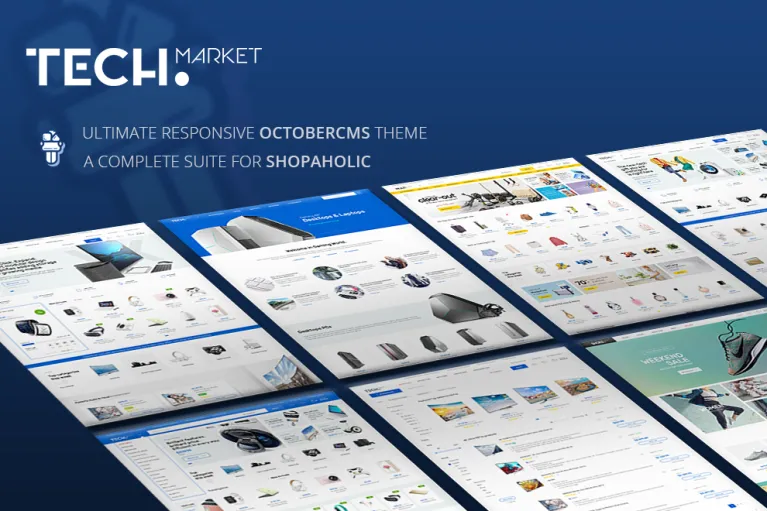
TechMarket
TechMarket
Modern, responsive and highly customizable eCommerce OctoberCMS theme based on Shopaholic eCommerce Plugin Ecosystem

Modular Theme with PAGE BUILDER - Clear
Modular Theme with PAGE BUILDER - Clear
Octobercms Multipurpose Theme with Powerful Settings and an easy CRUD Generator - Page Builder system

Identity - Creative Personal & Agency Theme
Identity - Creative Personal & Agency Theme
Creative Personal - Multipurpose Octobercms Theme

Start Bootstrap - Resume
Start Bootstrap - Resume
Resume is a resume and CV theme for Bootstrap created by Start Bootstrap.
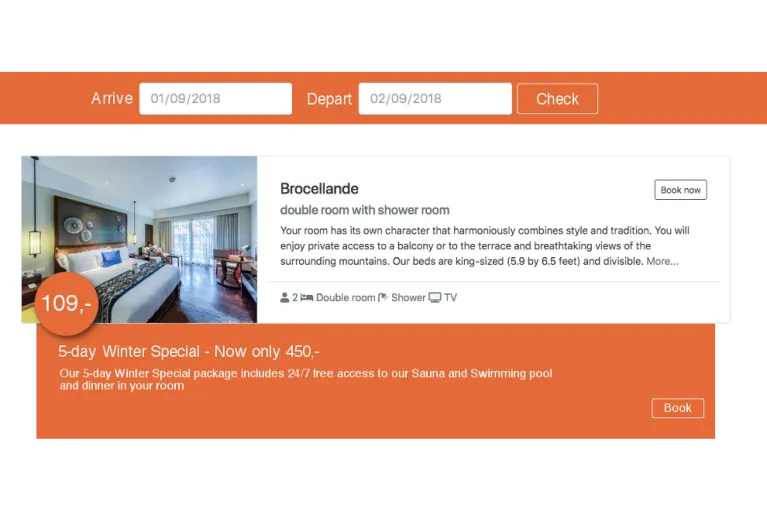
Room Booking
Room Booking
Sample theme for Room Booking Pro plugin.
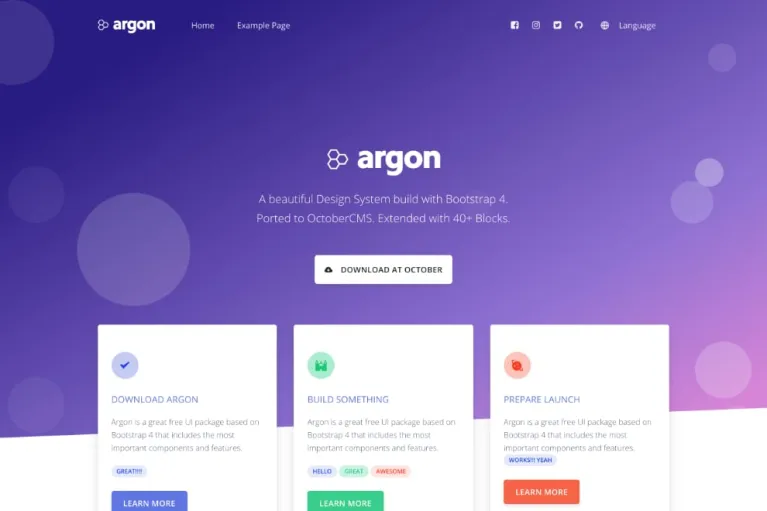
Argon
Argon
A beautiful theme based on CreativeTim Argon. Comes with a simple page builder and custom blocks that extends Argon Design System.
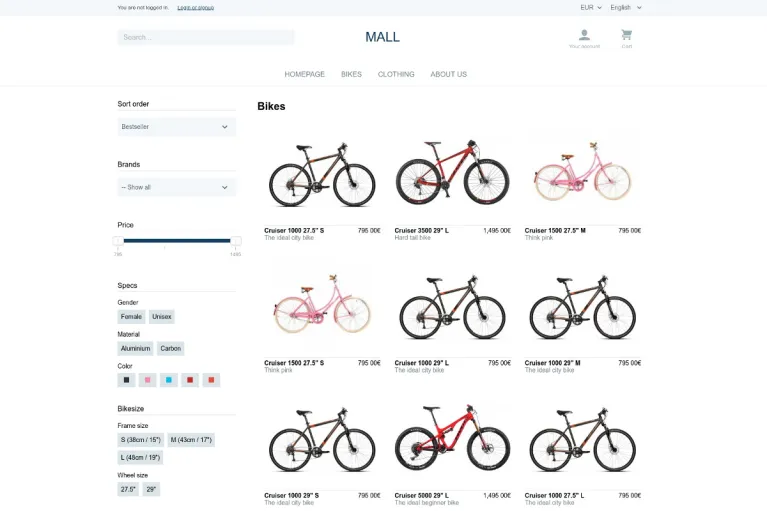
Mall Demo Theme
Mall Demo Theme
Official starter theme for the Mall e-commerce plugin
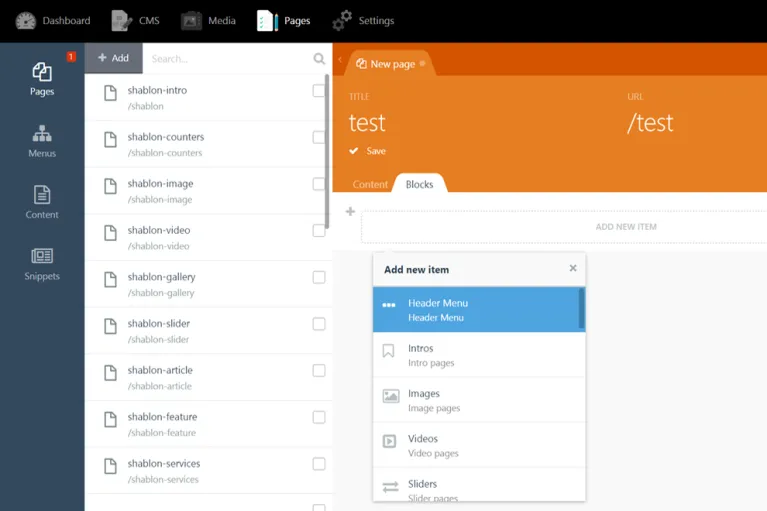
PAGE BUILDER - Modular Theme
PAGE BUILDER - Modular Theme
Convenient page builder with 50+ blocks
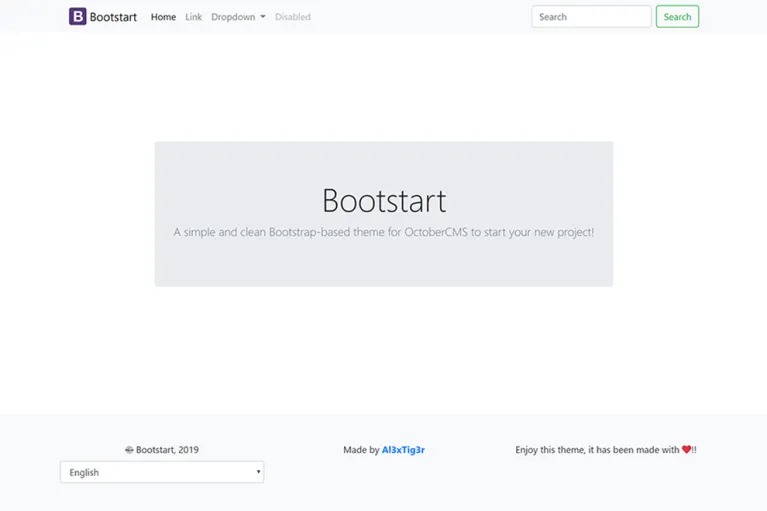
Bootstart
Bootstart
A simple and clean Bootstrap-based theme for OctoberCMS to start your new project!
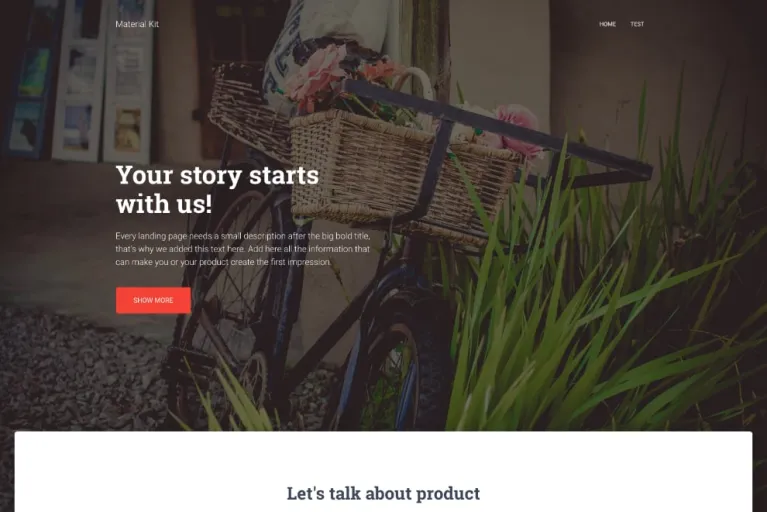
MaterialKit
MaterialKit
A beautiful theme based on CreativeTim MaterialKit. Comes with a PageBuilder in StaticPages.
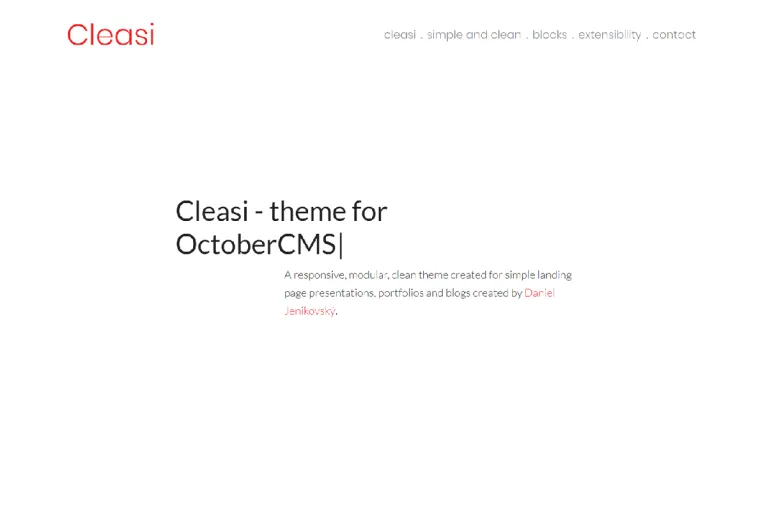
Cleasi
Cleasi
A clean theme for portfolio / company presentation sites and blogs with e-commerce support (Shopaholic).
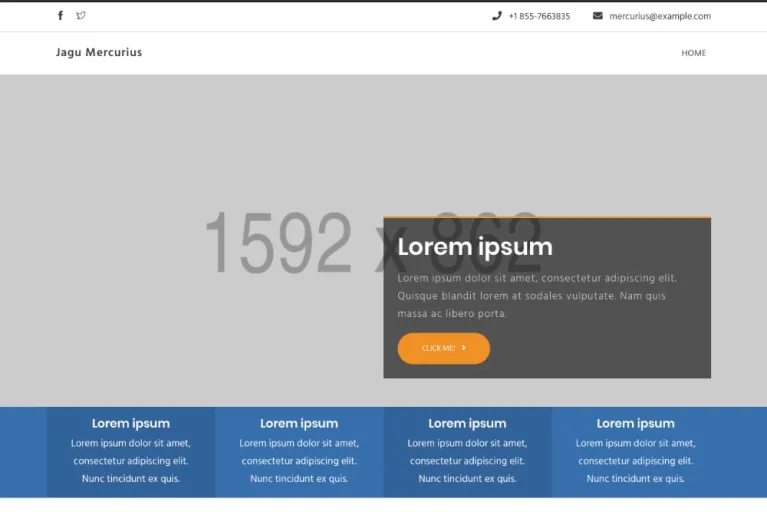
Mercurius
Mercurius
Jagu Mercurius October CMS frontend theme

eMarket - Advanced E-Commerce Octobercms theme
eMarket - Advanced E-Commerce Octobercms theme
Premium Ecommerce Octobercms theme based on OFFLINE Mall Plugin
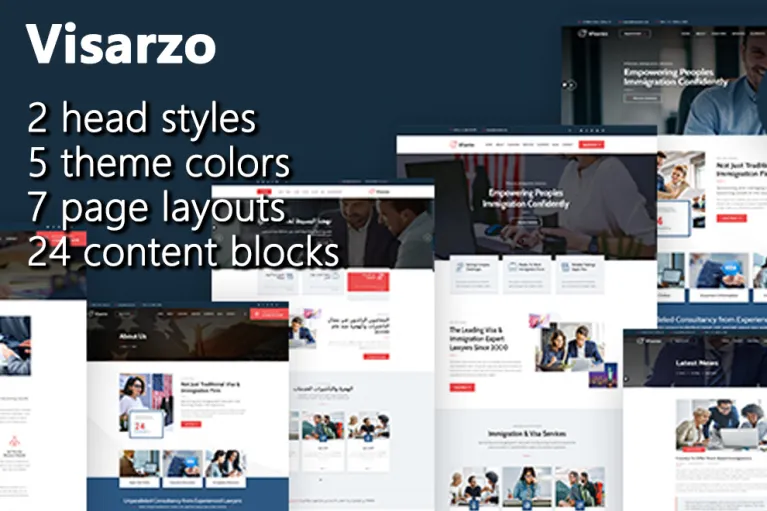
Visarzo
Visarzo
Visarzo is a powerful CSS Framework coupled with the best of Bootstrap. Block design, free arrangement and combination, easy to use and customize.

Levo
Levo
Theme specially designed for tutoring/teaching bussines
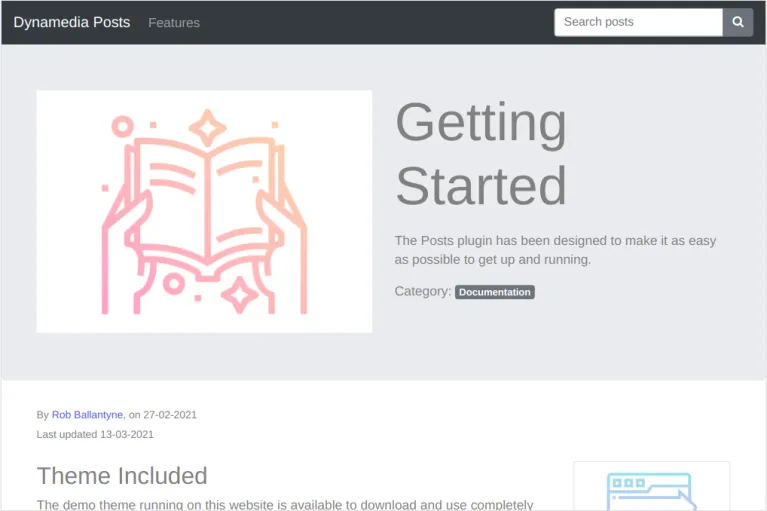
Posts Demo
Posts Demo
Demo theme for Dynamedia Posts plugin
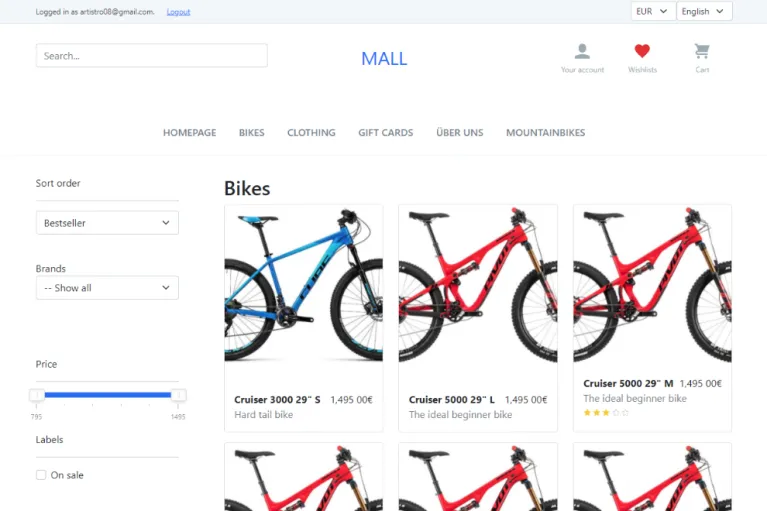
Bootstrap 5 Mall Starter
Bootstrap 5 Mall Starter
Unofficial Bootstrap 5 starter theme for the Mall e-commerce plugin, based on the original Mall Starter theme
Presence - Multipurpose Theme with Powerful Pagebuilder
Presence - Multipurpose Theme with Powerful Pagebuilder
An Excellent Octobercms Theme with Advanced Page Builder & Powerful Theme settings
Architect - Octobercms Theme with Advanced Pagebuilder
Architect - Octobercms Theme with Advanced Pagebuilder
An Powerful Octobercms Theme with Page Builder & Extensive Theme settings
Renick.Dawn
Renick.Dawn
Renick Dawn — a modern showcase theme for the Renick.Content block editor for October CMS
Installation via Command Line
php artisan plugin:install RainLab.Translate
Installation
To install using October CMS v3.1 or above:
php artisan plugin:install rainlab.translate
To install using October CMS v3.0 and below:
php artisan plugin:install rainlab.translate --want="^1.0"
Upgrading from v1 to v2
If you are upgrading from version 1 of this plugin, view the upgrade guide.
Language Picker Component
A visitor can select their chosen language using the native SitePicker component that is included in the October CMS core. This component will display a simple dropdown that changes the page language depending on the selection.
title = "Home"
url = "/"

[sitePicker]
==

<h3>{{ 'Please select your language:'|_ }}</h3>
<select class="form-control" onchange="window.location.assign(this.value)">
    {% for site in sitePicker.sites %}
        <option value="{{ site.url }}" {{ this.site.code == site.code ? 'selected' }}>{{ site.name }}</option>
    {% endfor %}
</select>
If translated, the text above will appear as whatever language is selected by the user. The dropdown is very basic and is intended to be restyled. A simpler example might be:
<p>
    Switch language to:

    {% for site in sitePicker.sites %}
        <a href="{{ site.url }}">{{ site.name }}</a>
    {% endfor %}
</p>
Message Translation
Message or string translation is the conversion of adhoc strings used throughout the site. A message can be translated with parameters.
{{ 'site.name'|_ }}

{{ 'Welcome to our website!'|_ }}

{{ 'Hello :name!'|_({ name: 'Friend' }) }}
A message can also be translated for a choice usage.
{{ 'There are no apples|There are :number applies!'|__(2, { number: 'two' }) }}
Or you set a locale manually by passing a second argument.
{{ 'this is always english'|_({}, 'en') }}
Themes can provide default values for these messages by defining a translate key in the theme.yaml file, located in the theme directory.
name: My Theme
# [...]

translate:
    en:
        site.name: 'My Website'
        nav.home: 'Home'
        nav.video: 'Video'
        title.home: 'Welcome Home'
        title.video: 'Screencast Video'
You may also define the translations in a separate file, where the path is relative to the theme. The following definition will source the default messages from the file config/lang.yaml inside the theme.
name: My Theme
# [...]

translate: config/lang.yaml
This is an example of config/lang.yaml file with two languages:
en:
    site.name: 'My Website'
    nav.home: 'Home'
    nav.video: 'Video'
    title.home: 'Welcome Home'
hr:
    site.name: 'Moje web stranice'
    nav.home: 'Početna'
    nav.video: 'Video'
    title.home: 'Dobrodošli'
You may also define the translations in a separate file per locale, where the path is relative to the theme. The following definition will source the default messages from the file config/lang-en.yaml inside the theme for the english locale and from the file config/lang-fr.yaml for the french locale.
name: My Theme
# [...]

translate:
    en: config/lang-en.yaml
    fr: config/lang-fr.yaml
This is an example for the config/lang-en.yaml file:
site.name: 'My Website'
nav.home: 'Home'
nav.video: 'Video'
title.home: 'Welcome Home'
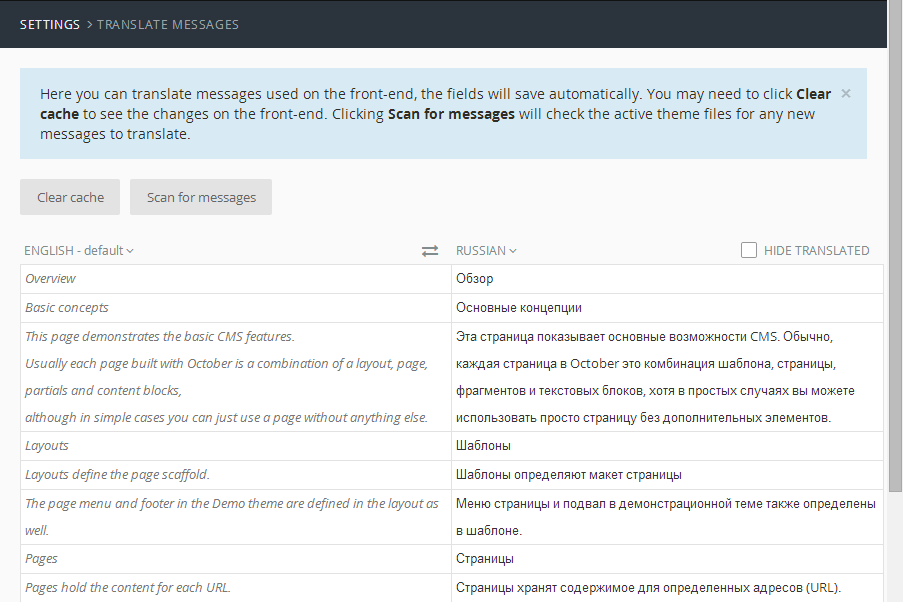
In order to make these default values reflected to your frontend site, go to Settings -> Translate messages in the backend and hit Scan for messages. They will also be loaded automatically when the theme is activated.
The same operation can be performed with the translate:scan artisan command. It may be worth including it in a deployment script to automatically fetch updated messages:
php artisan translate:scan
Add the --purge option to clear old messages first:
php artisan translate:scan --purge
Content & Mail Template Translation
This plugin activates a feature in the CMS that allows content & mail template files to use language suffixes, for example:
- welcome.htm will contain the content or mail template in the default language.
- welcome-ru.htm will contain the content or mail template in Russian.
- welcome-fr.htm will contain the content or mail template in French.
Model Translation
Models can have their attributes translated by using the RainLab\Translate\Behaviors\TranslatableModel behavior and specifying which attributes to translate in the class.
class User
{
    public $implement = [
        \RainLab\Translate\Behaviors\TranslatableModel::class
    ];

    public $translatable = ['name'];
}
The attribute will then contain the default language value and other language code values can be created by using the translateContext() method.
$user = User::first();

// Outputs the name in the default language
echo $user->name;

$user->translateContext('fr');

// Outputs the name in French
echo $user->name;
You may use the same process for setting values.
$user = User::first();

// Sets the name in the default language
$user->name = 'English';

$user->translateContext('fr');

// Sets the name in French
$user->name = 'Anglais';
The lang() method is a shorthand version of translateContext() and is also chainable.
// Outputs the name in French
echo $user->lang('fr')->name;
This can be useful inside a Twig template.
{{ user.lang('fr').name }}
There are ways to get and set attributes without changing the context.
// Gets a single translated attribute for a language
$user->getAttributeTranslated('name', 'fr');

// Sets a single translated attribute for a language
$user->setAttributeTranslated('name', 'Jean-Claude', 'fr');
Theme Data Translation
It is also possible to translate theme customisation options. Just mark your form fields with translatable property and the plugin will take care about everything else:
tabs:
    fields:
        website_name:
            tab: Info
            label: Website Name
            type: text
            default: Your website name
            translatable: true
Fallback Attribute Values
By default, untranslated attributes will fall back to the default locale. This behavior can be disabled by calling the noFallbackLocale method when reading the value.
$user = User::first();

$user->noFallbackLocale()->lang('fr');

// Returns NULL if there is no French translation
$user->name;
When writing the value, the fallback value is determined when the translated value matches the default value. In these cases, the translated value is considered untranslated and not stored.
| Locale | Attribute | Value | Is Stored |
|---|---|---|---|
| en | title | Hello World | Yes (Default) |
| fr | title | Hello World | No |
| de | title | Hallo Welt | Yes |
For example, if the en default locale stores the message as "Hello World" and the fr locale value is also "Hello World", then the fr value is not stored. The fr value is accessed using the fallback value taken from en.
You may disable this behavior by passing the $transatable attribute value as an array. The first value is the attribute name, the other values represent options, in this case setting the option fallback to false.
public $translatable = [
    ['title', 'fallback' => false]
];
This above definition will force the title attribute value to be duplicated and stored across all locales.
Indexed Attributes
Translatable model attributes can also be declared as an index by passing the $transatable attribute value as an array. The first value is the attribute name, the other values represent options, in this case setting the option index to true.
public $translatable = [
    'name',
    ['slug', 'index' => true]
];
Once an attribute is indexed, you may use the transWhere method to apply a basic query to the model.
Post::transWhere('slug', 'hello-world')->first();
The transWhere method accepts a third argument to explicitly pass a locale value, otherwise it will be detected from the environment.
Post::transWhere('slug', 'hello-world', 'en')->first();
URL Translation
Pages in the CMS support translating the URL property. Assuming you have 3 languages set up:
- en: English
- fr: French
- ru: Russian
There is a page with the following content:
url = "/contact"

[viewBag]
localeUrl[ru] = "/контакт"
==
<p>Page content</p>
The word "Contact" in French is the same so a translated URL is not given, or needed. If the page has no URL override specified, then the default URL will be used. Pages will not be duplicated for a given language.
- /fr/contact - Page in French
- /en/contact - Page in English
- /ru/контакт - Page in Russian
- /ru/contact - 404
Translating URLs in Twig
The localeUrl method will replace the route prefix on a URL from one locale to another. For example, converting the current request URL from en to de.
{{ this.request.url|localeUrl('de') }}
The localePage will return a translated URL for a CMS page. It takes a locale (first argument) and page parameters (second argument).
{{ 'blog/post'|localePage('de', { slug: 'foobar' }) }}
URL Parameter Translation
It's possible to translate URL parameters by listening to the cms.sitePicker.overrideParams event, which is fired when discovering language URLs.
Event::listen('cms.sitePicker.overrideParams', function($page, $params, $oldSite, $newSite) {
    if ($page->baseFileName == 'your-page-filename') {
        return MyModel::translateParams($params, $oldSite->hard_locale, $newSite->hard_locale);
    }
});
In MyModel, one possible implementation might look like this:
public static function translateParams($params, $oldLocale, $newLocale)
{
    $newParams = $params;
    foreach ($params as $paramName => $paramValue) {
        $records = self::transWhere($paramName, $paramValue, $oldLocale)->first();
        if ($records) {
            $records->translateContext($newLocale);
            $newParams[$paramName] = $records->$paramName;
        }
    }
    return $newParams;
}
Query String Translation
It's possible to translate query string parameters by listening to the cms.sitePicker.overrideQuery event, which is fired when switching languages.
Event::listen('cms.sitePicker.overrideQuery', function($page, $params, $oldSite, $newSite) {
    if ($page->baseFileName == 'your-page-filename') {
        return MyModel::translateParams($params, $oldSite->hard_locale, $newSite->hard_locale);
    }
});
For a possible implementation of the MyModel::translateParams method look at the example under URL parameter translation from above.
Extend Theme Scan
Event::listen('rainlab.translate.themeScanner.afterScan', function (ThemeScanner $scanner) {
    // ...
});
Settings Model Translation
It's possible to translate your settings model like any other model. To retrieve translated values use:
Settings::instance()->getAttributeTranslated('your_attribute_name');
Conditionally Extending Plugins
Models
It is possible to conditionally extend a plugin's models to support translation by placing an @ symbol before the behavior definition. This is a soft implement will only use TranslatableModel if the Translate plugin is installed, otherwise it will not cause any errors.
/**
 * Post Model for the blog
 */
class Post extends Model
{
    // [...]

    /**
     * @var array implement the TranslatableModel behavior softly.
     */
    public $implement = ['@'.\RainLab\Translate\Behaviors\TranslatableModel::class];

    /**
     * @var array translatable attributes, if available.
     */
    public $translatable = ['title'];

    // [...]
}
The back-end forms will automatically detect the presence of translatable fields and replace their controls for multilingual equivalents.
User Interface
Switching Locales
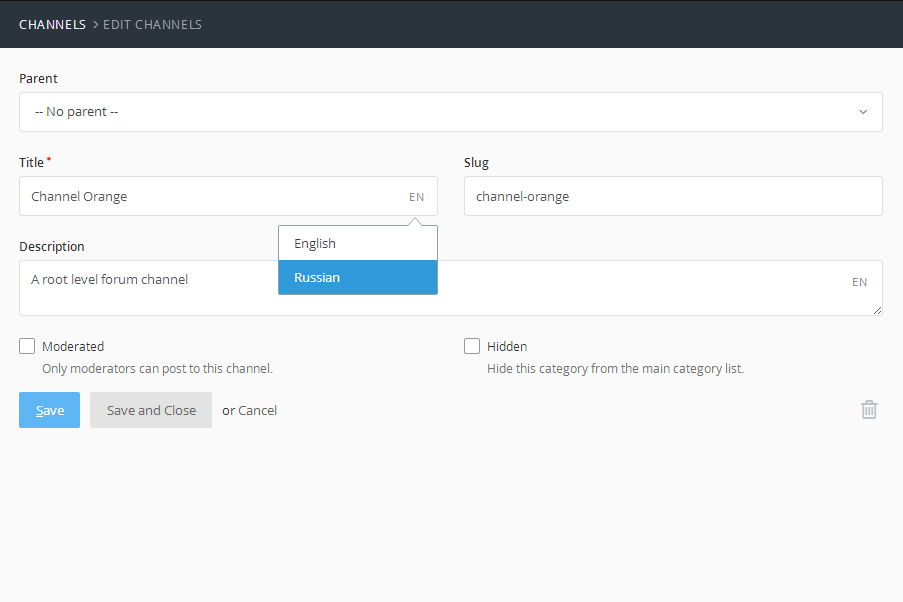
Users can switch between locales by clicking on the site selection menu in the backend panel. This will add a _site_id query value to the URL, allowing for multiple browser tabs to be used.
-

Lucky Adhitya
This plugin is confusing now. I can no longer change the language using the session. For example, when the trigger is clicked on the /en language, it only redirects and doesn't set the session for the locale, so when the page is changed, the language automatically switches to /id.
-

Yoram Platteeuw
Only the translations for twig work in October cms v3. I am unable to use the url translations or model translations.
-

jonathan stuart
How we can implement the the same approach on v2 that changing the langunage will not be base on slug url ?
-

Pavel Andrei
In my opinion the use of this plugin (we used it in the V1 and 2 of October CMS) is a big mess now. How can we translate the SEO atributes..the Menu names and so on? In the previous version there were some drop downs right to every Input typte text and Rich text editor..now we have to chage the language from (Manage sites) top right..and recreate the pages over and over again for each language.
Instead of going forward and make it easyer..you went back and made it harder to use..more time consuming and useless.
Sorry for this..but you messed this up bad times :(
-

Webident SRL
Great plugin! Thanks for that.
And for those who complain about not working to translate strings that contains HTML (like links in a phrase) i found an workaround. Maybe will help someone.
Here's an example:
{% set link_1 %}
    <a href="{{ 'my-page-one'|page }}" target="_blank">{{ 'Link label one'|_ }}</a>
{% endset %}

{% set link_2 %}
    <a href="{{ 'my-page-two'|page }}" target="_blank">{{ 'Link label two'|_ }}</a>
{% endset %}

{{ ('Click here %s1 to see the first page or click here %s2 to see the second page.'|_)|replace({ '%s1': link_1|raw, '%s2': link_2|raw })|raw }}
Good luck!
-

Roger Schmutz
I get very unexpected output when using it. The docs aren't very helpful. I spent hours on trial and error. IMHO this plugin is useless!
-

Bovem Cornu
Nice, but for some time can't handle html tags in parameters :(
-

Intermeding Staffing Solutions SRL
Is there a way to add flags to the locale language switcher, next to the language name ?
-

Jaber Sabzali
i want to limit my posts with current language or choose two thumbnail pic for my posts in newsletter plugin or portfolio for example i want to show different posts with different language HELP ME PLZ...
-

Vivian Rivero
The plugin does not run validation for translatable fields, only validate the primary language, all other language inputs are ignored. It's a shame, that's why I can't use it.
-

Ramis Khamidullin
Отличный плагин! Спасибо разработчикам!
-

Saša Mlekuž
It helps a lot with my projects. All of them are at least two languages.
-

zhoutao
1: Select Force URL schema, Google Cloud does not enable load balancing, and everything works fine on the website.
2: Force URL schema is not selected, Google Cloud starts load balancing, and everything works fine on the website.
3: Select Force URL schema, Google Cloud starts load balancing, and the server returns a 502 error.
Please guys help answer it, thank you
-

Артем Никифоров
How can I get {% page %} with rendered snippets as string? I need a lot of replacements in markup, but I able only call tag or not compiled data from $this->page.
-

Konrad Fedorczyk
It would be cool if you could hide non translated content... Not every page has all content translated :(
-

Sophie Vanderveken
Brilliant Plugin thank you!
-

Shohabbos
Super
-

Jorge Luis Veliz
Manage cities for your app, countries with their cities coming soon
-

Kutup
Hi guys, menu titles do not change. How can I fix this? The menu does not change when I change the language. I am creating a static page.@RainLab Help Please
-

Pham Hong Manh
I use this plugin and plugin news , but I do not want the slug in the post as multi-language. I want the slug to be fixed. How do I do ? I have a suggestion that, when changing the language at a certain position, all languages in the other position will change. For example: I clicked change language from English to English in the title textbox, the other positions (such as content, summary, ...) are automatically selected in English.
And... This is great plugin ! Thanks
-

This plugin broke my whole site ...
BadMethodCallException in CmsObjectQuery.php line 128: Call to undefined method Cms\Classes\CmsObjectQuery::extend() in CmsObjectQuery.php line 128 at CmsObjectQuery->call('extend', array(object(Closure))) at call_user_func_array(array(object(CmsObjectQuery), 'extend'), array(object(Closure))) in CmsObject.php line 555 at CmsObject->__call('extend', array(object(Closure))) at call_user_func_array(array(object(Page), 'extend'), array(object(Closure))) in CmsObject.php line 571 at CmsObject::callStatic('extend', array(object(Closure))) in Plugin.php line 47 at Plugin->register() in PluginManager.php line 185 at PluginManager->registerPlugin(object(Plugin), 'RainLab.Translate') in PluginManager.php line 151 at PluginManager->registerAll() in ServiceProvider.php line 46 at ServiceProvider->register() in Application.php line 494 at Application->register(object(ServiceProvider)) in ProviderRepository.php line 75 at ProviderRepository->load(array('Illuminate\Bus\BusServiceProvider', 'Illuminate\Cache\CacheServiceProvider', 'Illuminate\Foundation\Providers\ConsoleSupportServiceProvider', 'Illuminate\Routing\ControllerServiceProvider', 'Illuminate\Cookie\CookieServiceProvider', 'Illuminate\Encryption\EncryptionServiceProvider', 'Illuminate\Foundation\Providers\FoundationServiceProvider', 'Illuminate\Hashing\HashServiceProvider', 'Illuminate\Pagination\PaginationServiceProvider', 'Illuminate\Pipeline\PipelineServiceProvider', 'Illuminate\Queue\QueueServiceProvider', 'Illuminate\Redis\RedisServiceProvider', 'Illuminate\Session\SessionServiceProvider', 'Illuminate\Validation\ValidationServiceProvider', 'Illuminate\View\ViewServiceProvider', 'October\Rain\Foundation\Providers\ArtisanServiceProvider', 'October\Rain\Database\DatabaseServiceProvider', 'October\Rain\Filesystem\FilesystemServiceProvider', 'October\Rain\Parse\ParseServiceProvider', 'October\Rain\Html\HtmlServiceProvider', 'October\Rain\Html\UrlServiceProvider', 'October\Rain\Network\NetworkServiceProvider', 'October\Rain\Scaffold\ScaffoldServiceProvider', 'October\Rain\Flash\FlashServiceProvider', 'October\Rain\Mail\MailServiceProvider', 'System\ServiceProvider')) in Application.php line 468 at Application->registerConfiguredProviders() in RegisterProviders.php line 15 at RegisterProviders->bootstrap(object(Application)) in Application.php line 183 at Application->bootstrapWith(array('October\Rain\Foundation\Bootstrap\RegisterClassLoader', 'Illuminate\Foundation\Bootstrap\DetectEnvironment', 'October\Rain\Foundation\Bootstrap\LoadConfiguration', 'October\Rain\Foundation\Bootstrap\LoadTranslation', 'October\Rain\Foundation\Bootstrap\ConfigureLogging', 'Illuminate\Foundation\Bootstrap\HandleExceptions', 'Illuminate\Foundation\Bootstrap\RegisterFacades', 'October\Rain\Foundation\Bootstrap\RegisterOctober', 'Illuminate\Foundation\Bootstrap\RegisterProviders', 'Illuminate\Foundation\Bootstrap\BootProviders')) in Kernel.php line 199 at Kernel->bootstrap() in Kernel.php line 110 at Kernel->sendRequestThroughRouter(object(Request)) in Kernel.php line 84 at Kernel->handle(object(Request)) in index.php line 43
Any fix for this?
-

Patryk Trochowski
Nice work :)
-

Ivan Dunets
F - A - N - T - A - S - T - I - C
-

Elvis Milan
i download the theme vega pro and i have an error because i don't have the layout clean.https://octobercms.com/theme/vojtasvoboda-vega-pro
-

Anthony Philp
is there a local language file for welsh if not how do I go about creating one
-

Maxim Geras
Hello, good plugin but how translate static menu?
-

Maria Vilaró
Really useful, specially with the new url translation feature! Thank you very much!
-

Aurelijus
if you need to access the active language from the code, use the Translator class:
$this->translator = Translator::instance(); $this->locale = $this->translator->getLocale(); -

Anatoly
Hey i didnt find any option to identify the lang in process. i want to change RTL for hebrew lang, for custom css. anyway i can do it? thanks.
-

Evgeny Izmailov
I find this plugin really useful!!! Some Bug... Hebrew not work! I Changed he to heb but steel Translate Messages not works! You may Look at the my site www.ghiml.co.il. Content in hebrew header and footer in english.
-

Michael
It is amazing!!!!
-

Nicholas Vasilaki
Thanks! That's what I was looking for! But not figure out possibility to use partials files as content files.
-

slavisko
Very nice plugin! I there an option to convert cyrillic characters to latin only? Like on button click
-

Mark van den Elzen
Love this plugin! @Hessel, it will be perfect real soon! It already works in our testing website with the option for "Bleeding edge updates" turned on. I think it all wil be part of the upcoming version 1
-

Hessel
It would be perfect if it worked with Static Pages!! But unfortunatelly it doesn't =( Rainlab doesn't respond to any questions or feedback from users since 2014
-

Arman Zhilkaidarov
It is the most useful translation system. Thanks ans sorry for my english :D
-

Cunami web
Cool!
-

Siniša Perović
This is quite good plugin and the methods are easy enough but unfortunately without url translation it negatively infects the SEO so cannot be used for paying customers.
-

Mehari Geta
very awosem loving october deep down!
-

Jorge andrade
Awesome plugin, thanks for that!
-

Raja Khoury
This is a great plugin but I am having a hard time with caching.
For example if I navigate to the Pirate's language URL then switch back to English I still view the Pirate language messages. I tried clearing the cache thousand times in my console, in the plugin interface, using a cache cleaner plugin /disabling cache and settings English as default language!
I'd like to know if this is a bug and if not why is this happening. Am I missing something ?
Again Thank you Samuel for this life-saver CMS / plugins.
-

János Mészáros
Thank you! This plugin is life-saver! ;)
-

Egi Adithia Pradana
it's very useful for my project
-

Thierry Lavallée
Hi, many thanks for this quality work. I live in Belgium and here, any site must be multilingual, we have three national languages. How to directly detect the browser language?
-

devillom
Hello. This not working in home page
-

Arrizal Amin
cool...thanks :D
-

Matiss Janis Aboltins
Amazing plugin! Thanks for all the hard work! :)
-

Kirill Artemenko
Спасибо! :)
-

mohammed alsiddeeq ahmed
Really helpful. @VoipDeploy Why don't you just open an issue in github?
-

Keios
because of the reported issues, plugin is useless for me. i ended up putting translations directly to the database as i gone tired and really frustrated with messages not saving from the GUI.
-

Bruno Couto
How about translating the url itself? it would be nice to translate the path when creating new pages...
-

Dzulfikar Adi Putra
how to handle content translation inside blog post? such as wordpress plugin qtranslate.
-
Keios
Oh yeas I find this plugin really useful. Thank you very much, it's awesome.
-


| 2.3.3 |
Adds translate:import-attachments command for migrating translated file attachments to core TranslatableAttachments trait Oct 05, 2026 |
|---|---|
| 2.3.2 |
Compatibility with RainLab.Pages 3.0 Sep 07, 2026 |
| 2.3.1 |
Adds translate:import-theme and translate:import-mail commands for core translation features in v4.4 Aug 31, 2026 |
| 2.3.0 |
Adds translate:import-attributes command for migrating data to core Translatable trait Aug 25, 2026 |
| 2.2.16 |
Fixes localized mail templates from database and registered views Apr 19, 2026 |
| 2.2.15 |
Compatibility with October CMS v4.2 Mar 20, 2026 |
| 2.2.14 |
Fixes multilingual file attachments associating to their morph models Dec 17, 2025 |
| 2.2.10 |
Fixes timestamp SQL error on attributes table Jun 14, 2024 |
| 2.2.8 |
Fixes issue sending mail with different site context Feb 17, 2024 |
| 2.2.7 |
Improve theme scanner to show active theme and include component partials Jul 29, 2023 |
| 2.2.6 |
Adds option to disable fallback values when writing attributes May 31, 2023 |
| 2.2.5 |
Fixes storing attributes via setAttributeTranslated May 25, 2023 |
| 2.2.4 |
Fixes bug where translations are lost by unintentional cleanup May 10, 2023 |
| 2.2.3 |
Fixes translatable fields with fallback values Apr 09, 2023 |
| 2.2.2 |
Fixes translatable models without timestamps Jan 25, 2023 |
| 2.2.1 |
Fixes translated checkboxes Jan 17, 2023 |
| 2.2.0 |
Adds localePage Twig filter for translating page URLs Jan 14, 2023 |
| 2.1.3 |
Fixes installation of Translate with other dependencies Dec 20, 2022 |
| 2.1.2 |
Fixes translatable integration with settings models Dec 15, 2022 |
| 2.1.1 |
Fixes child menu item translations for pages plugin Nov 26, 2022 |
| 2.1.0 |
Adds support for translatable file attachments Nov 11, 2022 |
| 2.0.6 |
Restores the post scan purge feature in messages Oct 14, 2022 |
| 2.0.5 |
Reset locale when edit site changes programatically Oct 12, 2022 |
| 2.0.4 |
Include component default partials in theme scanner Oct 09, 2022 |
| 2.0.3 |
Remove deprecated class Oct 06, 2022 |
| 2.0.2 |
Fixes various bugs in message translation Oct 06, 2022 |
| 2.0.1 |
Create message data store Oct 05, 2022 |
| 2.0.0 |
Major upgrade and multisite integration Oct 05, 2022 |
| 1.12.0 |
Adds scopeTransWhereNoFallback method Jul 21, 2022 |
| 1.11.1 |
Improve support with October v3.0 May 13, 2022 |
| 1.11.0 |
Update to latest Media Finder changes in October v2.2 May 02, 2022 |
| 1.10.5 |
Fixes media finder when only 1 locale is available Apr 05, 2022 |
| 1.10.4 |
Improve media finder support with October v2.2 Apr 05, 2022 |
| 1.10.3 |
Multilingual control improvements Mar 12, 2022 |
| 1.10.2 |
Improve support with October v2.2 Mar 11, 2022 |
| 1.10.1 |
Improve support with October v2.0 Feb 26, 2022 |
| 1.10.0 |
Adds new multilingual nested form widget. Adds withFallbackLocale method. Feb 26, 2022 |
| 1.9.3 |
Improves support when using child themes Nov 10, 2021 |
| 1.9.2 |
Fixes issue creating new content in CMS Editor Jun 24, 2021 |
| 1.9.1 |
Minor styling improvements Jun 10, 2021 |
| 1.9.0 |
Restores ability to translate URLs with CMS Editor in October v2.0 May 31, 2021 |
| 1.8.8 |
Fixes Laravel compatibility in custom Repeater. May 27, 2021 |
| 1.8.7 |
Fixes Markdown editor translation. May 21, 2021 |
| 1.8.6 |
Fixes invisible checkboxes when scanning for messages. Apr 30, 2021 |
| 1.8.4 |
Fixes the multilingual mediafinder to work with the media module. Apr 29, 2021 |
| 1.8.2 |
Fixes translated file models and theme data for v2.0. The parent model must implement translatable behavior for their related file models to be translated. Apr 22, 2021 |
| 1.8.1 |
Minor bugfix Apr 17, 2021 |
| 1.8.0 |
Adds initial support for October v2.0 Apr 17, 2021 |
| 1.7.4 |
Faster version of transWhere Nov 17, 2020 |
| 1.7.3 |
Make plugin ready for Laravel 6 update Oct 02, 2020 |
| 1.7.2 |
Fix regex when "|_" filter is followed by another filter Jun 18, 2020 |
| 1.7.1 |
Fix YAML issue with previous tag/release. Apr 21, 2020 |
| 1.7.0 |
!!! Breaking change for the Message::trans() method (params are now escaped) Apr 20, 2020 |
| 1.6.10 |
Add option to purge deleted messages when scanning messages Apr 06, 2020 |
| 1.6.9 |
Clear Static Page menu cache after saving the model; CSS fix for Text/Textarea input fields language selector. Mar 15, 2020 |
| 1.6.8 |
Add support for transOrderBy; Add translatoin support for ThemeData; Update russian localization. Feb 28, 2020 |
| 1.6.7 |
Introduce migration to patch existing indexes using morph map Feb 05, 2020 |
| 1.6.6 |
Introduce migration to patch existing translations using morph map Jan 21, 2020 |
| 1.6.5 |
Fixes compability issue when other plugins use a custom model morph map Jan 20, 2020 |
| 1.6.4 |
Fixes PHP 7.4 compatibility Jan 11, 2020 |
| 1.6.3 |
Add eager loading for translations, restore support for accessors & mutators Dec 13, 2019 |
| 1.6.2 |
Implement localeUrl filter, add per-locale theme configuration support Jul 23, 2019 |
| 1.6.1 |
Add ability for models to provide translated computed data, add option to disable locale prefix routing Jul 23, 2019 |
| 1.6.0 |
Make File Upload widget properties translatable. Merge Repeater core changes into MLRepeater widget. Add getter method to retrieve original translate data. May 01, 2019 |
| 1.5.0 |
Compatibility fix with Build 451 Apr 01, 2019 |
| 1.4.5 |
Fixed issue when using the language switcher Jan 08, 2019 |
| 1.4.4 |
Minor improvements to compatibility with Laravel framework. Jan 07, 2019 |
| 1.4.3 |
!!! Please update OctoberCMS to Build 444 before updating this plugin. Added ability to translate CMS Pages fields (e.g. title, description, meta-title, meta-description) Dec 23, 2018 |
| 1.4.2 |
Add multilingual MediaFinder Dec 06, 2018 |
| 1.4.1 |
Updated Hungarian translation. Added Arabic translation. Fixed issue where default texts are overwritten by import. Fixed issue where the language switcher for repeater fields would overlap with the first repeater row. Aug 30, 2018 |
| 1.4.0 |
Add importer and exporter for messages Feb 14, 2018 |
| 1.3.8 |
Keep query string when switching locales Jan 28, 2018 |
| 1.3.7 |
Fix config reference in LocaleMiddleware Jan 11, 2018 |
| 1.3.6 |
Fix Middleware to use the prefixDefaultLocale setting introduced in 1.3.4 Jan 07, 2018 |
| 1.3.5 |
Fix MLRepeater bug when switching locales. Dec 22, 2017 |
| 1.3.4 |
Add alternate hreflang elements and adds prefixDefaultLocale setting. Nov 17, 2017 |
| 1.3.3 |
Fix to the locale picker session handling in Build 420 onwards. Nov 02, 2017 |
| 1.3.2 |
Improved compatibility with RainLab.Pages, added ability to scan Mail Messages for translatable variables. Oct 26, 2017 |
| 1.3.1 |
Added reordering to languages Aug 29, 2017 |
| 1.3.0 |
Added search to the translate messages page. Jul 14, 2017 |
| 1.2.12 |
Add support for translating the new grouped repeater feature. Apr 23, 2017 |
| 1.2.11 |
Fixes translation not working with partials loaded via AJAX Apr 10, 2017 |
| 1.2.10 |
Minor UI fix to the multilingual repeater. Feb 02, 2017 |
| 1.2.9 |
Fixes context for translated strings when used with Static Pages. Jan 10, 2017 |
| 1.2.8 |
Improvements to code for latest October build compatibility. Dec 13, 2016 |
| 1.2.7 |
Fixes placeholder usage with static pages plugin. Nov 11, 2016 |
| 1.2.6 |
Fixes repeater usage with static pages plugin. Nov 04, 2016 |
| 1.2.5 |
Adds new multilingual repeater form widget. Oct 22, 2016 |
| 1.2.4 |
Translatable attributes can now be declared as indexes. Aug 19, 2016 |
| 1.2.3 |
Fixes Rich Editor when inserting a page link. Aug 12, 2016 |
| 1.2.2 |
Static Pages now support translating the URL. Aug 05, 2016 |
| 1.2.1 |
Minor update in the rich editor and code editor language control position. Jul 31, 2016 |
| 1.2.0 |
CMS pages now support translating the URL. Jul 29, 2016 |
| 1.1.7 |
Fixes bug not showing content when first loading multilingual textarea controls. Jul 12, 2016 |
| 1.1.6 |
Minor improvements in the message editor. Jul 11, 2016 |
| 1.1.5 |
Minor update to the multilingual control API. Jul 04, 2016 |
| 1.1.4 |
Adds new multilingual markdown editor. May 25, 2016 |
| 1.1.3 |
Improved support for the multilingual rich editor. May 23, 2016 |
| 1.1.2 |
Add support for translating Static Content files. May 06, 2016 |
| 1.1.1 |
Minor UI fix to the language picker. Apr 20, 2016 |
| 1.1.0 |
Introduce compatibility with RainLab.Pages plugin. Apr 01, 2016 |
| 1.0.11 |
Fix multilingual rich editor when used in stretch mode. May 15, 2015 |
| 1.0.10 |
Minor fix for latest build. Apr 28, 2015 |
| 1.0.9 |
Fixes an issue where newly created models lose their translated values. Mar 13, 2015 |
| 1.0.8 |
Minor bug fixes Mar 04, 2015 |
| 1.0.7 |
Fixes major bug where translations are skipped entirely! Feb 26, 2015 |
| 1.0.6 |
Minor improvements to the code. Feb 13, 2015 |
| 1.0.5 |
Add spanish language and fix config plugin . Nov 21, 2014 |
| 1.0.4 |
Locale cache will clear when updating a language. Oct 10, 2014 |
| 1.0.3 |
Minor updates for latest October release. Sep 28, 2014 |
| 1.0.2 |
Languages and Messages can now be deleted. Aug 05, 2014 |
| 1.0.1 |
First version of Translate Aug 02, 2014 |
This guide can be used to help migrate from RainLab.Translate v1 to v2. It should be straight forward process without any major disruptions.
Beginning from October CMS v3.1, a multisite feature was introduced that supercedes many functions provided by the RainLab.Translate plugin. The existing data structures are preserved so all translations are carried across and no "retranslation" or modifying existing plugins should be needed.
Upgrade Instructions
-
Run
php artisan plugin:install rainlab.translateto request the latest version (you do not need to uninstall v1 first). -
Navigate to System → Sites and create a site for each locale used by the website.
-
Replace the
localePickerandalternateHrefLangElementscomponents used in the front end (see below). -
Migrate theme messages using
php artisan translate:migratev1(non destructive). -
Continue using this plugin as normal.
Key Differences
-
The "Languages" settings area is replaced by the "Sites" settings area. This is where available sites are defined, including the available languages.
-
The per-field language picker is replaced by a per-site language picker. The translator selects the active language globally and can perform comparisons using multiple browser tabs.
-
Storing the locale in the session is no longer used and must be determined by the site definition, as a hostname or route prefix.
Key Similarities
-
Models are still translated using the
RainLab\Translate\Behaviors\TranslatableModel. -
Theme translation is still managed by this plugin.
Breaking Changes
Middleware class is replaced
If using PHP routes to determine locale, the RainLab\Translate\Classes\LocaleMiddleware class is replaced by the System\Middleware\ActiveSite middleware class.
CMS Components replaced
The localePicker and alternateHrefLangElements components provided by this plugin have been replaced by the sitePicker component.
Here is the sample code to replace the localePicker component:
<select class="form-control" onchange="window.location.assign(this.value)">
    {% for site in sitePicker.sites %}
        <option value="{{ site.url }}" {{ this.site.code == site.code ? 'selected' }}>{{ site.name }}</option>
    {% endfor %}
</select>
Here is the sample code to replace the alternateHrefLangElements component:
{% for site in sitePicker.sites %}
    <link rel="alternate" hreflang="{{ site.locale }}" href="{{ site.url }}" />
{% endfor %}
Events Updated
The translate.localePicker.translateQuery event has been replaced by the cms.sitePicker.overrideQuery. The arguments are the same except the site definition is passed instead of the locale code, use the hard_locale attribute of the site definition to obtain the locale.
Event::listen('cms.sitePicker.overrideQuery', function($page, $params, $currentSite, $proposedSite) {
    if ($page->baseFileName == 'your-page-filename') {
        return YourModel::translateQuery($params, $currentSite->hard_locale, $proposedSite->hard_locale);
    }
});
The translate.localePicker.translateParams event has been replaced by the cms.sitePicker.overrideParams event. The arguments are the same except the site definition is passed instead of the locale code, use the hard_locale attribute of the site definition to obtain the locale.
Event::listen('cms.sitePicker.overrideParams', function($page, $params, $currentSite, $proposedSite) {
    if ($page->baseFileName == 'your-page-filename') {
        return YourModel::overrideParams($params, $currentSite->hard_locale, $proposedSite->hard_locale);
    }
});