


Fortify
Fortify is a comprehensive security suite for October CMS that helps you harden your application, monitor vulnerabilities, and enforce best security practices.
It provides system diagnostics, configuration hardening tools, and integrates seamlessly with additional Fortify extensions.
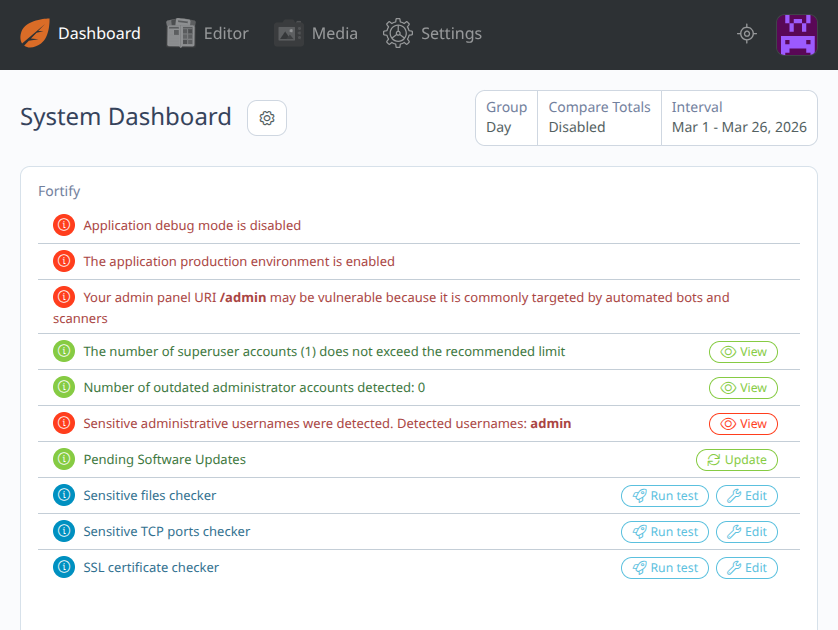
Security Dashboard Widget
Fortify includes a built-in dashboard widget that gives you a real-time overview of your system’s security status.
- Highlights critical vulnerabilities and misconfigurations
- Provides quick access to all security checks and tools
- Helps you identify and fix issues in one place
This widget acts as a central hub, allowing you to monitor and manage your application's security at a glance.
Features
System Security Checks
-
Application debug mode is disabled Ensures your application is not exposing sensitive debug information.
-
Production environment validation Confirms that your application is running in a secure production mode.
-
Admin panel URI check Warns if
/adminis used, as it is commonly targeted by bots. -
Superuser accounts check Detects if the number of superusers exceeds recommended limits.
-
Outdated administrator accounts detection Identifies inactive or outdated admin users.
-
Sensitive usernames detection Detects unsafe usernames like
admin. -
Pending software updates Alerts about available system and plugin updates.
Security Scanners
-
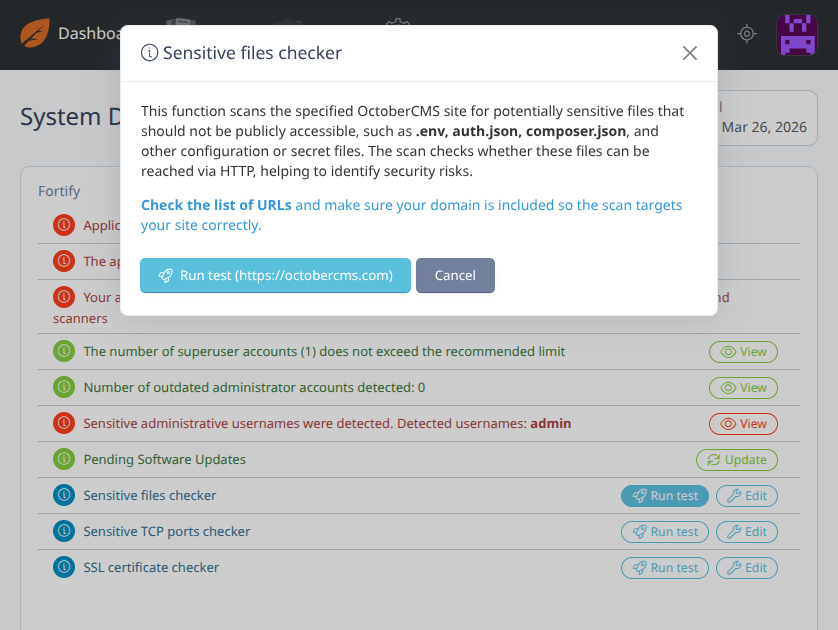
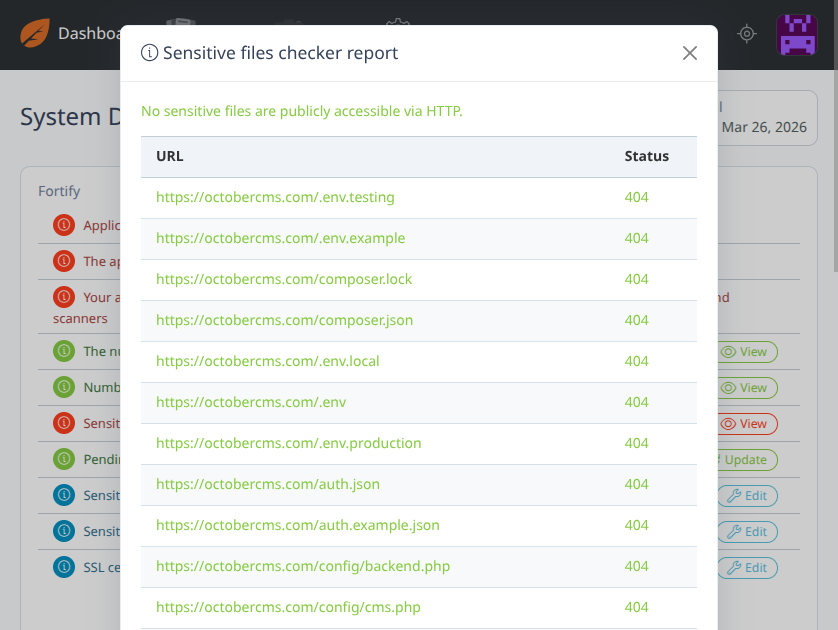
Sensitive files checker Scans for publicly accessible sensitive files.
-
Sensitive TCP ports checker Detects open ports that may expose services.
-
SSL certificate checker Validates SSL certificate configuration and expiration.
Integrated Modules
Fortify works with additional extensions:
Each module extends Fortify with additional protection layers.
Security Configuration
Cookies & Sessions
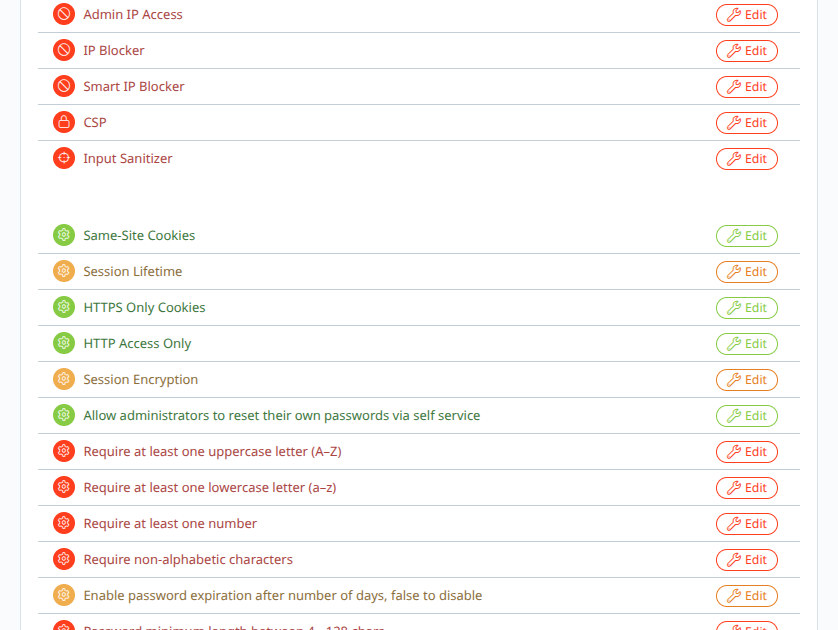
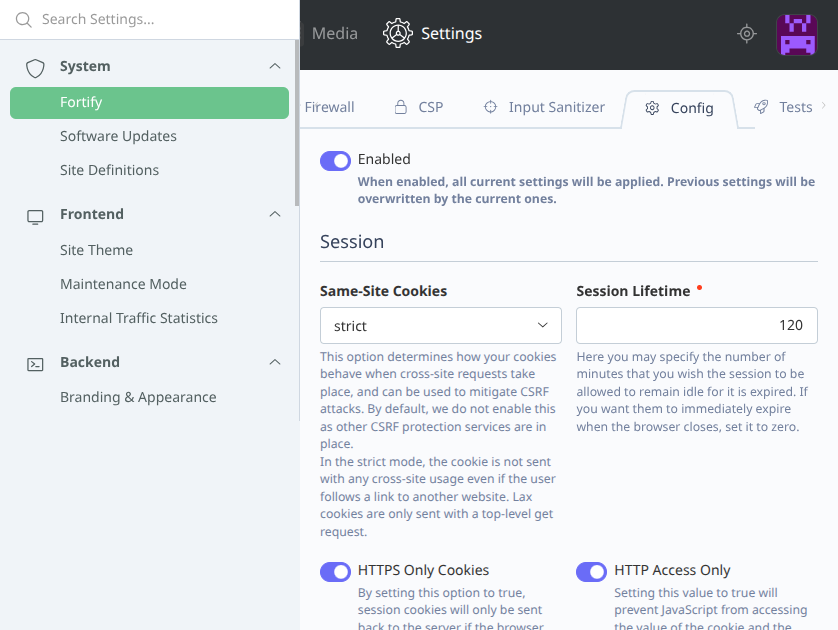
- Same-Site Cookies
- Session Lifetime control
- HTTPS-only cookies
- HTTP-only cookies
- Session encryption
Authentication & Password Policies
- Allow self-service password reset
- Require uppercase letters (A–Z)
- Require lowercase letters (a–z)
- Require numbers
- Require non-alphabetic characters
- Password expiration support
- Password length control (4–128 characters)
Advanced Security
- Force HTTPS
- Force single session per user
Requirements
- PHP 8.2 or higher
- October CMS 3.0 or higher
Questions? Need help?
If you have any questions about how to use this plugin, feel free to contact wobqqq@gmail.com.
The following plugins extend or depend on the plugin

CSP
Add Content Security Policy headers to protect your site against XSS and data injection attacks.
CSP
Add Content Security Policy headers to protect your site against XSS and data injection attacks.

Input Sanitizer
Sanitize and block malicious input in headers or request data to prevent XSS and injections.
Input Sanitizer
Sanitize and block malicious input in headers or request data to prevent XSS and injections.

Admin IP Access
Restrict access to the admin panel by IP address for enhanced security.
Admin IP Access
Restrict access to the admin panel by IP address for enhanced security.

IP Blocker
Manually block specific IP addresses to prevent unauthorized access and attacks.
IP Blocker
Manually block specific IP addresses to prevent unauthorized access and attacks.

Smart IP Blocker
Automatically block IPs that exceed request limits to prevent brute-force and abuse.
Smart IP Blocker
Automatically block IPs that exceed request limits to prevent brute-force and abuse.
Installation via Command Line
php artisan plugin:install Wobqqq.Fortify
Usage
After installing, all configuration and management is handled via the October CMS admin panel.
Admin Panel:
Navigate to Settings -> Fortify to view security settings and enable/disable features.
Console Commands:
- Disable Fortify config completely:
php artisan wobqqq.fortify:config:disable
-

Alexandru Fangli
Found the plugin useful on 8 Apr, 2026
This plugin provides excellent control over website security, all managed directly within the admin panel with no additional setup required. The dashboard widget is also very useful.
-

| 1.0.5 |
Internal refactoring: the network checks sit behind interfaces and return typed reports, and the dashboard widget logs an unexpected error instead of printing it; settings and behaviour are unchanged Oct 03, 2026 |
|---|---|
| 1.0.4 |
The Packagist page links to the marketplace, the docs and the three ways to install; releases are published on GitHub Sep 30, 2026 |
| 1.0.3 |
Password expiration takes a number of days, the non-alphanumeric password rule is applied, the dashboard widget runs only its own checks and escapes what it prints, the sensitive files checker no longer follows redirects and the TCP ports are checked in parallel Sep 30, 2026 |
| 1.0.2 |
Changes in events Apr 03, 2026 |
| 1.0.1 |
First version Mar 28, 2026 |