


CSP
Adds Content Security Policy (CSP) headers to your application to prevent XSS and data injection attacks.
This plugin is part of the Fortify ecosystem.
Security Dashboard Widget
Fortify includes a built-in dashboard widget that gives you a real-time overview of your system’s security status.
- Highlights critical vulnerabilities and misconfigurations
- Provides quick access to all security checks and tools
- Helps you identify and fix issues in one place
This widget acts as a central hub, allowing you to monitor and manage your application's security at a glance.
Features
- Easy CSP configuration
- Protection against XSS attacks
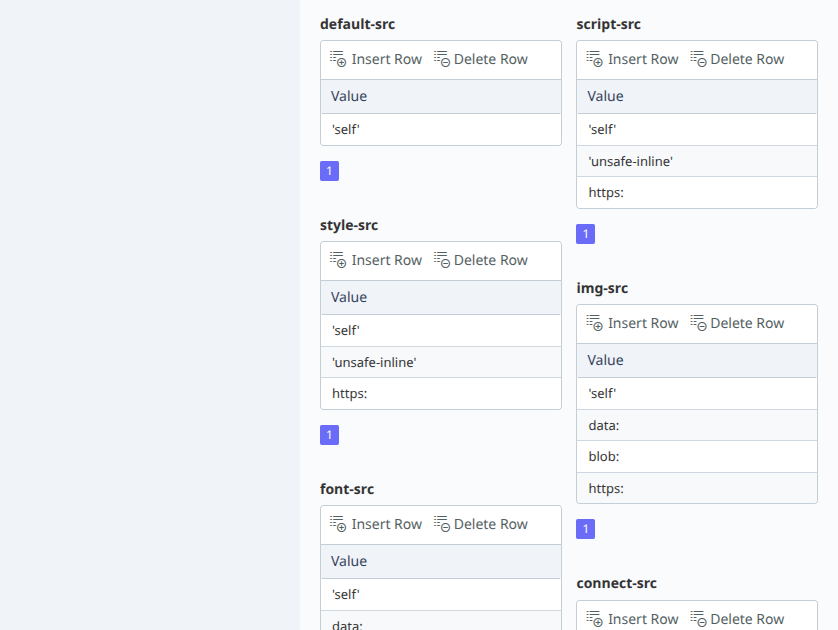
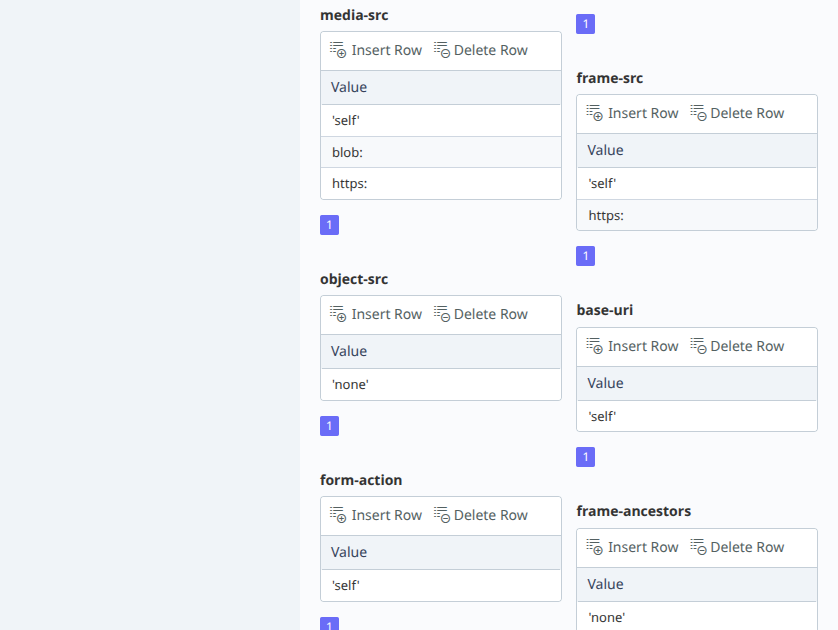
- Control allowed sources (scripts, styles, images, etc.)
- Improves browser-side security
Related Plugins
- Fortify – comprehensive security suite for October CMS
- Admin IP Access – restrict admin panel access by IP
- IP Blocker – manually block specific IP addresses
- Smart IP Blocker – automatic IP blocking based on request rate
- Input Sanitizer – block and sanitize malicious input
Requirements
- PHP 8.2 or higher
- October CMS 3.0 or higher
Questions? Need help?
If you have any questions about how to use this plugin, feel free to contact wobqqq@gmail.com.
The following plugin is required

Installation via Command Line
php artisan plugin:install Wobqqq.FortifyCsp
Usage
After installing, all configuration and management is handled via the October CMS admin panel.
Admin Panel:
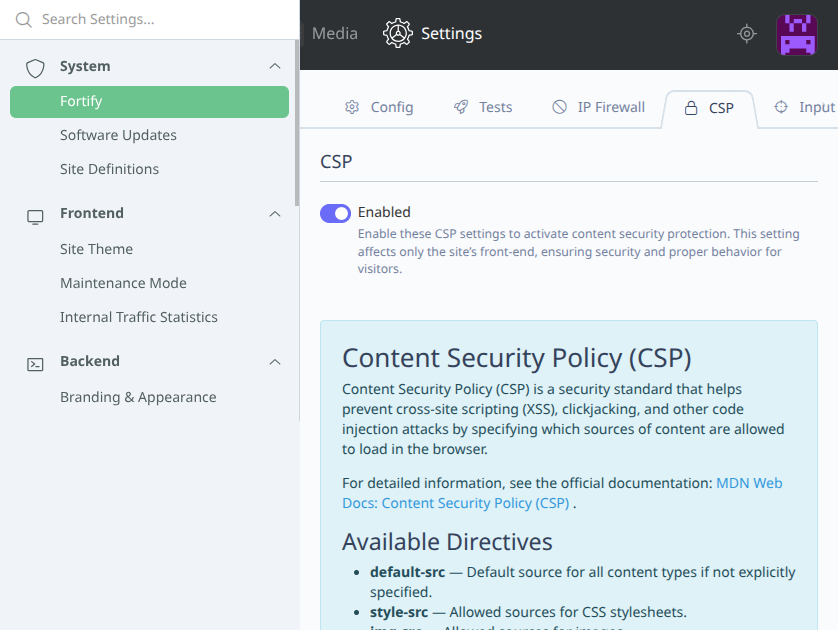
Navigate to Settings -> Fortify and enable CSP. Configure allowed sources as needed.
Console Commands:
- Disable CSP module:
php artisan wobqqq.fortify:csp:disable
-

Nick
Found the plugin useful on 25 Apr, 2026
Great plugin for managing Content Security Policy. Easy to use and effective
-

| 1.0.5 |
Internal refactoring: the settings section moves from the listener to a service; settings and behaviour are unchanged Oct 03, 2026 |
|---|---|
| 1.0.4 |
Composer installs the Fortify core with the module; releases are published on GitHub Sep 30, 2026 |
| 1.0.3 |
A directive value can no longer add a directive or break the header, the settings are validated on every save and applied as soon as they are saved Sep 30, 2026 |
| 1.0.2 |
Changes in events Apr 03, 2026 |
| 1.0.1 |
First version Mar 28, 2026 |