
What's New in October CMS v4.3
Posted in Announcements on Jun 12, 2026
Hello, October CMS enthusiasts! 
We're excited to announce October CMS v4.3, shipping today with eight new features that span the frontend, the backend, and developer tooling.
Here's everything that's new:
- Document Form Design - the Tailor editor layout, now available to any plugin
- Theme Translation Editor - spreadsheet UI for managing language files
- View Transitions - animated page navigations with one meta tag
- Partials as Components - modern attribute-bag patterns for theme templates
- October Boost - AI coding tools that actually understand October
- Official Debugbar - Laravel Debugbar with October-aware tabs
- Per-Site Plugin Management - enable or disable plugins per site
- File Attachment Import & Export - ZIP archives with the actual files inside
Document Form Design: The Tailor Editor, Now for Every Plugin
The polished full-height layout you've been using in the Tailor editor - the one with the adaptive toolbar, the secondary fields tucked into a popover, the outside-fields header - was tightly bound to Tailor. Plugin developers who wanted the same look had to rebuild it from scratch, or settle for a plainer form.
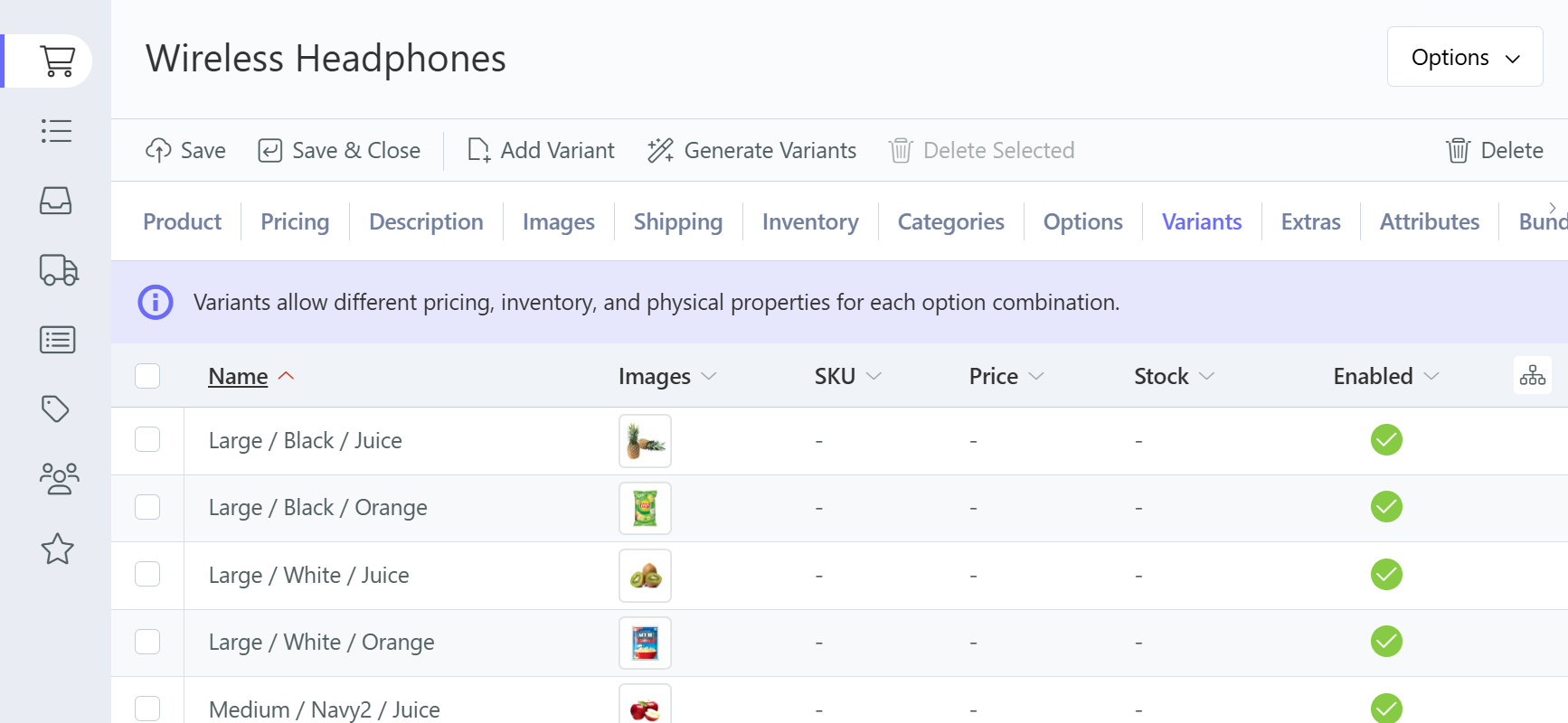
Version 4.3 turns that layout into a reusable form design that any backend controller can opt into with one line of YAML.
# config_form.yaml
design:
    displayMode: document
Your form gets the full-height document layout, a Vue-powered toolbar with Save, Save & Close, and Delete, header space for outside fields, and a popover for secondary tabs.
Then there's the adaptive toolbar. Any form widget marked span: adaptive - a rich editor, a markdown editor, a file uploader - automatically promotes its own buttons into the document toolbar. Focus the rich editor and the formatting controls appear at the top of the page; switch to the file uploader and the upload controls take their place. No manual wiring, just a single property on the field.
The post editor in the updated RainLab Blog plugin shows this in action - the markdown editor and the featured image uploader both use span: adaptive, so the toolbar swaps between editor and upload controls as you move between fields.
Manage Languages with Theme Translation Editor
Themes in October CMS support JSON translation files - drop an en.json and fr.json in the lang/ directory, use __() or trans() in your Twig templates, and your frontend is multilingual. But until now, managing those files meant opening them in an external editor or SSH-ing into the server.
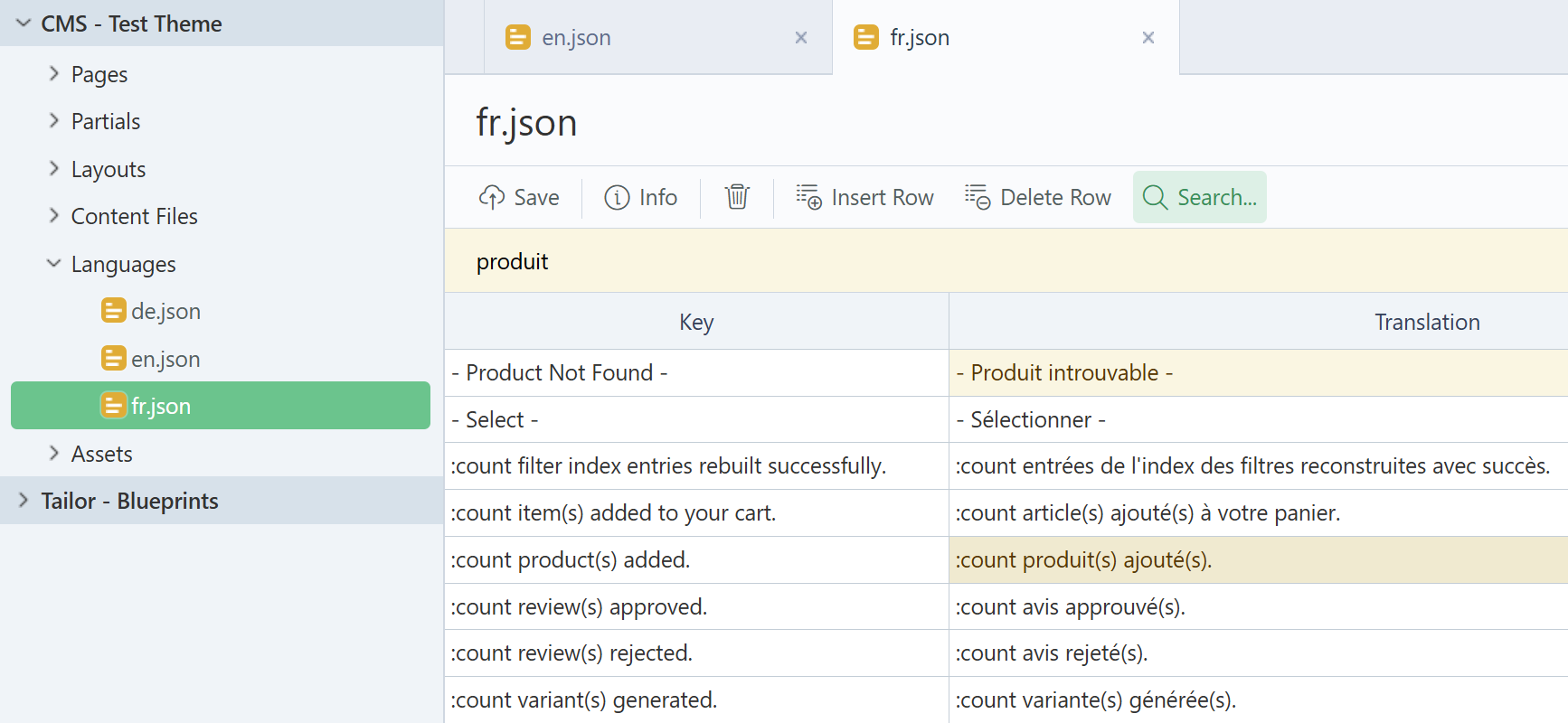
Version 4.3 adds a dedicated Languages section to the CMS editor. Language files open in a spreadsheet view with translation keys on the left and values on the right - no more editing raw JSON and worrying about trailing commas or mismatched braces.
Creating a new language file is fast: click "New Language File", and the editor pre-populates it with every key from your default language. You get the complete list ready to translate, instead of an empty file and a lot of copy-pasting.
A built-in search highlights matches across the spreadsheet in real time, and pressing Enter jumps to the next result - handy when your theme has hundreds of translation strings. Add and remove rows from the toolbar, and everything saves back as clean JSON.
Pages That Feel Alive with View Transitions
Page navigations in October CMS already feel fast thanks to the turbo router. Now they can look beautiful too.
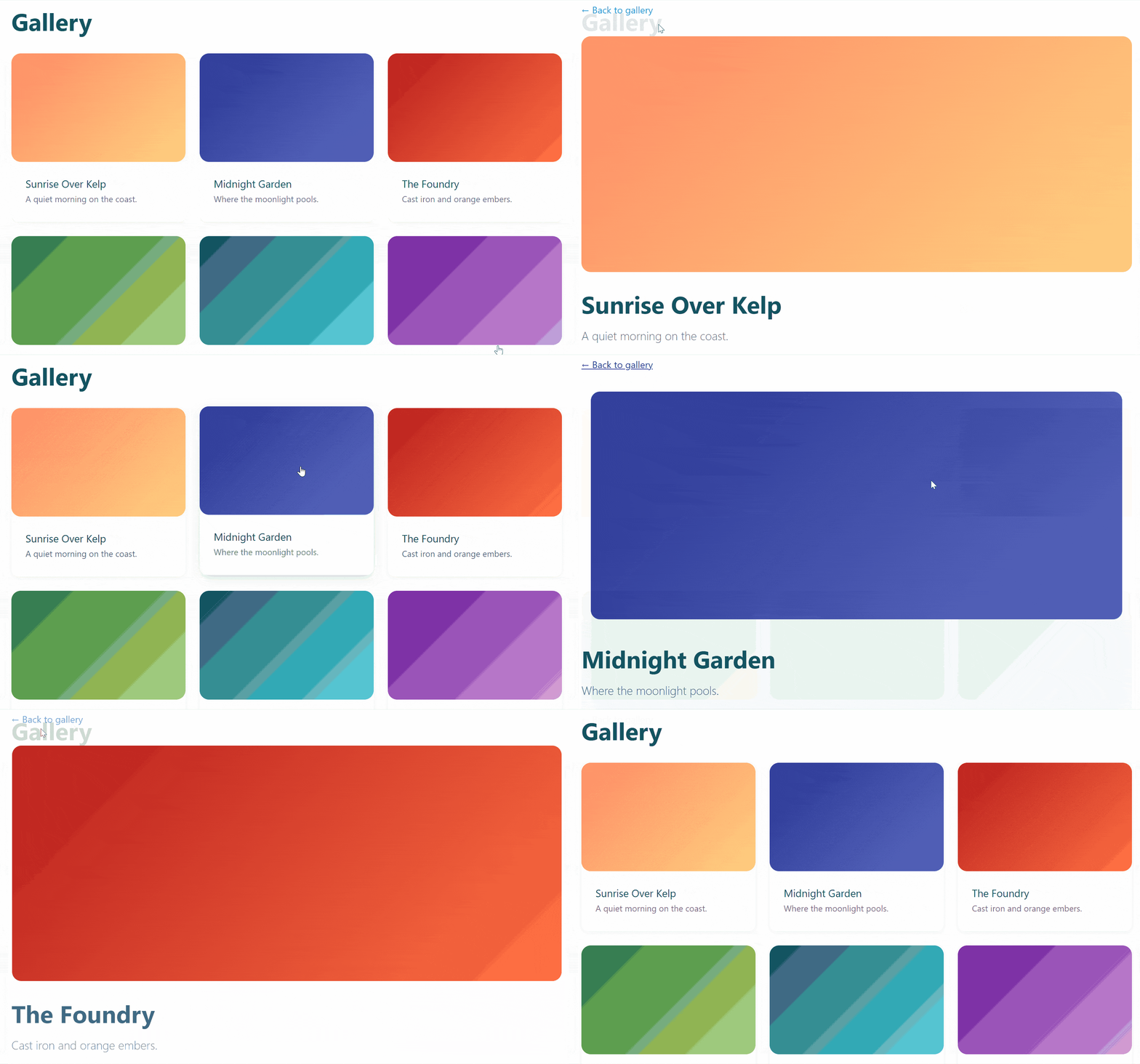
Version 4.3 adds native View Transitions API support, giving turbo-routed navigations smooth, animated transitions - the kind you'd expect from a single-page app. Add one meta tag:
<meta name="turbo-view-transition" content="same-origin" />Every page navigation gets a polished cross-fade. The animations are pure CSS, so you can replace the default with slides, scales, directional transitions that respond to forward and back navigation, or even individual elements that morph between pages (a product thumbnail expanding into a full hero image, for example). Older browsers fall back to the instant page swap they always had.
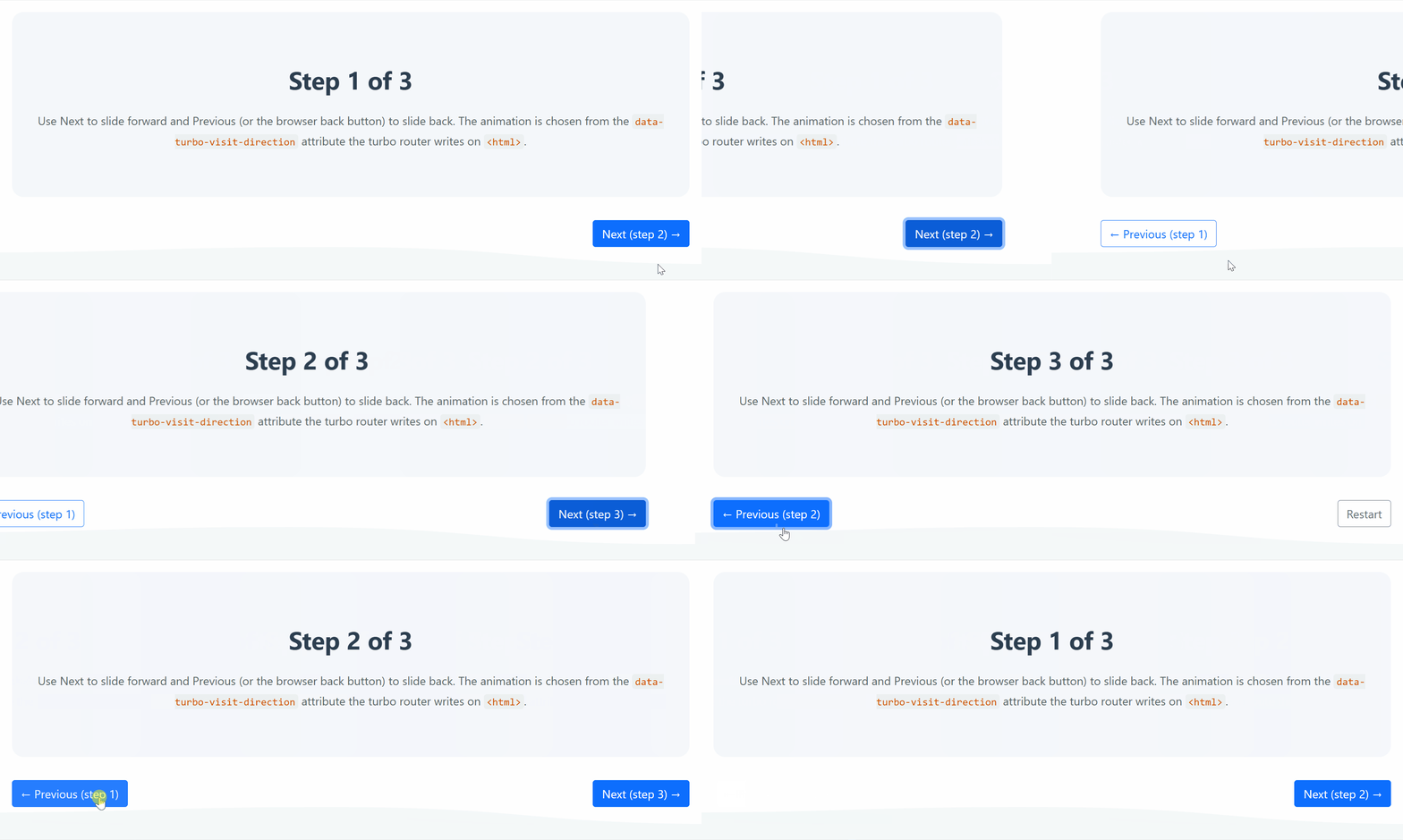
See the View Transitions documentation for examples and inspiration. You can also find usage examples in the test theme where these screenshots were created.
Partials as Components
If you've used Laravel Blade Components or any modern frontend framework, you know the pattern: a component declares what data it needs, and everything else passes through as HTML attributes. Class merging just works. You don't invent cssClass variables or manually concatenate strings with |default('').
October CMS v4.3 brings this pattern to CMS partials and components.
The problem
Building reusable partials in October CMS has always had a gap. Consider a card partial:
{# card.htm #}
<div class="card {{ cssClass|default('') }}">
    <h2>{{ title }}</h2>
</div>
Every HTML attribute - class, id, data-* - needs its own named variable. There's no way to forward unknown attributes to the root element. Class merging is manual string concatenation. And you have to read the template source to know what parameters it expects.
This makes it impractical to build real component libraries in themes. A button partial that needs to accept any HTML attribute would need dozens of variables.
One New Tag: {% props %}
Add {% props %} to the top of any partial to declare which parameters are component data. Everything else automatically flows into an attributes bag:
{# partials/ui/card.htm #}
{% props {title: null} %}

<div {{ attributes.merge({class: 'card'}) }}>
    <h2>{{ title }}</h2>
    {{ body }}
</div>
Now callers can pass any HTML attribute and it just works:
{% partial "ui/card"
    title="Hello"
    class="mt-4 shadow"
    id="featured"
body %}
    <p>Card content goes here</p>
{% endpartial %}
Output: <div class="card mt-4 shadow" id="featured">...</div>
The class and id weren't declared as props, so they flow into the attribute bag. The merge() method smart-appends the caller's class to the partial's default - no string concatenation required. You don't need to anticipate every possible attribute a caller might want, which is what makes theme component libraries practical.
CMS Components Get It Too
The same pattern applies to CMS components - a component's defineProperties() is its props declaration, and any extra parameters passed to {% component %} become the attribute bag automatically. Components also gain body content support, so a modal, dialog, or card component can wrap arbitrary content the same way partials do.
Under the hood, attributes is Laravel's ComponentAttributeBag - the same class used by Blade Components - so if you've worked with Blade, the API is already familiar.
AI-Powered Development with October CMS Boost
If you use AI coding tools like Claude Code, Cursor, or GitHub Copilot, there's a new way to make them dramatically better at writing October CMS code.
October CMS Boost is a Composer package that extends Laravel Boost with October-specific knowledge. Install it and your AI agent learns to use array-based model relationships instead of Laravel's fluent methods, October's scaffolding commands instead of php artisan make:model, the AJAX framework instead of Livewire, and all the other patterns that make October code idiomatic.
It works in three layers:
- Guidelines teach the AI the fundamental rules. It stops suggesting Blade components, Inertia, or form requests and starts writing code that fits the codebase.
- Skills activate on demand when the AI detects it's working with plugins, Tailor blueprints, backend controllers, themes, or the AJAX framework, giving it deep domain knowledge for each area.
- MCP tools give the AI real-time access to your actual application. It can inspect your Tailor blueprints, installed plugins, and theme structure, and search the official documentation for Laravel, October CMS, Larajax, and Meloncart directly from their source repositories.
composer require october/boost --dev
php artisan boost:install
Once installed, your AI agent has the context it needs to write idiomatic code.
Debugbar: See What's Happening Under the Hood
October CMS now has an official Debugbar, a toolbar that appears at the bottom of every page showing database queries, memory usage, request timing, session data, and more.
composer require october/debugbar --devIt's powered by Laravel Debugbar with custom collectors built specifically for October CMS. You'll see which backend controller is handling the request, which CMS page and layout are rendering, what components are active and their properties - all in dedicated tabs alongside the standard query and performance data.
AJAX requests are captured automatically in a dropdown, so you can inspect the queries and timing for every handler call without leaving the page.
The debugbar activates when APP_DEBUG=true and hides itself in production.
Multisite Plugins: Different Active Plugins Per Site
Running multiple websites from a single October CMS installation is powerful - but until now, every plugin was active everywhere. If your shop plugin only belongs on shop.domain.com, you had to either run separate installations or build workarounds to keep users from accessing it on the wrong site.
Version 4.3 solves this. Enable the system_plugin_sites or system_plugin_site_groups feature in your config/multisite.php configuration file, and the familiar plugin enable/disable toggle on the Manage Plugins page becomes site-aware. Select a site in the site picker, toggle the plugins you want - done.
Disabled plugins are fully hidden for that site: no navigation items, no settings, no controller access. The site picker on plugin pages even filters itself to only show sites where the current plugin is available, so administrators can't accidentally navigate to a site where the plugin doesn't exist.
File Attachment Import & Export
Importing and exporting records with file attachments - product images, document uploads, featured photos - has never been straightforward. Export gave you useless integer IDs. Import rejected file paths with database errors. Theme seeding with images required manual workarounds.
Version 4.3 adds native file attachment support to the import/export system. Exporting records with file attachments automatically produces a ZIP archive containing a data file plus a files/ directory with the actual files, referenced by human-readable paths:
{
    "name": "Widget Pro",
    "featured_image": "files/product-hero.jpg",
    "gallery": ["files/product-gallery-1.jpg", "files/product-gallery-2.jpg"]
}
Importing is just as easy - upload the ZIP and the files are extracted and attached automatically. The feature works everywhere: the backend Import/Export controller, theme seeding, and programmatic imports. Plugin developers get it for free from the base ImportModel and ExportModel classes.
Upgrading
To upgrade, run:
php artisan october:updateAfter upgrading, perform a hard refresh in your browser (Ctrl+Shift+R / Cmd+Shift+R) to clear cached backend assets.
For the full list of changes:
We hope you enjoy this release, and as always, your feedback is welcome.
Need Help?
If you have questions or run into issues:
- October CMS Discord - Join our community chat
- October CMS Forum - Discuss and get support