

Developer Tools
Edit plugins with the online code editor and other useful features for developers.
Developer Tools
Edit plugins with the online code editor and other useful features for developers.
It is a must-have plugin for you, if you use the October's Docs a lot or you want to use the build-in wysiwyg editor on the Content page.
Main features
- Edit directly plugins with the online code editor!
- Add a Help tab to the Pages, Partials or Layouts pages.
- Replace the code editor to wysiwyg editor on the Content page.
- Show the PHP's configuration if you logged as Superuser.
- Set a different permissions for the above features.
Available languages
- en - English
- hu - Magyar
More premium plugins
- Content Plus - Complete solution for Blog, News, Portfolio, Slideshow and Testimonials in one plugin. Many features and client-friendly interface.
- Backend Elite - Use amazing back-end features and fresh dashboard widgets. Gzip compression, CMS cleaner, right-click menu, etc.
- Login Page - Customize your back-end login page! You can change the background color or image, hide the logo or slogan and so on...
- Hospitality - This is the complete hospitality plugin with booking table, quick reservation and menu features. Manage your restaurant or cafe easily.
More free plugins
- Backend Plus - Extend the back-end to some features and widgets.
- News & Newsletter - This is a simple news and newsletter plugin.
- Front-end Plugins - List of components which are use in front-end.
- Blog Stats & Graphs - Extended the Blog with graphs and widgets.
- User Plus - Extend the RainLab User plugin to some new fields.
- Paste Content - Paste snippets or HTML blocks to the CMS or plugins.
- Quick Edit - Edit easily the CMS pages via dashboard widget.
- Popup Manager - Easy to manage popups and collect subscribers.
- Photography - Manage your photos and photo equipment easily.


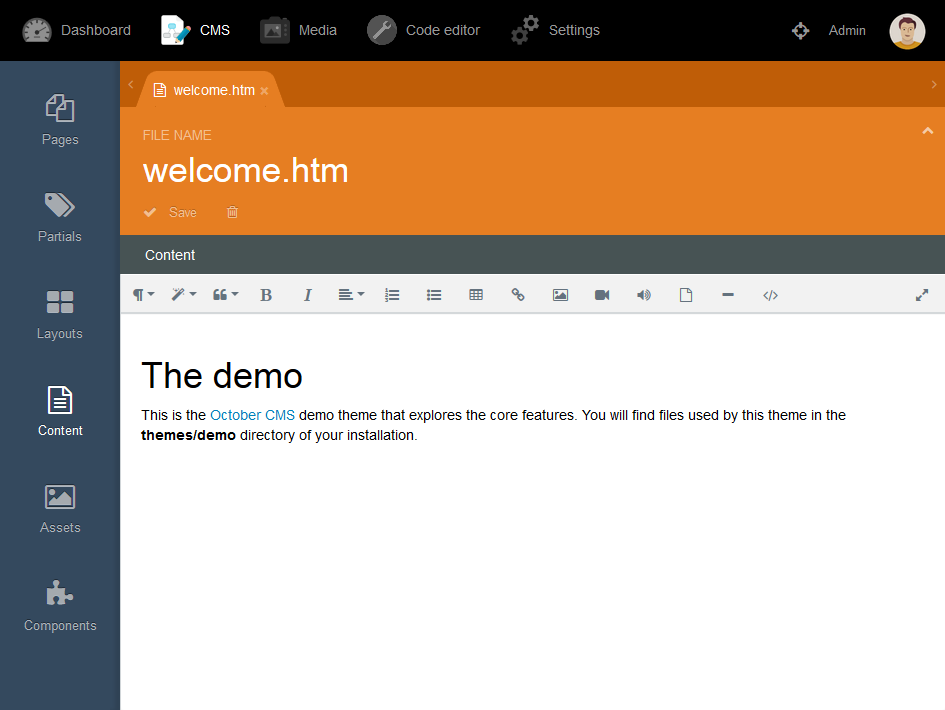
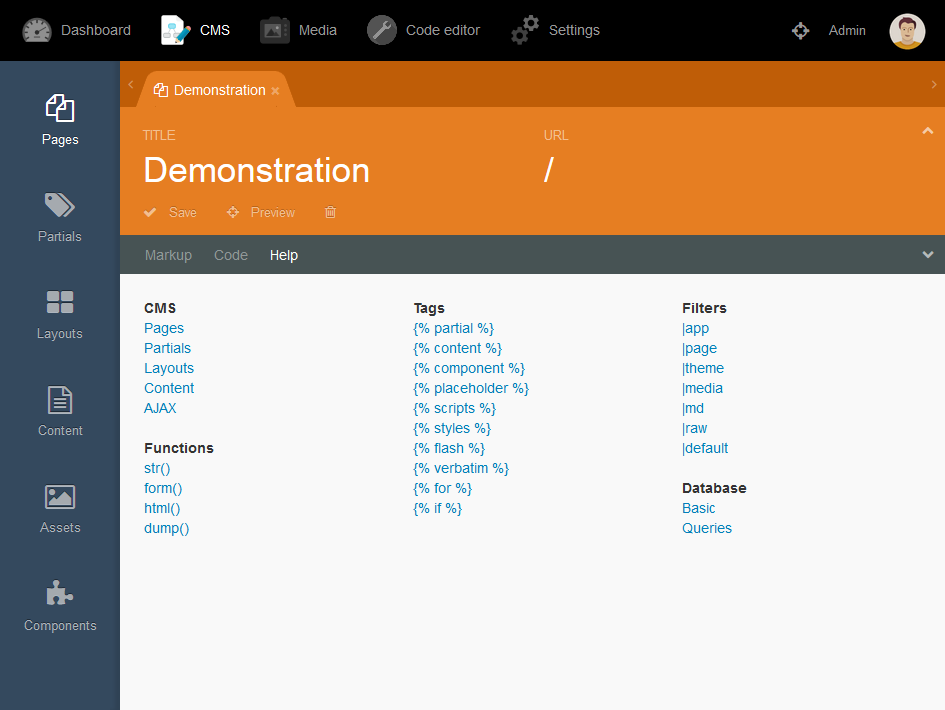
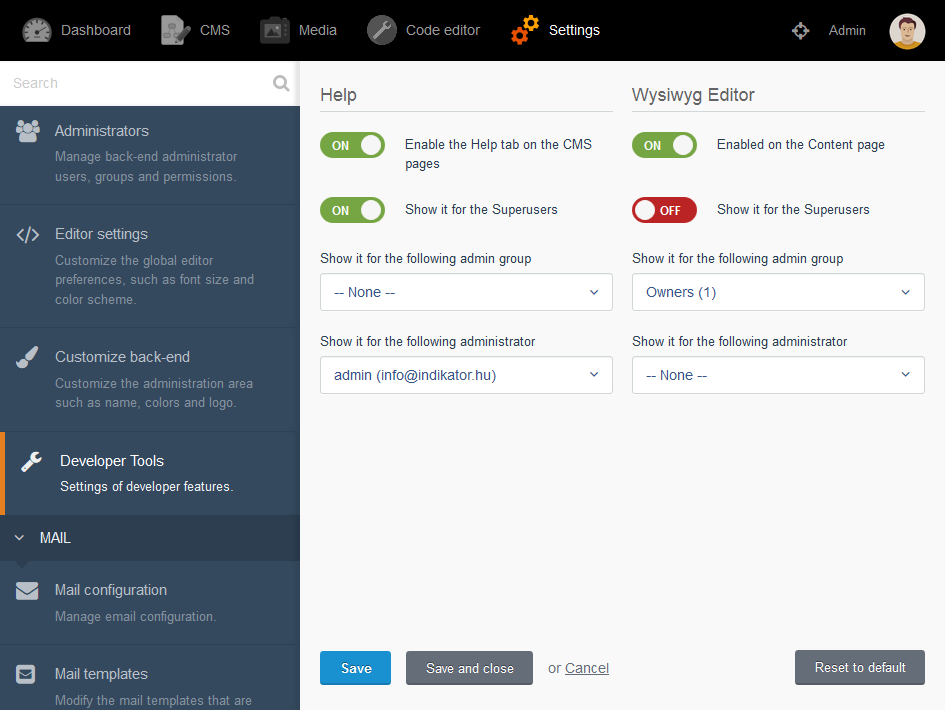
Edit directly plugins with the code editor
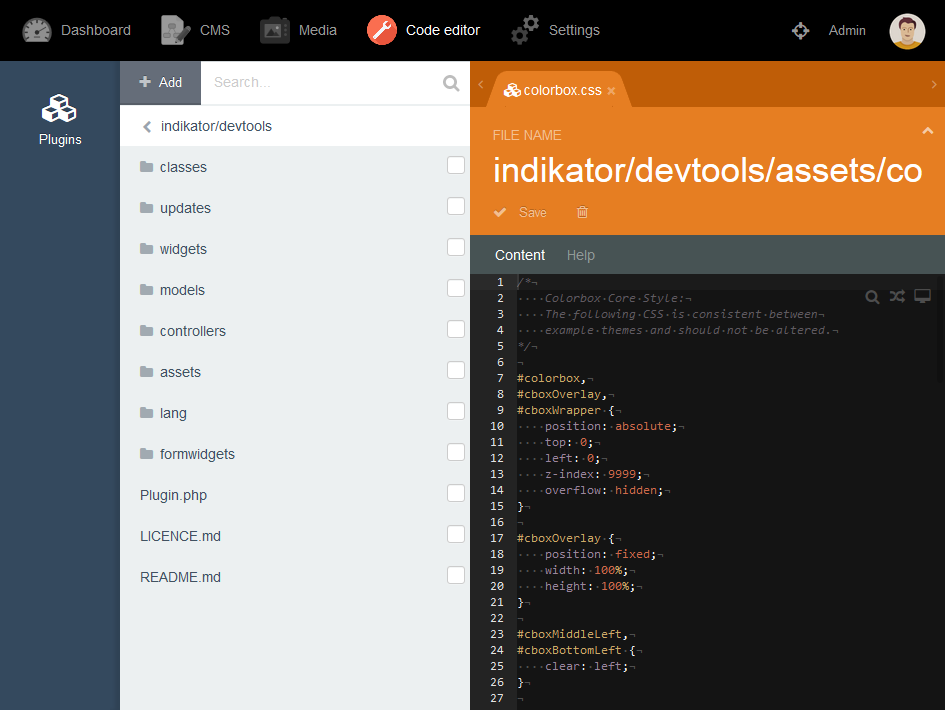
Installation via Command Line
php artisan plugin:install Indikator.DevTools
Location of plugin
You can find it in the back-end: Settings > System > Developer Tools
PHP's configuration
If you like to get the PHP's configuration of your server, use the following URL: www.yourwebsite.com/phpinfo
Installation
- Go to the Settings > Updates & Plugins page in the Backend.
- Click on the Install plugins button.
- Type the Developer Tools text in the search field.
-

O. Villani
Excellent plugin, editor is a great help in any case. A 'must-have' plugin :)
-

Patrick
Hi :)
The ability to edit plugin code directly from the backend is super cool, thanks!
I tried accessing the "Page Help" functionality with no success, the popup displays with an error message stating that "octobercms.com" refused the connection.
-

Szabó Gergő author
Hi,
Thank you for your review! I modified the Page Help feature. Please update the plugin. -

Ronny Skog
The ability to edit plugins is very useful. I really miss syntax highlighting though.
-
Szabó Gergő author
Thank you for your feedback! The syntax highlighting works again! Please update the plugin.
-

Zoltán Frigy
Szia, Nagyon jó a plugin. Viszont most a legutóbbi frissítéskor bekerült a indikator/devtools/controllers/editor/_content_toolbar.htm -ba egy = jel a $lastModified elé, Emiatt nem tudtam új fájlokat létrehozni. Magamnál javítottam. Gondoltam szólok.
-
Szabó Gergő author
Szia Zoltán! Köszönöm, hogy jelentetted a hibát! Kijavítottam, így már rendben működik a fájl létrehozás.
-

Justin Patterson
Is this plugin my go-to development platform for any of my October sites? No. Do I use it on every single October site anyways? Yes. Why? Simple. I have needed to be able to access my plugin code quickly on multiple occasions where I'm not at my office and this provides exactly that!
-

Ethan
The ability to edit plugins makes this a must-have plugin. However, I get an error when trying to make a new directory.
<code>exception 'Symfony\Component\Debug\Exception\FatalErrorException' with message 'Call to a member function dirName() on a non-object' in /var/www/html/plugins/indikator/devtools/widgets/assetlist/partials/_new_dir_form.htm:22</code>
-
Szabó Gergő author
Thank you for your review! I fixed this issue. Please update the plugin.
-

Publipresse Médias
Long time issue (no syntax highlight) not resolved neither replied by the author which make this plugin useless.
-
Szabó Gergő author
The syntax highlighting works again! Please update the plugin.
-

Eugene
Great work!
-


| 1.2.3 |
The file delete operation works again. Sep 14, 2021 |
|---|---|
| 1.2.2 |
Fixes dependency bug in asset list on newer platform versions Jun 10, 2021 |
| 1.2.1 |
Help links open in a new window. Oct 10, 2019 |
| 1.2.0 |
The syntax highlighting works again! Apr 02, 2019 |
| 1.1.9 |
Updated the main navigation icon. Oct 16, 2018 |
| 1.1.8 |
!!! Updated for October 420+. Aug 30, 2018 |
| 1.1.7 |
Fixed the Create folder issue. Jul 28, 2017 |
| 1.1.6 |
The top menu icon shows again. Jun 20, 2017 |
| 1.1.5 |
Minor code improvements and bugfix. Jun 18, 2017 |
| 1.1.4 |
Show the PHP's configuration. Jun 12, 2017 |
| 1.1.3 |
Added new icon for main navigation. May 02, 2017 |
| 1.1.2 |
Fixed the Create file issue. Mar 10, 2017 |
| 1.1.1 |
Translate some English texts. Oct 30, 2016 |
| 1.1.0 |
Edit plugins with the code editor. Sep 30, 2016 |
| 1.0.0 |
First version of Developer Tools. Sep 22, 2016 |