


Impersonate Plugin
Sign in as any backend user of your October CMS site — with an audit trail and guard rails.
Demo URL: https://october-demo.renatio.com/backend/backend/auth/signin
Login: impersonate
Password: impersonate
See every backend screen exactly as another administrator sees it. Reproduce the problem a user reports, verify what a role can and cannot reach, or check a permission setup without asking anyone for their password.
Features
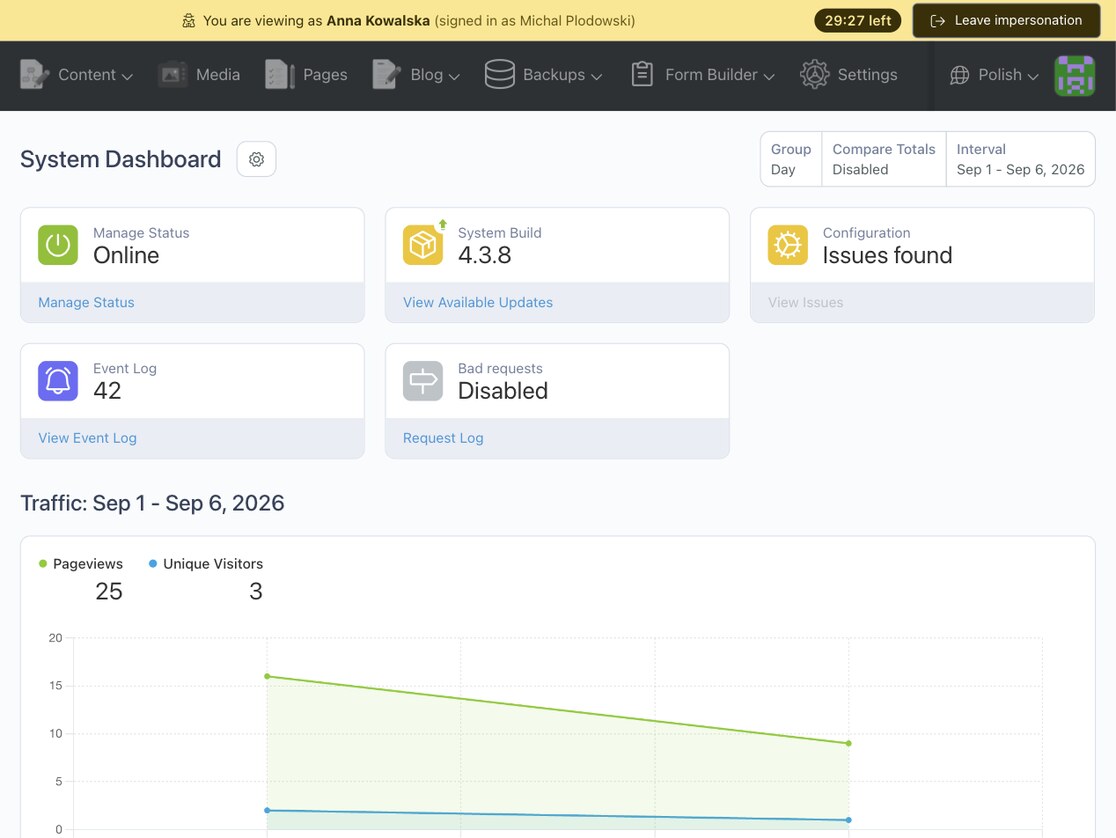
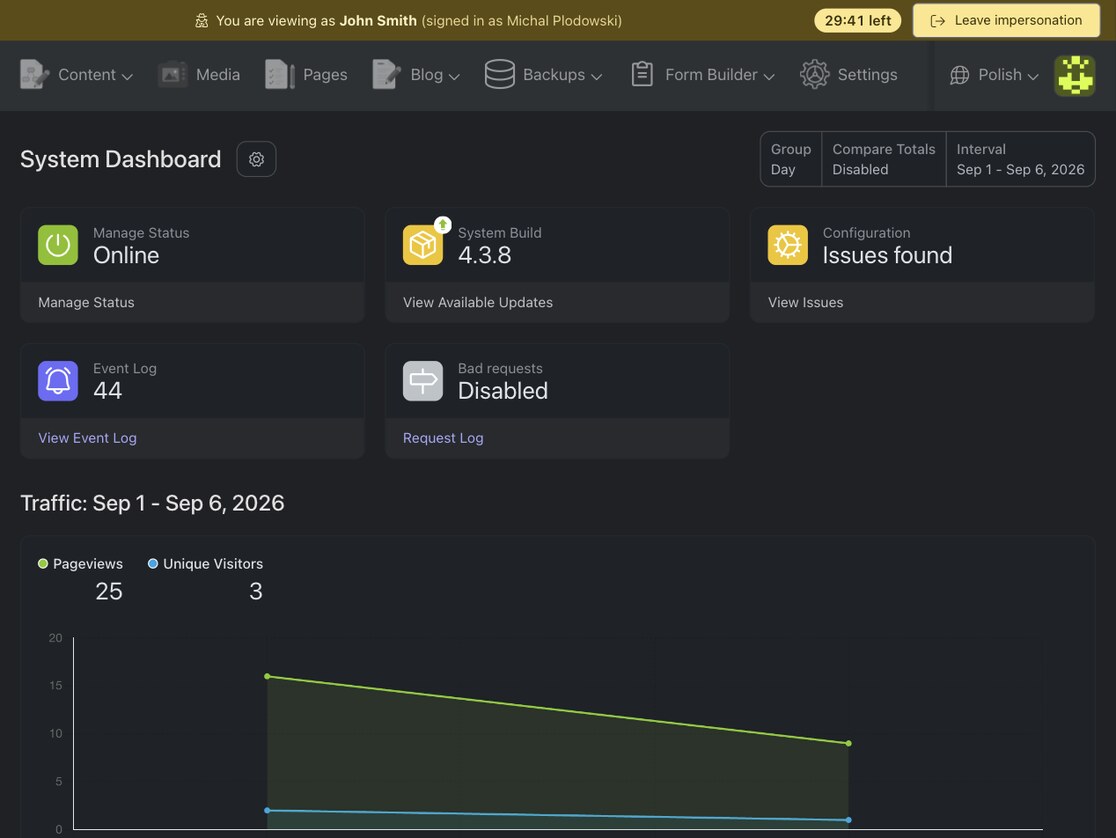
- One-click impersonation from the backend users list, with a banner on every page showing who you are viewing as, who you really are and how long the session has left
- Audit log — every started, stopped and refused impersonation is written to the system event log with both users and the IP address
- Privilege escalation guard — a non-super user cannot impersonate anyone who holds a permission they lack
- Session lifetime — impersonation ends automatically after a configurable number of minutes
- Safety checks — super users, your own account, inactive users, users without backend access and nested impersonation are refused with a clear message
- Separate permissions for impersonating and for changing the plugin settings
- Permission-free exit — the banner button, the access denied page and a dedicated address all end the impersonation, whatever the impersonated user is allowed to see
- Events
renatio.impersonate.started,stoppedanddeniedfor your own notifications or integrations - Multilingual: English, Polish, German, French, Spanish, Brazilian Portuguese, Italian, Russian, Dutch and Czech translations included — more available on request
Requirements
This plugin requires PHP 8.2 or higher and October CMS 4.0 or higher. Running its test suite and static analysis needs PHP 8.4.
Why is this a paid plugin?
Something that is free has little or no perceived value. Users do not commit to free products and only use them until something else that looks nice and is free comes along. When I invest my time in the development of a new plugin I commit to supporting and maintaining it. I ask my customers to do the same. I do not make money from this plugin by advertisements, upgrades or additional services like hosting or setup.
Did you know that 30% of your purchase or donation goes to help fund the October Project?
My plugins take many hours to develop (40-120+) and even more hours to document and maintain. My paid plugins have to pay for both this time, and the time I am spending on free plugins and less successful paid plugins. This means that it will take even a successful plugin years to become profitable. Please consider buying an extended license if you want me to continue to maintain these plugins for the very small fee I ask in return or hire me for adding functionality that you feel is missing but valuable.
Like this plugin?
If you like this plugin, give this plugin a Like or Make donation with PayPal.
My other plugins
Please check my other plugins.
Support
Please use GitHub Issues Page to report any issues with plugin.
Reviews should not be used for getting support or reporting bugs, if you need support please use the Plugin support link.
Icon made by Darius Dan from www.flaticon.com.
This plugin is also included into the following bundle


Installation via Command Line
php artisan plugin:install Renatio.Impersonate
Documentation
Usage
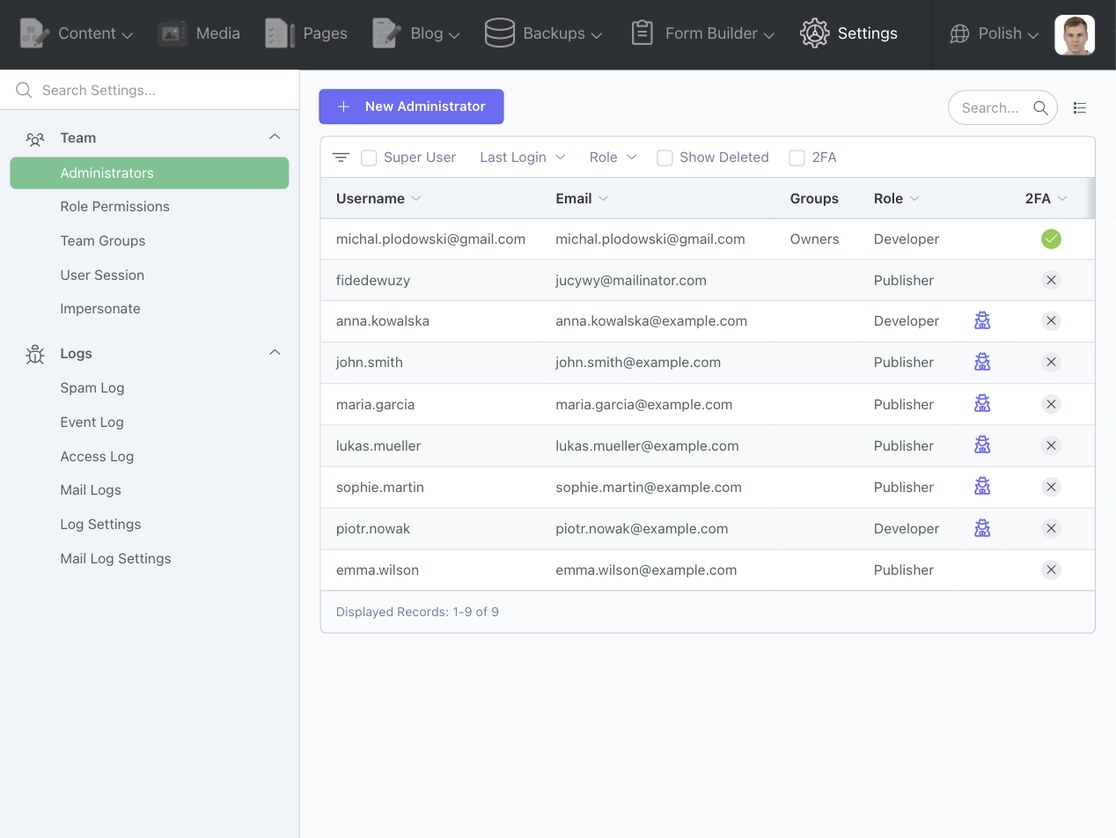
After installation the plugin adds an impersonate icon to every row of Settings → Team → Administrators. Click it, confirm, and the backend reloads as that user. A banner on every page shows who you are viewing as, who you really are, the time left when a session lifetime is set, and a Leave impersonation button.
Impersonating needs the User impersonation permission, granted by default to super users and the Developer role.
Who cannot be impersonated
An attempt is refused with a flash message when the target is a super user, is your own account, is not activated or lacks backend access, or holds a permission you do not have while the privilege escalation guard is on. Nested impersonation is refused as well; leave the current one first.
Settings
Settings → Team → Impersonate needs the Manage impersonation settings permission, granted by default to super
users and the Developer role. Impersonators without it cannot switch the safeguards off.
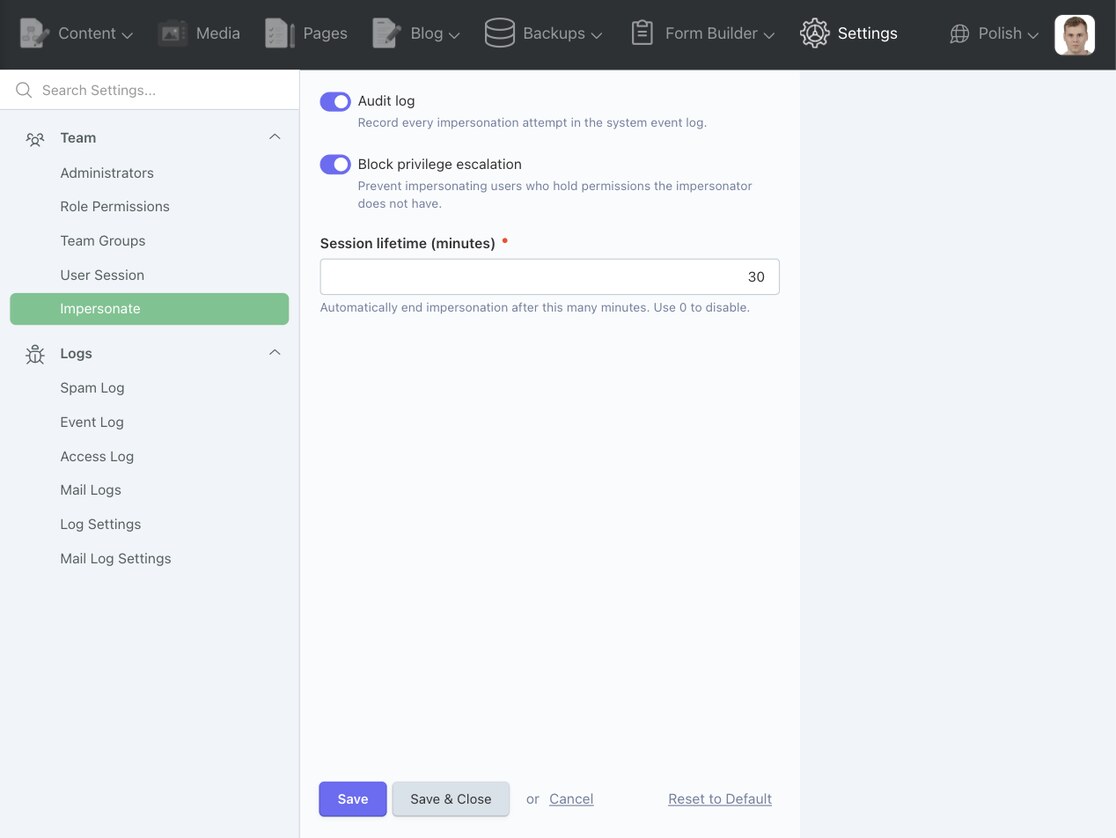
- Audit log — record every impersonation attempt in the system event log. Default: on.
- Block privilege escalation — refuse impersonating users who hold permissions the impersonator does not have. Super users are never blocked. Default: on.
- Session lifetime (minutes) — end the impersonation automatically after this many minutes.
0disables the limit. Default:0.
Audit log
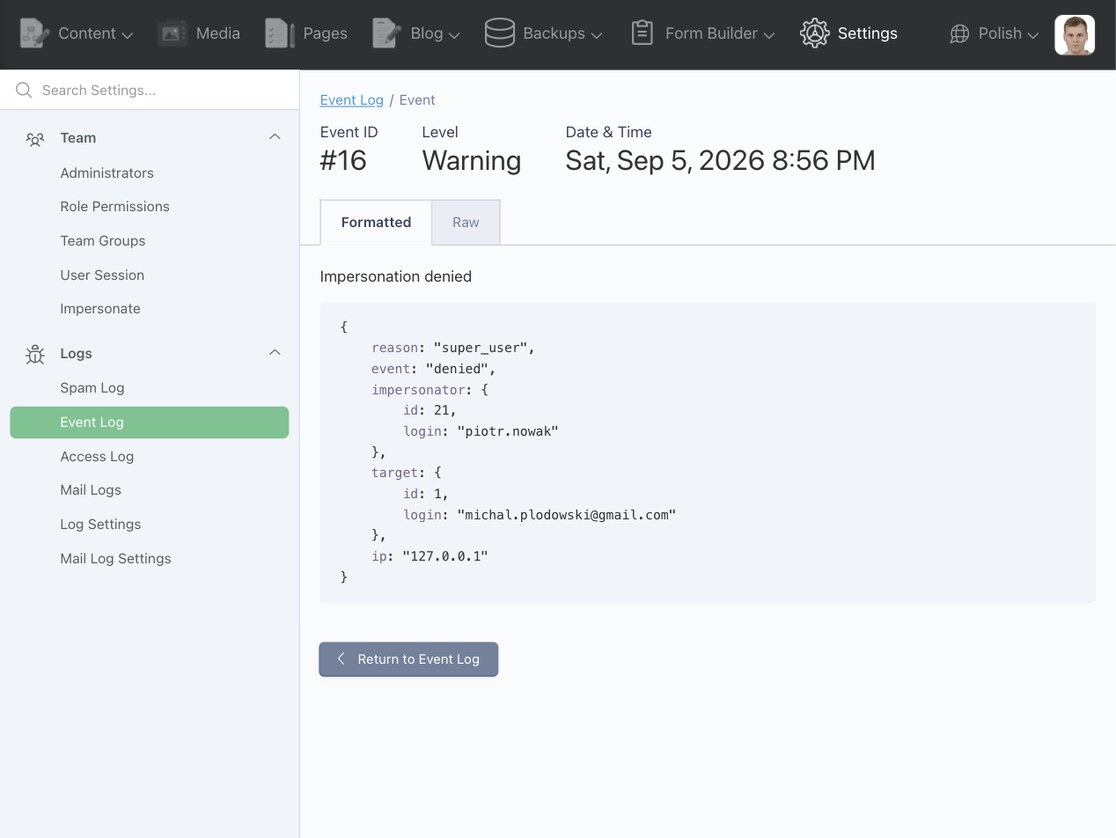
Every attempt is written to Settings → Logs → Event Log as Impersonation started, stopped (info) or
denied (warning) with these details:
| Field | Value |
|---|---|
event |
started, stopped or denied |
impersonator |
id and login of the real user |
target |
id and login of the impersonated user |
ip |
client IP address of the request |
reason |
denied entries only: not_found, nested, super_user, no_backend_access, self, privilege_escalation |
An impersonation that ends because its lifetime expired is logged as stopped, like a manual exit.
Leaving impersonation
Use the banner button or the link on the access denied page. Should neither be reachable, open this address (with your backend URI) and confirm:
/backend/renatio/impersonate/leave
An impersonation that outlives the session lifetime ends on the next request with a notice.
Events
The plugin fires its own events, so another plugin or the project can send a mail, write an audit entry or react to a
refusal. The names are available as constants on Renatio\Impersonate\Classes\Events.
| Event | Fired when | Payload |
|---|---|---|
renatio.impersonate.started |
an impersonation begins | $impersonator, $target |
renatio.impersonate.stopped |
an impersonation ends, by the user or because its lifetime ran out | $impersonator, $target, $reason — manual or expired |
renatio.impersonate.denied |
an attempt is refused | $impersonator, $target — null for an unknown user id, $reason — not_found, nested, super_user, no_backend_access, self or privilege_escalation |
Both users are Backend\Models\User instances; $impersonator and, for stopped, $target can be null when the
account was deleted mid-session. Events fire after the audit log entry is written. Keep listeners cheap and
non-throwing: an exception aborts the request, though the session and the log are already consistent by then.
Listen in your plugin's boot():
use Illuminate\Support\Facades\Event;
use Renatio\Impersonate\Classes\Events;

Event::listen(Events::STARTED, function ($impersonator, $target) {
    traceLog($impersonator?->full_name . ' is now impersonating ' . $target->full_name);
});

Event::listen(Events::DENIED, function ($impersonator, $target, string $reason) {
    traceLog($impersonator?->full_name . ' was refused: ' . $reason);
});
The core model.auth.beforeImpersonate and model.auth.afterImpersonate events on Backend\Models\User keep
firing as well, but they know nothing about refusals or expiry.
-
This plugin has not been reviewed yet.
-
| 3.1.0 |
Security fixes and a settings page guarded by the new manage_settings permission. Sep 06, 2026 |
|---|---|
| 3.0.4 |
Update dependencies. Jul 12, 2025 |
| 3.0.3 |
Refactor. Jul 07, 2025 |
| 3.0.2 |
Minor fix. Jul 01, 2025 |
| 3.0.1 |
Require October 4. Jun 30, 2025 |
| 2.0.3 |
Minor fix. Jul 12, 2022 |
| 2.0.2 |
Composer config. Jun 17, 2022 |
| 2.0.1 |
Docs. Jun 09, 2022 |
| 2.0.0 |
Require October CMS 3.0. Jun 09, 2022 |
| 1.0.2 |
Fix issue with user session not available in request cycle. Jan 04, 2022 |
| 1.0.1 |
First version of Impersonate plugin. Nov 14, 2021 |
Upgrade guide
Versions not listed here need no action. Back up the database before upgrading.
Upgrading To 2.0.0
Plugin requires October CMS 3.0 or higher, Laravel 9.0 or higher and PHP >=8.0.
Upgrading To 3.0.1
Plugin requires October CMS 4.0 or higher.
Upgrading To 3.1.0
Security release. Upgrade every installation running 3.0.x. Plugin requires PHP 8.2 or higher. Run
php artisan october:migrate.
The User impersonation permission is now granted by default only to super users and the Developer role; the
Publisher role loses it. The new settings page at Settings → Team → Impersonate needs the separate
Manage impersonation settings permission. Grant either to a custom role where needed.
The privilege escalation guard is on by default, so a non-super user can no longer impersonate anyone holding permissions they lack. Switch it off in the settings if you rely on that.
Leaving impersonation goes through /backend/renatio/impersonate/leave; the onStopImpersonateUser AJAX handler
was removed. The plugin now fires renatio.impersonate.* events (see the README).