


POSMall - PostgreSQL eCommerce, POS, Services and Virtual Products
POSMall is a PostgreSQL-first eCommerce plugin for October CMS and Laravel. It is designed for stores that need a fast product catalog, point-of-sale workflows, service products, virtual products, checkout, orders, payments, shipping, taxes, reviews and API-ready commerce automation.
In the published same-environment benchmark, POSMall Core was measured against the selected Aimeos PostgreSQL reference across catalogs containing 1,000, 5,000, 10,000, 50,000, 100,000, 200,000, and 300,000 products.
POSMall Core won both measured paths at all seven catalog sizes.
Built-in check: POSMall > Tests > Catalog load.
Press the benchmark button; POSMall creates a fake catalog, rebuilds the PostgreSQL index, and measures category, filter, and search speed on your own server without custom benchmark code.
| Catalog size | POSMall Core PG category | Aimeos PG category | POSMall Core PG filtered/search | Aimeos PG search | Result |
|---|---|---|---|---|---|
| 1,000 | 35.40 ms | 42.85 ms | 33.64 ms | 184.84 ms | POSMall won both measured paths |
| 5,000 | 35.59 ms | 42.25 ms | 33.12 ms | 454.08 ms | POSMall won both measured paths |
| 10,000 | 33.48 ms | 42.73 ms | 32.61 ms | 754.77 ms | POSMall won both measured paths |
| 50,000 | 33.35 ms | 64.05 ms | 31.87 ms | 1,494.33 ms | POSMall won both measured paths |
| 100,000 | 34.22 ms | 51.76 ms | 33.32 ms | 3,010.45 ms | POSMall won both measured paths |
| 200,000 | 33.82 ms | 55.41 ms | 32.24 ms | 4,036.45 ms | POSMall won both measured paths |
| 300,000 | 33.49 ms | 61.17 ms | 33.79 ms | 4,229.29 ms | POSMall won both measured paths |
At 300,000 products:
- POSMall Core category: 33.49 ms
- Aimeos PostgreSQL category: 61.17 ms
- POSMall Core filtered/search: 33.79 ms
- Aimeos PostgreSQL search: 4,229.29 ms
- Aimeos took approximately 125.16× as long in the measured filtered/search comparison
- POSMall Core measured response time was approximately 99.20% lower in that comparison
POSMall Core is the fastest measured PostgreSQL-first Laravel/PHP eCommerce core within the published same-environment benchmark evidence. It beat the selected Aimeos PostgreSQL reference in both measured paths at all seven catalog sizes from 1,000 through 300,000 products.
This is an internal synthetic same-environment benchmark, not an independently certified industry benchmark. The result applies to the tested versions, routes, data shape, cache policy, catalog sizes, and environment.
The plugin provides the commerce engine. The companion POSMall Theme provides the customer storefront and is available separately:
https://github.com/TjoBiZ/POSMallTheme https://octobercms.com/theme/kodzero-posmalltheme
Use POSMall when you need an October CMS commerce backend with structured catalog management, PostgreSQL indexing, backend order management, tax automation helpers, API token scopes and a clean path for external integrations.
Core capabilities:
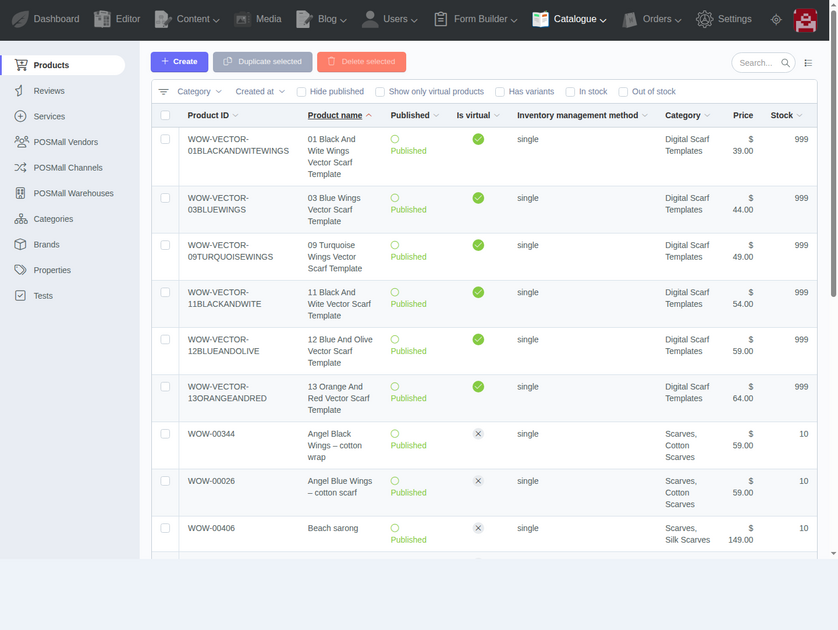
- Product catalog, categories, brands, properties, prices, stock and optimized product media.
- Physical products, virtual products, downloadable products and service options.
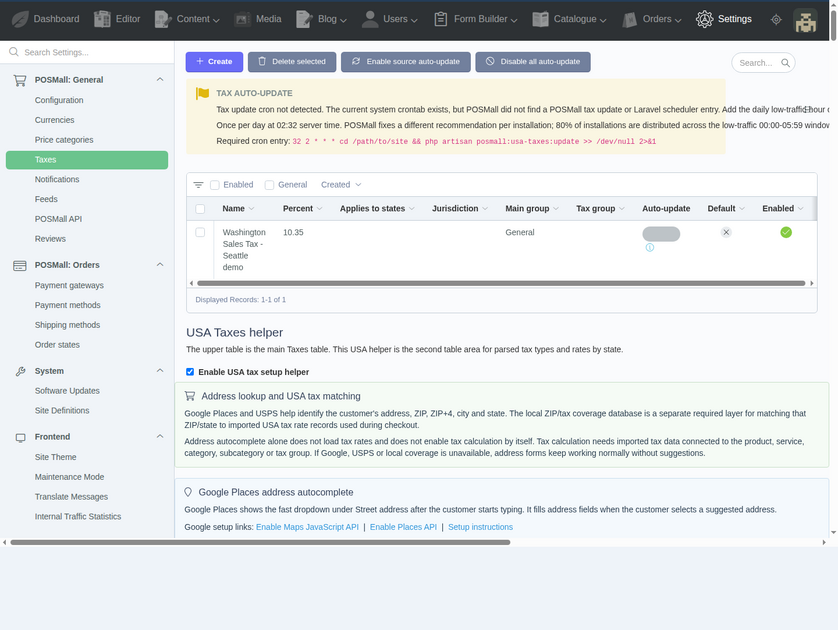
- Cart, checkout, orders, order states, payment methods, shipping methods, discounts and tax rules.
- Reviews, customer profiles, addresses and Favorite Lists.
- PostgreSQL-first catalog indexing and filtering architecture.
- Backend tools for orders, products, services, vendors, channels, warehouses, taxes and API access.
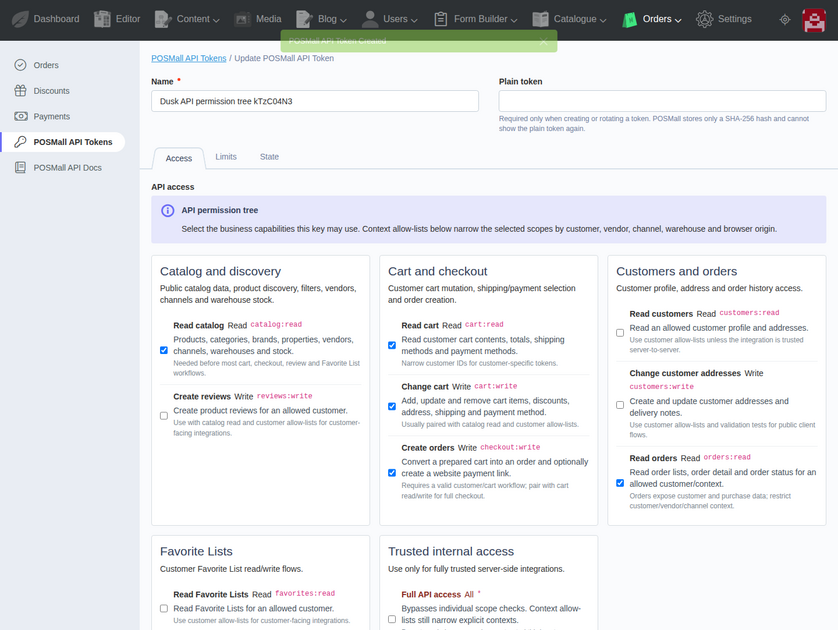
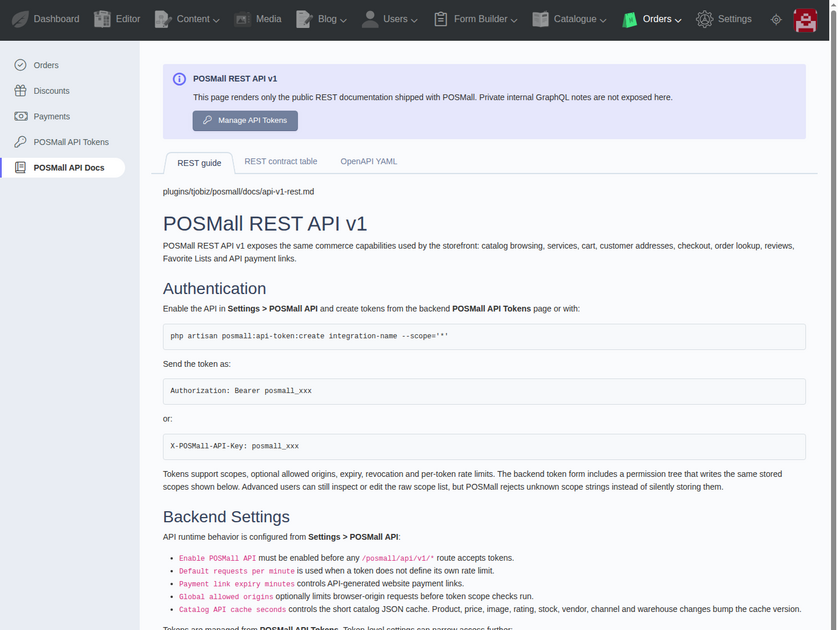
- REST API documentation and API token permission tree for controlled integrations.
- Private GraphQL-ready architecture for internal commerce automation.
- Companion storefront theme support for catalog, product, service, cart, checkout and account pages.
POSMall is built for small and growing businesses that want a Laravel / October CMS commerce stack with PostgreSQL as the primary database.
Plugin page:
https://octobercms.com/plugin/kodzero-posmall
Theme page:
https://octobercms.com/theme/kodzero-posmalltheme
Plugin source:
https://github.com/TjoBiZ/POSMall
Theme source:
https://github.com/TjoBiZ/POSMallTheme
Demo site:
The following plugins are required

User
Front-end user management.
User
Front-end user management.

Translate
Enables multi-lingual websites and translate website contents.
Translate
Enables multi-lingual websites and translate website contents.

Location
Adds location based features, such as Country and State.
Location
Adds location based features, such as Country and State.
Installation via Command Line
php artisan plugin:install KodZero.POSMall
POSMall Documentation
POSMall turns October CMS into an online store. It adds products, categories, prices, cart, checkout, orders, payments, shipping, taxes, discounts, reviews, favorites and customer accounts.
For a ready storefront, install the companion POSMall Theme as well.
Links
- Plugin page: https://octobercms.com/plugin/kodzero-posmall
- Theme page: https://octobercms.com/theme/kodzero-posmalltheme
- Plugin source: https://github.com/TjoBiZ/POSMall
- Theme source: https://github.com/TjoBiZ/POSMallTheme
- AI: https://solarneutrino.com/ai/posmall.md
Requirements
- October CMS 4
- PHP 8.2 or newer
- PostgreSQL 18
- RainLab.User
- RainLab.Location
- RainLab.Translate
Install
Run this from your October CMS project folder:
composer require kodzero/posmall-plugin kodzero/posmalltheme-theme -W
php artisan october:migrate
php artisan theme:use kodzero-posmalltheme --force
php artisan cache:clear
php artisan config:clear
php artisan route:clear
php artisan view:clear
After installation, open the October CMS backend and go to POSMall.
First setup
- Open POSMall settings.
- Check the default currency.
- Check payment methods.
- Check shipping methods.
- Check tax settings.
- Add categories.
- Add products, services or virtual products.
- Rebuild the catalog index. This recreates only POSMall search/filter index records. It does not delete products, orders, customers or users.
php artisan posmall:index
Demo catalog
For a new demo or test website, POSMall can create sample products and services.
Do not run this on a live store with real products.
php artisan posmall:seed-wings-of-win --force
php artisan posmall:index --force
php artisan posmall:images:optimize-catalog --profile=all
php artisan cache:clear
php artisan view:clear
What POSMall adds
- Product catalog
- Categories and brands
- Product properties and filters
- Product variants
- Physical products
- Virtual and downloadable products
- Services and service options
- Cart and checkout
- Orders
- Payment methods
- Shipping methods
- Taxes
- Discounts
- Reviews
- Favorites
- Customer accounts and addresses
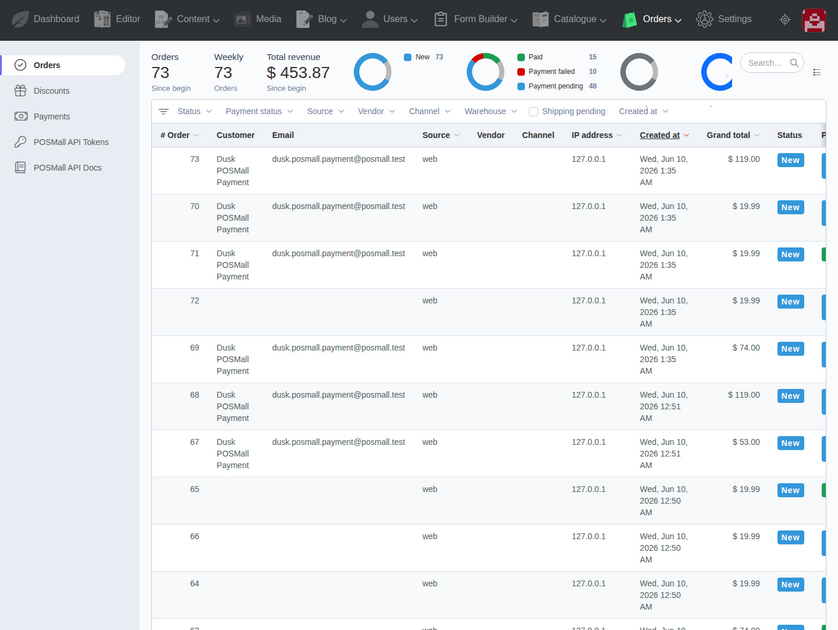
- Backend order and product management
- REST API documentation and API tokens
Support
Plugin page:
https://octobercms.com/plugin/kodzero-posmall
Source and issues:
-
This plugin has not been reviewed yet.
-
| 1.0.26 |
Clarify out-of-the-box benchmark verification in public documentation. Aug 30, 2026 |
|---|---|
| 1.0.25 |
Publish benchmark-first public evidence documentation and datasets. Aug 29, 2026 |
| 1.0.24 |
Add public catalog visibility and priceable pricing extension hooks. Jun 12, 2026 |
| 1.0.23 |
Add public storefront cache extension hooks for companion plugins. Jun 11, 2026 |
| 1.0.22 |
Fallback API cart billing addresses to available customer addresses. Jun 11, 2026 |
| 1.0.21 |
Namespace PostgreSQL product index names for fork-safe deployments. Jun 11, 2026 |
| 1.0.20 |
Set USD as the default POSMall currency for clean installs and deployments. Jun 10, 2026 |
| 1.0.19 |
Seed default POSMall commerce settings required after a clean install. Jun 10, 2026 |
| 1.0.18 |
Add safe per-tax opt-in for scheduled USA tax source updates. Jun 10, 2026 |
| 1.0.17 |
Add optional vendor and channel context scope to standalone POSMall services. Jun 10, 2026 |
| 1.0.16 |
Add optional POSMall API token customer and commerce context allow-lists. Jun 10, 2026 |
| 1.0.15 |
Rename POSMall runtime morph keys from mall.* to posmall.*. Jun 10, 2026 |
| 1.0.14 |
Add optional POSMall product vendor, channel and warehouse inventory pivots. Jun 10, 2026 |
| 1.0.13 |
Scope POSMall API checkout idempotency to API token and commerce context. Jun 10, 2026 |
| 1.0.12 |
Seed default POSMall API commerce context rows. Jun 10, 2026 |
| 1.0.11 |
Add POSMall API token, commerce context and order payment-link foundation. Jun 10, 2026 |
| 1.0.10 |
Add PostgreSQL covering index for general catalog bestseller listing. Jun 10, 2026 |
| 1.0.9 |
Add optional delivery notes to POSMall addresses. Jun 10, 2026 |
| 1.0.8 |
Add PostgreSQL partial index for service-carrier product exclusion. Jun 10, 2026 |
| 1.0.7 |
Add PostgreSQL category index summary projections for large catalog counts and brand filters. Jun 10, 2026 |
| 1.0.6 |
Add PostgreSQL category index projection for large catalog listing and filter metadata. Jun 10, 2026 |
| 1.0.5 |
Add PostgreSQL index for catalog category render hot paths. Jun 10, 2026 |
| 1.0.4 |
Add local PostgreSQL load benchmark run storage. Jun 10, 2026 |
| 1.0.3 |
Add PostgreSQL indexes for checkout, account, payment recovery, and USA tax lookup hot paths. Jun 10, 2026 |
| 1.0.2 |
Add PostgreSQL trigram indexes for scalable product search. Jun 10, 2026 |
| 1.0.1 |
Track RainLab users explicitly created by POSMall before optional POSMall user purge. Jun 10, 2026 |
| 1.0.0 |
POSMall 1.0.0 PostgreSQL-first public release for OctoberCMS / Laravel. Jun 10, 2026 |
POSMall Upgrade Guide
v1.0.0
Initial public POSMall plugin release.
There are no previous public POSMall versions to migrate from.
Recommended first-install checklist:
- Install POSMall.
- Run October CMS updates/migrations.
- Configure currencies, payment methods, shipping methods and taxes.
- Install or enable the POSMall Theme if you need the ready storefront.
- Add products, services, virtual products, categories, brands and properties.
- Rebuild the POSMall catalog index.
- Generate optimized image derivatives.
- Configure REST API tokens only for the exact integration scopes needed.
If you are migrating from another commerce plugin, do not reuse old database tables directly. Import business data into POSMall's PostgreSQL-first schema and rebuild the POSMall index after import.