


AltText.ai Plugin for OctoberCMS Automatically generate alt text descriptions for images using AI.
What It Does
When you upload an image, this plugin:
- Sends it to AltText.ai for AI analysis
- Receives a description back
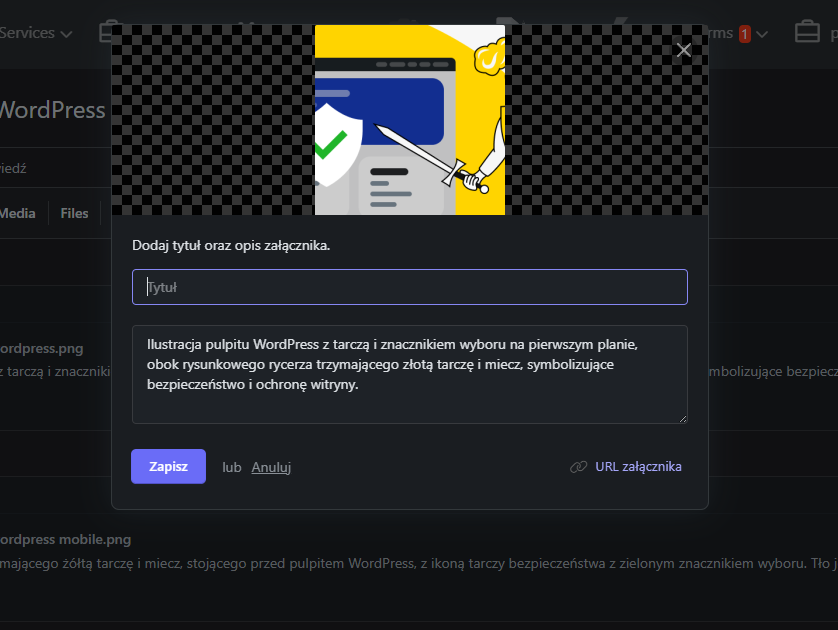
- Saves it to the image's description field
Result: All your images automatically get accessibility-friendly alt text.
Requirements
- OctoberCMS 3.x or 4.x
- AltText.ai account sign up here
- Your site must be publicly accessible (webhooks need to reach your server)
Installation via Command Line
php artisan plugin:install Depcore.AltTextAi
Installation
- Install the Plugin Install via OctoberCMS marketplace or copy to plugins/depcore/alttextai/
- Get Your API Key
- Create account at alttext.ai
- Go to API Keys page
- Create a new API key
- Copy it
- Configure Plugin In OctoberCMS backend, go to Settings → AltText.ai Settings Paste your API key Click Save
- Set Webhook URL In your AltText.ai account settings, set webhook URL to: https://yourdomain.com/altext/webhook
Done! The plugin is now active.
How to Use
Automatic Mode (Default) Just upload images normally through:
File uploads in backend Any file attachment field Alt text is generated automatically within 5-30 seconds.
Using Alt Text in Templates
<img src="{{ image.path }}" alt="{{ image.description }}">
The description field contains the generated alt text.
Checking It Works Upload a test image through Media Manager Wait 5-30 seconds Refresh and check the image - description field should contain alt text If Alt Text Doesn't Appear Check the logs:
tail -f storage/logs/system.log | grep "AltText"
Common issues:
- API key not configured
- No credits remaining in your AltText.ai account
- Webhook URL not accessible
Support
Plugin issues: GitHub AltText.ai service: alttext.ai/support
License
MIT License
-
This plugin has not been reviewed yet.
-
| 1.0.1 |
First version of AltTextAi Jan 18, 2026 |
|---|