

AutoTranslate
Translate backend form fields with a click of a button
AutoTranslate
Translate backend form fields with a click of a button

AutoTranslate is a powerful plugin for October CMS that makes it easy to translate backend forms. With a simple and intuitive interface, you can quickly and easily translate backend form fields. This plugin is perfect for businesses and organizations with a global audience, or for developers who want to provide a seamless localization experience for their users.
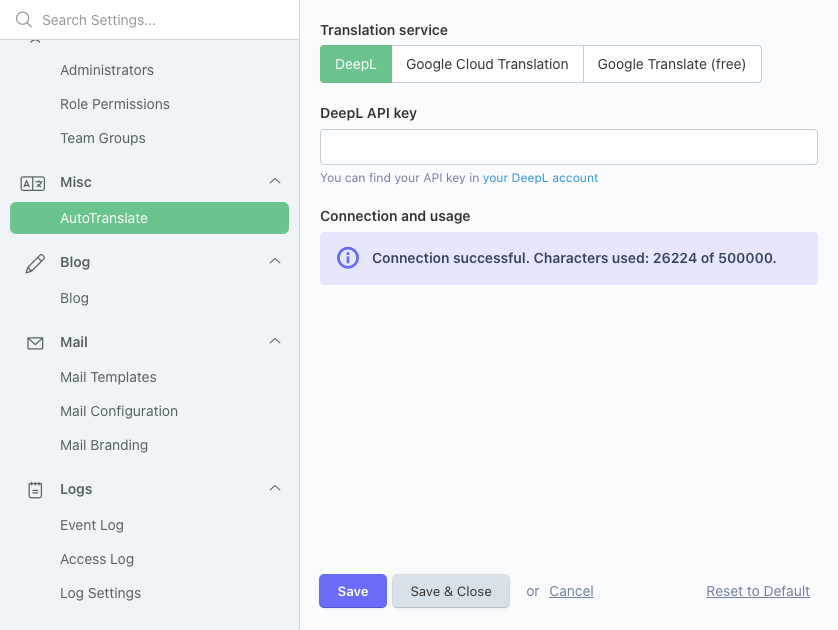
AutoTranslate supports different services to translate your content. For translation, there are multiple drivers available:
- DeepL
- Google Cloud Translation
- Google Translate (free, recommended for testing only)
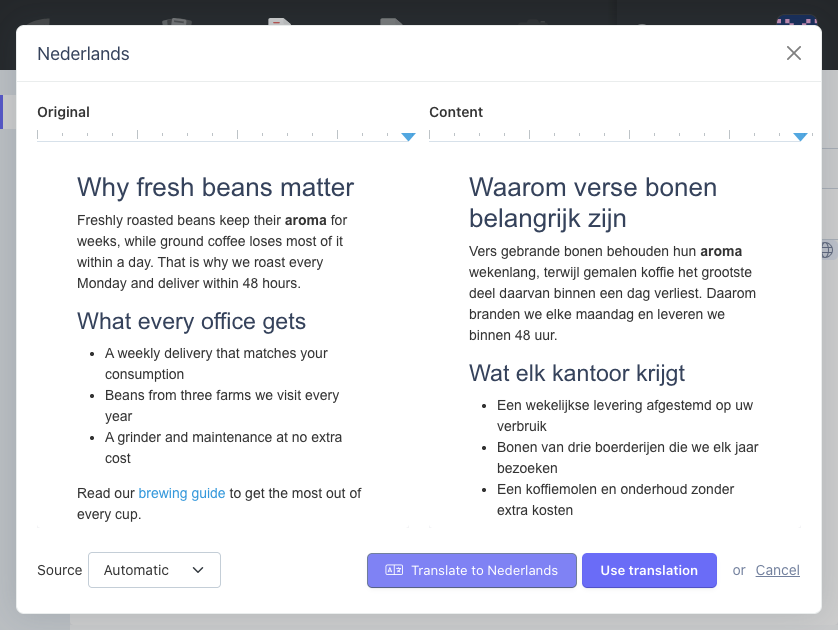
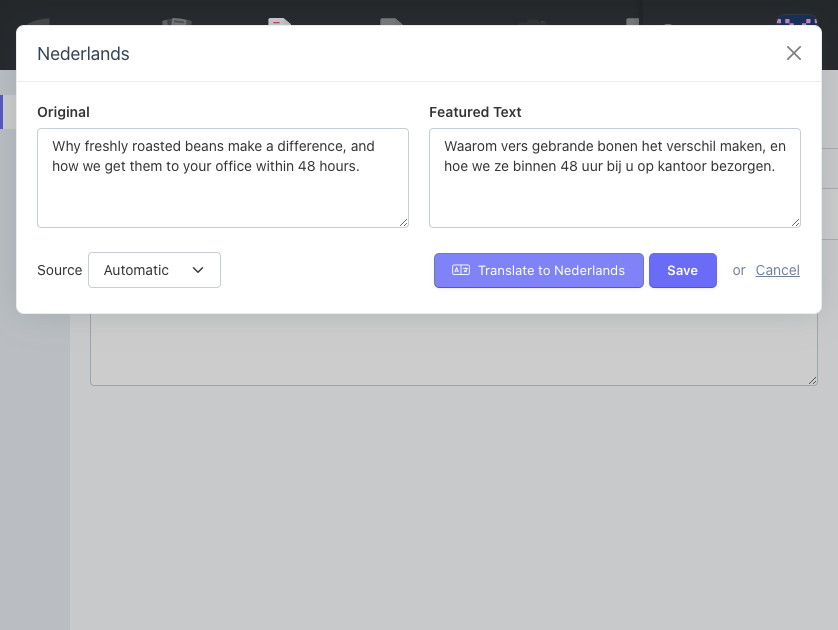
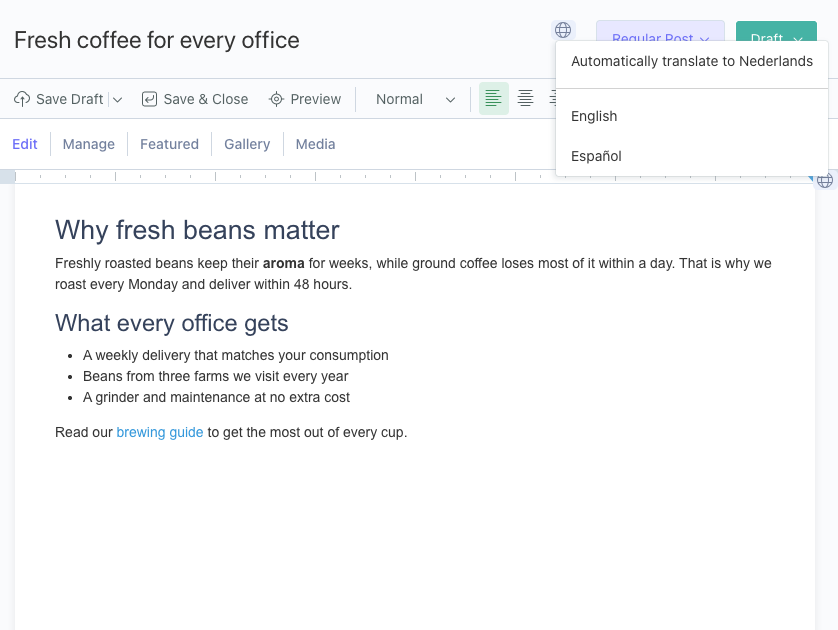
Automatically translate any field from the translate menu
Installation via Command Line
php artisan plugin:install Congos.AutoTranslate
Requirements
- RainLab.Translate plugin
- At least two site definitions (Settings → Site Definitions)
Setup
- Install the plugin and configure your translation service and API key in the AutoTranslate settings
- Switch to the site language you want to translate to using the site switcher in the top navigation
- A globe icon appears on translatable fields, click it to translate
Translatable fields
The globe icon only appears on fields that are translatable. For Tailor entries, set multisite: sync on your blueprint. For plugin models, add the field to the $translatable array.
RainLab.Translate messages
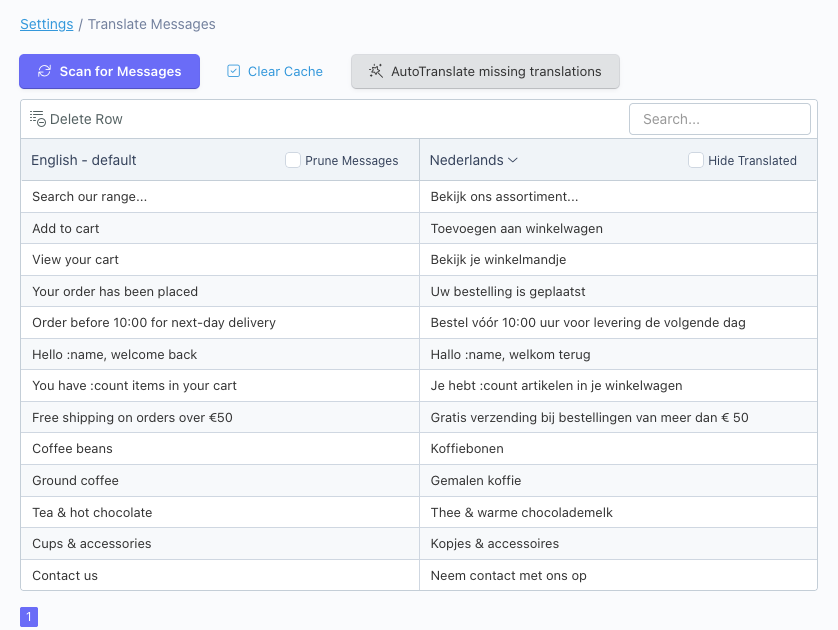
On the Messages page (Settings → Translate Messages), use the "AutoTranslate missing translations" button to bulk translate all untranslated messages at once.
-
This plugin has not been reviewed yet.
-

| 1.7.0 |
Works with the translate popup of October CMS 4.4 and fixes saving translated blog posts Nov 16, 2026 |
|---|---|
| 1.6.1 |
Fix AutoTranslate globe button not working in RainLab Pages Feb 20, 2026 |
| 1.6.0 |
Add support for translating messages in RainLab.Translate Jan 21, 2026 |
| 1.5.0 |
Fix compatibility with OctoberCMS v4.1 (Larajax response format) Jan 20, 2026 |
| 1.4.0 |
Add support for Settings pages Mar 19, 2025 |
| 1.3.5 |
Fix DeepL translations and prevent richeditor text overflow Mar 13, 2025 |
| 1.3.4 |
Fix richeditor initialization Feb 25, 2025 |
| 1.3.3 |
Fix translating hidden locale fields in October CMS v2 Jun 13, 2024 |
| 1.3.2 |
Add permissions Aug 17, 2023 |
| 1.3.1 |
Add support for translatable blueprint title and slug Aug 07, 2023 |
| 1.3.0 |
Add support for October CMS v2 Apr 13, 2023 |
| 1.2.0 |
Add support for Google Cloud Translation API Mar 16, 2023 |
| 1.1.3 |
Fix duplicated listener Mar 08, 2023 |
| 1.1.2 |
Improve UX with translated values in popups Mar 08, 2023 |
| 1.1.1 |
Upgrade Google Translate dependency Jan 24, 2023 |
| 1.1.0 |
Add support for free translations with Google Translate Jan 24, 2023 |
| 1.0.0 |
First version of AutoTranslate Jan 24, 2023 |
Upgrading from 1.6 to 1.7
AutoTranslate 1.7 requires October CMS 4.0 or higher. Sites on October CMS 3 keep working with version 1.6.1, which remains available for that platform.
No configuration changes are needed. Your translation service and API key stay as they are.
The translate icon no longer opens a separate AutoTranslate popup. On October CMS 4.4 it opens the translate menu of October CMS, where "Automatically translate to" is the first option. On October CMS 4.0 to 4.3 it opens a popup that shows the original next to the translation. In both cases you click "Use translation" to put the result in the form, where the old popup filled in the field directly.