


Adds social sign-in/sign-up to RainLab.User via Laravel Socialite.
The following plugin is required

Installation via Command Line
php artisan plugin:install Boarworm.Socialite
Boarworm.Socialite
Adds social sign-in/sign-up to RainLab.User via Laravel Socialite. Supports Google, Facebook, LinkedIn, GitHub, GitLab, Bitbucket, Slack and X (Twitter).
Requirements
RainLab.Userplugin- PHP 8.2+, October CMS 4.x
Installation
Install via the October CMS Marketplace/backend, or with Composer:
composer require boarworm/socialite-plugin
php artisan october:migrate
laravel/socialite is a dependency of this plugin's own composer.json and installs automatically — no separate step needed.
Configuring a provider
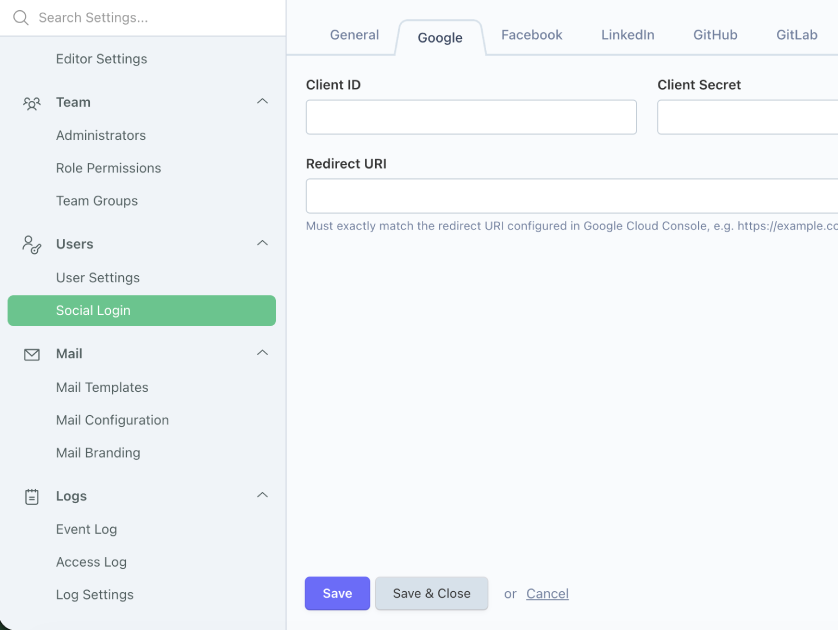
Go to Backend → Settings → Users → Social Login. Each provider has its own tab with Client ID, Client Secret, and Redirect URI.
- Register an OAuth app with the provider (their developer console) and set its redirect/callback URI to
https://yourdomain.com/oauth/{provider}/callback— e.g.https://yourdomain.com/oauth/google/callback. - Paste the Client ID/Secret into the matching tab, and the same redirect URI into Redirect URI.
- Save. No deploy or cache clear needed — config is read fresh from settings on every request.
As a fallback (useful for local dev before an admin configures anything), each provider also reads {PROVIDER}_CLIENT_ID / {PROVIDER}_CLIENT_SECRET / {PROVIDER}_REDIRECT_URI from .env.
Getting credentials per provider
Redirect/callback URI is always https://yourdomain.com/oauth/{provider}/callback.
- Google — Google Cloud Console → APIs & Services → Credentials → Create Credentials → OAuth client ID (Web application). Add the callback URI under Authorized redirect URIs.
- Facebook — developers.facebook.com → Create App → add "Facebook Login" product → Settings → add the callback URI under Valid OAuth Redirect URIs.
- LinkedIn — linkedin.com/developers → Create App → Auth tab → add the callback URI under Authorized redirect URLs, request the "Sign In with LinkedIn using OpenID Connect" product.
- GitHub — github.com/settings/developers → New OAuth App → set Authorization callback URL.
- GitLab — GitLab instance → User Settings → Applications → New Application → set Redirect URI, enable
read_userscope. - Bitbucket — Bitbucket workspace settings → OAuth consumers → Add consumer → set Callback URL.
- Slack — api.slack.com/apps → Create New App → OAuth & Permissions → add the callback URI under Redirect URLs.
- X (Twitter) — developer.x.com → Create App → User authentication settings → enable OAuth 2.0 → set Callback URI.
Each provider issues a Client ID and Client Secret once the app/consumer is created — paste both, plus the same callback URI, into the matching tab under Backend → Settings → Users → Social Login.
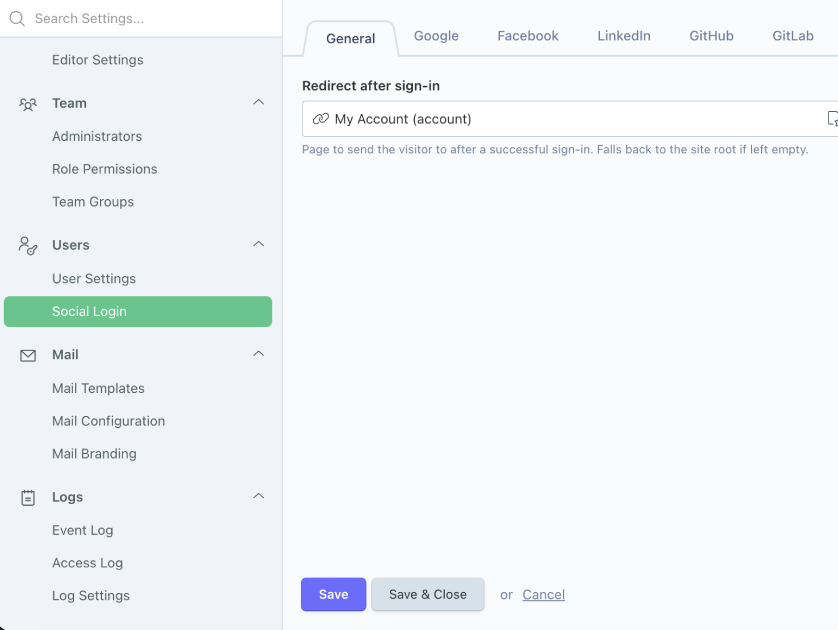
The same settings page has a General tab with Redirect after sign-in — a page picker for where visitors land after a successful sign-in. Leave it empty to fall back to the site root.
Usage example
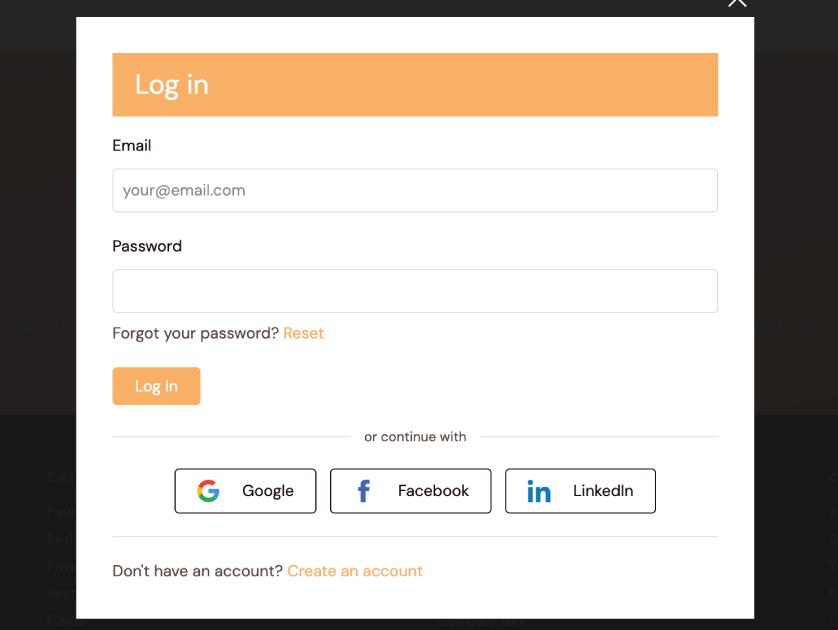
Add a link to /oauth/{provider}/redirect anywhere in your theme to trigger sign-in:
<a href="/oauth/github/redirect?site={{ this.site.id }}&hl={{ this.site.locale }}">
    Continue with GitHub
</a>
The site and hl query params carry the visitor's current site/locale through the redirect to the provider and back — omit them and the callback falls back to the primary site/default locale.
How sign-in works
GET /oauth/{provider}/redirect sends the visitor to the provider's consent screen. GET /oauth/{provider}/callback:
- Looks up an existing linked account by provider + provider user ID.
- If none, looks up an existing non-guest
RainLab\User\Models\Userby email and links it. - If neither, creates a new activated user (triggers RainLab.User's normal welcome email, if enabled in its own settings) with a random password.
- Logs the user in.
Any failure (denied consent, provider outage, banned account, etc.) is logged and shown as a flash error — it never crashes the request.
Uninstalling
Removing the plugin drops the boarworm_socialite_oauth_identities table (provider account links). RainLab.User accounts themselves are untouched — users can still sign in with a password reset if one was never set.
-
This plugin has not been reviewed yet.
-
| 1.0.1 |
First version of Socialite Jul 21, 2026 |
|---|