


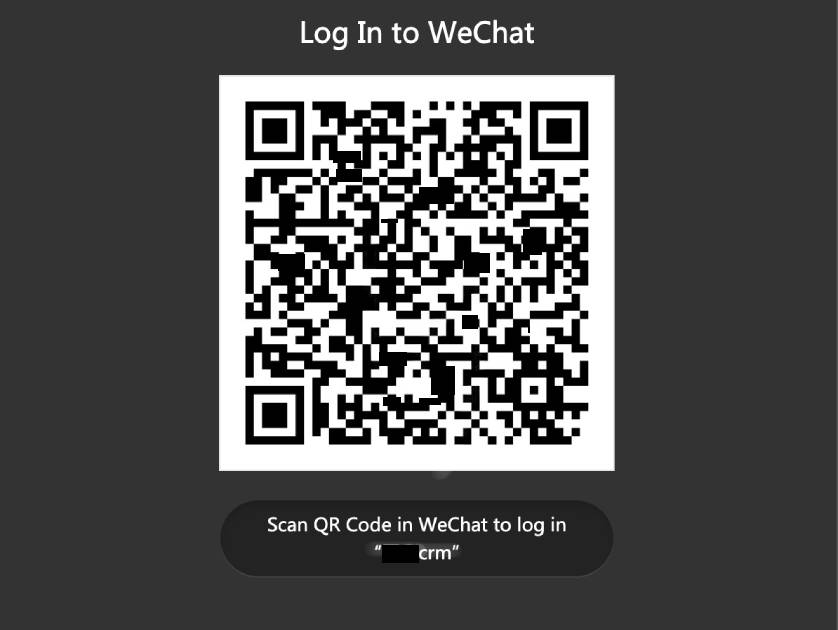
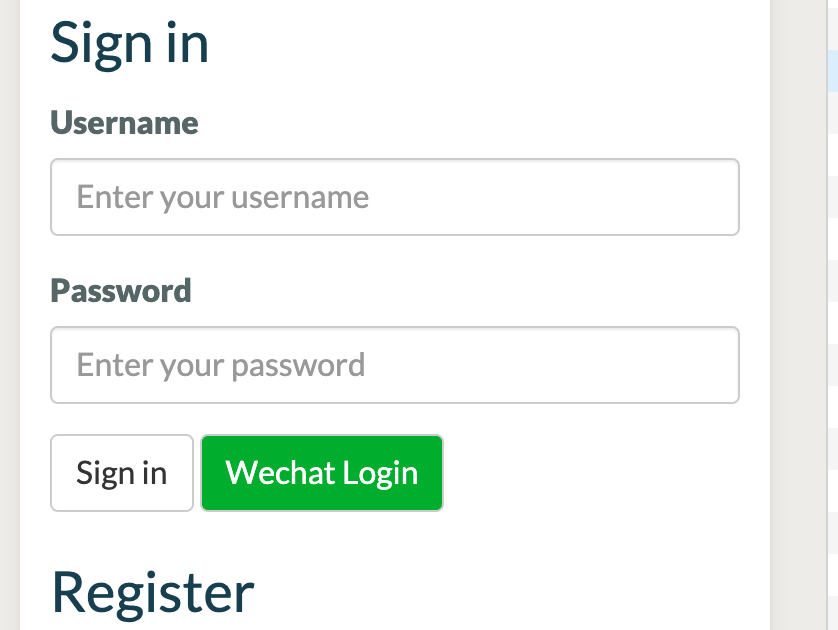
This plugin allows end users to binding wechat user, and login in automatic after binded.
Plugin Setting
.env
WECHAT_WORK_CORP_ID=xxxxx # corp_id
WECHAT_WORK_SECRET=xxxxxx # secret

WECHAT_OFFICIAL_ACCOUNT_APPID=xxxx # appid
WECHAT_OFFICIAL_ACCOUNT_SECRET=xxxxxx # secret
WECHAT_OFFICIAL_ACCOUNT_TOKEN=xxxxxx # token
WECHAT_OFFICIAL_ACCOUNT_AES_KEY=xxxxxx # aes_key
...
You can ...
- Login with WeChat user credentials
- Login with WeChat Open Platform website application
- Manage WeChat User
- Config WeChat share information
The following plugin is required


Installation via Command Line
php artisan plugin:install Beysong.Wechat
WeChat Plugin for October CMS
This plugin integrates WeChat (Weixin) functionality into October CMS, including QR code login, OAuth authentication, menu management, and JS SDK support.
Features
- WeChat QR Code Login: Allow users to scan a QR code with WeChat to log in to your website
- OAuth Authentication: Seamless integration with WeChat's OAuth 2.0 for user authentication
- Menu Management: Manage WeChat official account menus from the backend
- User Binding: Automatically bind WeChat users with October CMS user accounts
- WeChat JS SDK: Support for WeChat JavaScript SDK configuration
- Rate Limiting: Built-in protection against polling abuse
Architecture
The plugin uses a service-oriented architecture with WechatUserService for centralized user management:
- WechatUserService: Centralized service class handling all WeChat user operations
- WechatLogin Component: QR code login widget with AJAX polling
- WechatAuthComponent: OAuth authorization with JS SDK support
Installation
- Install the plugin via Composer or clone it into
plugins/beysong/wechat - Run database migrations:
php artisan october:up - Configure your WeChat credentials in
.env:WECHAT_OFFICIAL_ACCOUNT_APPID=your_app_id WECHAT_OFFICIAL_ACCOUNT_SECRET=your_secret WECHAT_OFFICIAL_ACCOUNT_TOKEN=your_token WECHAT_OFFICIAL_ACCOUNT_AES_KEY=your_aes_key
Configuration
WeChat Official Account Setup
- Log in to your WeChat Official Account Platform
- Go to Development > Basic Configuration
- Set up your AppID and AppSecret
- Configure the OAuth callback URL:
https://yourdomain.com/b/w/oauth/callback - Enable OAuth scopes:
snsapi_userinfo(for user info) orsnsapi_base(for basic auth)
Plugin Settings
The plugin uses the easywechat configuration file located at plugins/beysong/wechat/config/easywechat.php.
Usage
QR Code Login Component
Add the WeChat login component to any page:
[wechatLogin]
redirectUrl = "/"
autoRedirect = 1
pollInterval = 2000
==
{% component 'wechatLogin' %}
Component Properties:
redirectUrl: URL to redirect after successful login (default: "/")autoRedirect: Automatically redirect after login (default: true)pollInterval: Check login status interval in milliseconds (default: 2000)
OAuth Login Component
Add the WeChat auth component for OAuth-based login:
[wechatAuth]
scope = "snsapi_userinfo"
redirectUrl = "/"
showLoginBtn = 1
==
{% component 'wechatAuth' %}
Component Properties:
scope: OAuth scope -snsapi_base(silent) orsnsapi_userinfo(user info)redirectUrl: URL to redirect after authorizationshowLoginBtn: Display login buttonjsApiList: Comma-separated JS API list
Programmatic Usage
use Beysong\Wechat\Classes\WechatUserService;

// Get service instance
$service = app(WechatUserService::class);

// Create QR login session
$result = $service->createQrLoginSession('/dashboard');
// Returns: ['token' => string, 'qrCodeUrl' => string, 'tempUserId' => int]

// Check QR login status
$status = $service->checkQrLoginStatus($token, '/dashboard');

// Handle OAuth callback
$result = $service->handleOAuthCallback($code, '/dashboard');
Routes
The plugin provides the following routes:
| Method | Path | Description |
|---|---|---|
| GET | /b/w/oauth/authorize |
Redirect to WeChat OAuth |
| GET | /b/w/oauth/callback |
Handle OAuth callback |
| POST | /b/w/oauth/url |
Get auth URL (JSON API) |
| POST | /b/w/oauth/check |
Check authorization status |
| POST | /b/w/oauth/logout |
Clear session |
| GET | /b/w/login |
QR login callback |
| POST | /b/w/check-status |
Check QR code login status (AJAX) |
| POST | /b/w/refresh-qrcode |
Refresh QR code (AJAX) |
| ANY | /b/w/server |
WeChat server callback (messages/events) |
| POST | /b/w/jsconfig |
Generate WeChat JS SDK config |
Session Keys
The plugin uses the following session keys (defined in WechatUserService):
WechatUserService::SESSION_OAUTH_USER- OAuth user from WeChatWechatUserService::SESSION_WECHAT_USER- WeChat user record from databaseWechatUserService::SESSION_LOGIN_TOKEN- QR login tokenWechatUserService::SESSION_TEMP_USER_ID- Temporary user ID for QR login
Database Schema
The plugin creates the beysong_wechat_users table with the following fields:
id: Primary keyuser_id: Foreign key to October CMS users table (nullable)openid: WeChat OpenID (unique identifier)unionid: WeChat UnionID (for cross-platform identification)nickname: User's WeChat nicknameavatar: User's WeChat avatar URLemail: User's email (optional)provider: Provider name (wechat, miniprogram, etc.)status: QR code login status (pending, scanned, authorized, bound, expired)expires_at: QR code expiration timelogin_token: Temporary login token for QR code authenticationlogin_attempts: Number of login attemptscreated_at,updated_at,deleted_at: Timestamps
Event Listeners
The plugin listens to the following October CMS events:
rainlab.user.register: Binds WeChat user to newly registered October CMS userrainlab.user.login: Updates WeChat user binding on login
Security
- Rate limiting:
/b/w/check-statusendpoint limited to 60 requests/minute per IP - CSRF protection: OAuth state parameter validation
- QR tokens: Unique, non-predictable tokens with 5-minute expiration
Troubleshooting
QR Code Not Working
- Verify your WeChat AppID and Secret are correct in
.env - Ensure the OAuth callback URL is properly configured in WeChat platform
- Check that your WeChat official account has OAuth permissions enabled
User Binding Issues
- Make sure the
rainlab/userplugin is installed and active - Check that event listeners are properly registered in
Plugin.php - Verify database migrations have run successfully
OAuth Errors
- Clear session data: Use the logout endpoint or
session()->forget('easywechat.oauth_user') - Check WeChat platform OAuth scope settings
- Verify HTTPS is enabled (required for production)
Dependencies
- overtrue/laravel-wechat ^7.2: WeChat SDK for Laravel
- overtrue/laravel-socialite ^4.1: Socialite provider (optional)
Credits
- Built on October CMS
- Uses overtrue/laravel-wechat package
- Developed by Beysong
License
This plugin is part of the themeshow project. See the main project license for details.
-

樊强
Found the plugin useful on 16 Mar, 2022
Installing Plugin: beysong.wechat Executing: composer require beysong/wechat-plugin
Using version dev-master for beysong/wechat-plugin ./composer.json has been updated Running composer update beysong/wechat-plugin --with-dependencies Loading composer repositories with package information Info from https://repo.packagist.org: #StandWithUkraine Dependency "laravel/framework" is also a root requirement. Package has not been listed as an update argument, so keeping locked at old version. Use --with-all-dependencies (-W) to include root dependencies. Dependency "laravel/framework" is also a root requirement. Package has not been listed as an update argument, so keeping locked at old version. Use --with-all-dependencies (-W) to include root dependencies.Updating dependencies Your requirements could not be resolved to an installable set of packages.
Problem 1
  - laravel/framework is locked to version v6.20.44 and an update of this package was not requested.
  - Conclusion: don't install symfony/http-foundation v5.3.2 (conflict analysis result)
  - Conclusion: don't install symfony/http-foundation 5.4.x-dev (conflict analysis result)
  - Conclusion: don't install symfony/http-foundation v5.3.3 (conflict analysis result)
  - Conclusion: don't install symfony/http-foundation v5.4.0-BETA1 (conflict analysis result)
  - Conclusion: don't install symfony/http-foundation v5.3.4 (conflict analysis result)
  - Conclusion: don't install symfony/http-foundation v5.4.0-RC1 (conflict analysis result)
  - Conclusion: don't install symfony/http-foundation v4.4.30 (conflict analysis result)
  - Conclusion: don't install symfony/http-foundation v5.3.6 (conflict analysis result)
  - Conclusion: don't install symfony/http-foundation v5.3.7 (conflict analysis result)
  - Conclusion: don't install symfony/http-foundation v4.4.33 (conflict analysis result)
  - Conclusion: don't install symfony/http-foundation v5.3.10 (conflict analysis result)
  - Conclusion: don't install symfony/http-foundation v5.3.11 (conflict analysis result)
  - Conclusion: don't install symfony/http-foundation v4.4.34 (conflict analysis result)
  - Conclusion: don't install symfony/http-foundation v5.3.13 (conflict analysis result)
  - Conclusion: don't install symfony/http-foundation v5.3.14 (conflict analysis result)
  - Conclusion: don't install symfony/http-foundation v4.4.36 (conflict analysis result)
  - Conclusion: don't install symfony/http-foundation v5.4.0 (conflict analysis result)
  - Conclusion: don't install symfony/http-foundation v5.4.1 (conflict analysis result)
  - Conclusion: don't install symfony/http-foundation v4.4.37 (conflict analysis result)
  - Conclusion: don't install symfony/http-foundation v5.4.2 (conflict analysis result)
  - Conclusion: don't install symfony/http-foundation v5.4.3 (conflict analysis result)
  - Conclusion: don't install symfony/http-foundation v4.4.38 (conflict analysis result)
  - Conclusion: don't install symfony/http-foundation v5.4.5 (conflict analysis result)
  - Conclusion: don't install symfony/http-foundation v5.4.6 (conflict analysis result)
  - Conclusion: don't install symfony/http-foundation v4.4.39 (conflict analysis result)
  - beysong/wechat-plugin dev-master requires overtrue/laravel-socialite ~3.0 -> satisfiable by overtrue/laravel-socialite[3.0.0].
  - laravel/framework v6.20.44 requires symfony/http-kernel ^4.3.4 -> satisfiable by symfony/http-kernel[v4.4.39].
  - Root composer.json requires beysong/wechat-plugin dev-master -> satisfiable by beysong/wechat-plugin[dev-master].
  - overtrue/laravel-socialite 3.0.0 requires overtrue/socialite ~3.0 -> satisfiable by overtrue/socialite[3.0.0, ..., 3.x-dev].
  - overtrue/socialite[3.0.0, ..., 3.x-dev] require symfony/http-foundation ^5.0 -> satisfiable by symfony/http-foundation[v5.0.0-B
ETA1, ..., 5.4.x-dev].
- You can only install one version of a package, so only one of these can be installed: symfony/http-foundation[v2.3.0, ..., 2.8.x-dev, v3.0.0-BETA1, ..., 3.4.x-dev, v4.0.0-BETA1, ..., 4.4.x-dev, v5.0.0-BETA1, ..., 5.4.x-dev, v6.0.0-BETA1, ..., 6.1.x-dev].
- symfony/http-kernel v4.4.39 requires symfony/http-foundation ^4.4.30|^5.3.7 -> satisfiable by symfony/http-foundation[v4.4.30, ..., 4.4.x-dev, v5.3.7, ..., 5.4.x-dev].
- Conclusion: don't install symfony/http-foundation 5.3.x-dev (conflict analysis result)
Use the option --with-all-dependencies (-W) to allow upgrades, downgrades and removals for packages currently locked to specific versions.
Installation failed, reverting ./composer.json and ./composer.lock to their original content.
In Process.php line 269:
The command "'composer' 'require' 'beysong/wechat-plugin' '--update-with-dependencies'" failed.
Exit Code: 2(Misuse of shell builtins)
Working directory: /www/wwwroot/139.155.90.61
Output:
Error Output:
Using version dev-master for beysong/wechat-plugin ./composer.json has been updated Running composer update beysong/wechat-plugin --with-dependencies Loading composer repositories with package information Info from https://repo.packagist.org: #StandWithUkraine Dependency "laravel/framework" is also a root requirement. Package has not been listed as an update argument, so keeping locked at ol d version. Use --with-all-dependencies (-W) to include root dependencies. Updating dependencies Your requirements could not be resolved to an installable set of packages.
Problem 1 - laravel/framework is locked to version v6.20.44 and an update of this package was not requested. - Conclusion: don't install symfony/http-foundation v5.3.2 (conflict analysis result) - Conclusion: don't install symfony/http-foundation 5.4.x-dev (conflict analysis result) - Conclusion: don't install symfony/http-foundation v5.3.3 (conflict analysis result) - Conclusion: don't install symfony/http-foundation v5.4.0-BETA1 (conflict analysis result) - Conclusion: don't install symfony/http-foundation v5.3.4 (conflict analysis result) - Conclusion: don't install symfony/http-foundation v5.4.0-RC1 (conflict analysis result) - Conclusion: don't install symfony/http-foundation v4.4.30 (conflict analysis result) - Conclusion: don't install symfony/http-foundation v5.3.6 (conflict analysis result) - Conclusion: don't install symfony/http-foundation v5.3.7 (conflict analysis result) - Conclusion: don't install symfony/http-foundation v4.4.33 (conflict analysis result) - Conclusion: don't install symfony/http-foundation v5.3.10 (conflict analysis result) - Conclusion: don't install symfony/http-foundation v5.3.11 (conflict analysis result) - Conclusion: don't install symfony/http-foundation v4.4.34 (conflict analysis result) - Conclusion: don't install symfony/http-foundation v5.3.13 (conflict analysis result) - Conclusion: don't install symfony/http-foundation v5.3.14 (conflict analysis result) - Conclusion: don't install symfony/http-foundation v4.4.36 (conflict analysis result) - Conclusion: don't install symfony/http-foundation v5.4.0 (conflict analysis result) - Conclusion: don't install symfony/http-foundation v5.4.1 (conflict analysis result) - Conclusion: don't install symfony/http-foundation v4.4.37 (conflict analysis result) - Conclusion: don't install symfony/http-foundation v5.4.2 (conflict analysis result) - Conclusion: don't install symfony/http-foundation v5.4.3 (conflict analysis result) - Conclusion: don't install symfony/http-foundation v4.4.38 (conflict analysis result) - Conclusion: don't install symfony/http-foundation v5.4.5 (conflict analysis result) - Conclusion: don't install symfony/http-foundation v5.4.6 (conflict analysis result) - Conclusion: don't install symfony/http-foundation v4.4.39 (conflict analysis result) - beysong/wechat-plugin dev-master requires overtrue/laravel-socialite ~3.0 -> satisfiable by overtrue/laravel-socialite[3.0.0]. - laravel/framework v6.20.44 requires symfony/http-kernel ^4.3.4 -> satisfiable by symfony/http-kernel[v4.4.39]. - Root composer.json requires beysong/wechat-plugin dev-master -> satisfiable by beysong/wechat-plugin[dev-master]. - overtrue/laravel-socialite 3.0.0 requires overtrue/socialite ~3.0 -> satisfiable by overtrue/socialite[3.0.0, ..., 3.x-dev]. - overtrue/socialite[3.0.0, ..., 3.x-dev] require symfony/http-foundation ^5.0 -> satisfiable by symfony/http-foundation[v5.0.0-B
ETA1, ..., 5.4.x-dev].
- You can only install one version of a package, so only one of these can be installed: symfony/http-foundation[v2.3.0, ..., 2.8. x-dev, v3.0.0-BETA1, ..., 3.4.x-dev, v4.0.0-BETA1, ..., 4.4.x-dev, v5.0.0-BETA1, ..., 5.4.x-dev, v6.0.0-BETA1, ..., 6.1.x-dev].
- symfony/http-kernel v4.4.39 requires symfony/http-foundation ^4.4.30|^5.3.7 -> satisfiable by symfony/http-foundation[v4.4.30, ..., 4.4.x-dev, v5.3.7, ..., 5.4.x-dev].
-
Conclusion: don't install symfony/http-foundation 5.3.x-dev (conflict analysis result)
Use the option --with-all-dependencies (-W) to allow upgrades, downgrades and removals for packages currently locked to specific vers ions.
Installation failed, reverting ./composer.json and ./composer.lock to their original content.
-

Nick Wong author
Replied on 17 Mar, 2022
try again
-


| 2.0.5 |
Refactor Add WechatUserService for centralized user management Jun 28, 2026 |
|---|---|
| 2.0.4 |
Implement WeChat QR code login functionality with frontend component and backend authentication Jun 28, 2026 |
| 2.0.3 |
Add QR code login fields (status, expires_at, login_token, login_attempts) Jun 28, 2026 |
| 2.0.2 |
change version Jan 25, 2026 |
| 2.0.1 |
only support oc v4 Jan 25, 2026 |
| 1.1.2 |
bug fix Mar 25, 2022 |
| 1.1.1 |
bug fix Mar 25, 2022 |
| 1.1.0 |
add wechat share Mar 25, 2022 |
| 1.0.10 |
bug fix Mar 21, 2022 |
| 1.0.9 |
bug fix Mar 17, 2022 |
| 1.0.8 |
bug fix Mar 17, 2022 |
| 1.0.7 |
hotfix May 19, 2021 |
| 1.0.6 |
test Mar 25, 2021 |
| 1.0.5 |
upgrade socialite Mar 25, 2021 |
| 1.0.4 |
Add wechat login by qrcode Mar 25, 2021 |
| 1.0.3 |
Created table beysong_wechat_aaddvv Jun 23, 2020 |
| 1.0.2 |
Created table beysong_wechat_user Jun 12, 2019 |
| 1.0.1 |
Initialize plugin. Jun 12, 2019 |