
This forum has moved to a new location and is in read-only mode. Please visit talk.octobercms.com to access the new location.

So in my form controller I have a field like

status:
    label: Blog Post Status
    type: dropdown

with the function

public function getStatusOptions($keyValue = null)
{
    return [
         0 => "All",
         1 => "None"
       ];
}

defined in it’s associated model. In the columns.yaml file when I use

status:
    label: Blog Post Status
    type: dropdown

it shows the value in list as 0, 1 than All, None. How do I get to show the key instead?

Update: Added screenshots for more detail

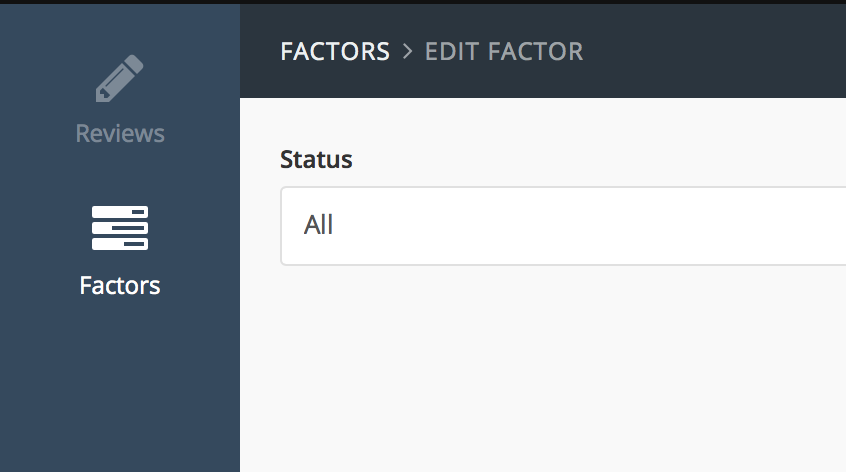
So this is what the form controller shows (which is completely fine): Imgur
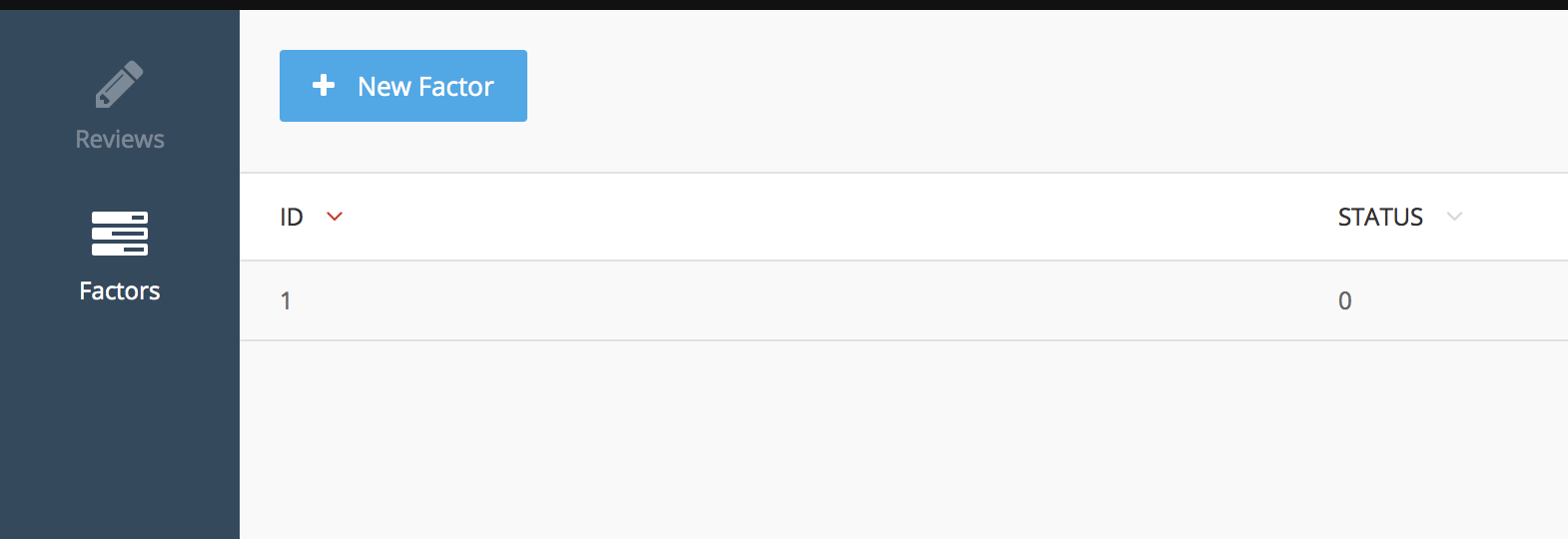
And this is my list controller, which should actually show All (since I chose All in last screenshot), instead it shows the value 0... Imgur
Last updated

You have a typo.

return [‘0' => 'All', ‘1’ => ’None'];

Should be

return ['0' => 'All', '1' => 'None'];

OR

return [ 'All',  'None'];

Last updated

Thanks. I copied in the right code now. Still have not found a solution for this :(

You could do

stat:
    label: Blog Post Status
    type: switch

But that would show as YES or NO.

OR

in list YAML do:

stat:
    label: Blog Post Status

In model do:

public $attributes = [
    'stat' => ''
];

public function getStatAttribute(){
    return $this->status?'All':'None';
}

Last updated

Hi, May I know What is the final result

This is an issue which is not solved yet

Hi friends , I fixed that Issue. I referred few concepts of laravel.

Model Class Method

public static function getSampleOptions()
{
    return[
          '1'=>'Mobile App',
          '2'=>'Web  App'
          ];
}   

Columns.Yaml file

sample:
        label: Sample Column
        type: dropdown

After this I have tried what you guys have finalized .

Define the attributes object and include the filed name as key with empty value

public $attributes = ['sample'=>''];

Define the getfield_nameAtttribute() function to set the associated value for the appropriate key in the column

public function getSampleAttribute()
{
    $result = $this->attributes['sample'];
    $options = $this->getSampleOptions();

    foreach($options as $key=>$value)
    {
        if($key == $result)
        {
            return $value;
        }
    }
}

Last updated

Good approach. Also we need a general "multiple" dropdown options and improve approach to also solve for that too.

We are sailing on the same boat.

I was also searching to fix the multiple drop down select field at the back end. I've also posted it in stack overflow to my surprise few weeks before I got a solution

(http://stackoverflow.com/questions/35620124/october-cms-create-a-multi-select-form-field)

Try this it really works good

Last updated

Hi, I have an issue that when I edit the form with the drop down as described above it does not shows the actual value of the key ,the select option. Instead it shows the first value as selected in the select field

Last updated

This question has been answered. Solution summary:

public function getSampleOptions()
{
    return [
        '1'=>'Mobile App',
        '2'=>'Web App'
    ];
}

public function getSampleAttribute()
{
    $value = array_get($this->attributes, 'sample');
    return array_get($this->getSampleOptions(), $value);
}

1-11 of 11

You cannot edit posts or make replies: the forum has moved to talk.octobercms.com.