


Tileable Plugin
Import name: Sewa.Tileable
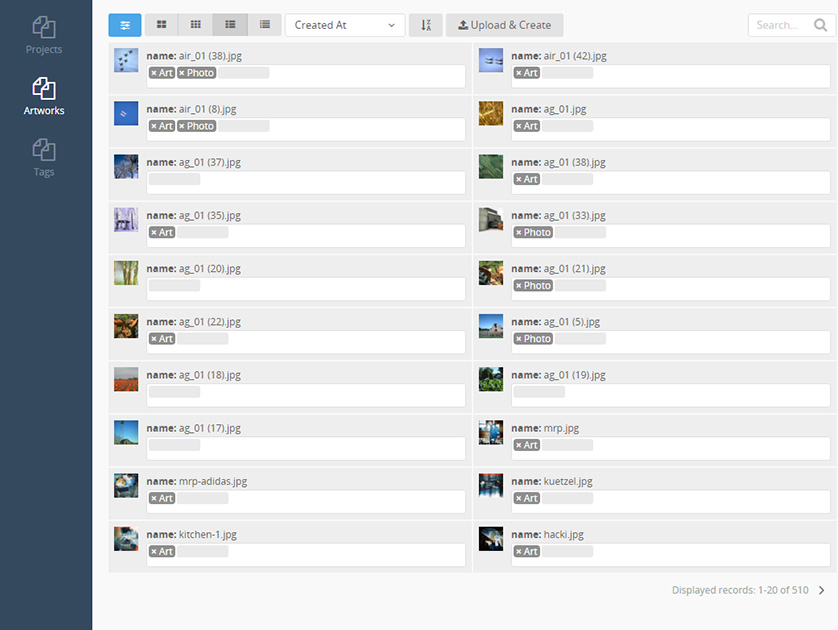
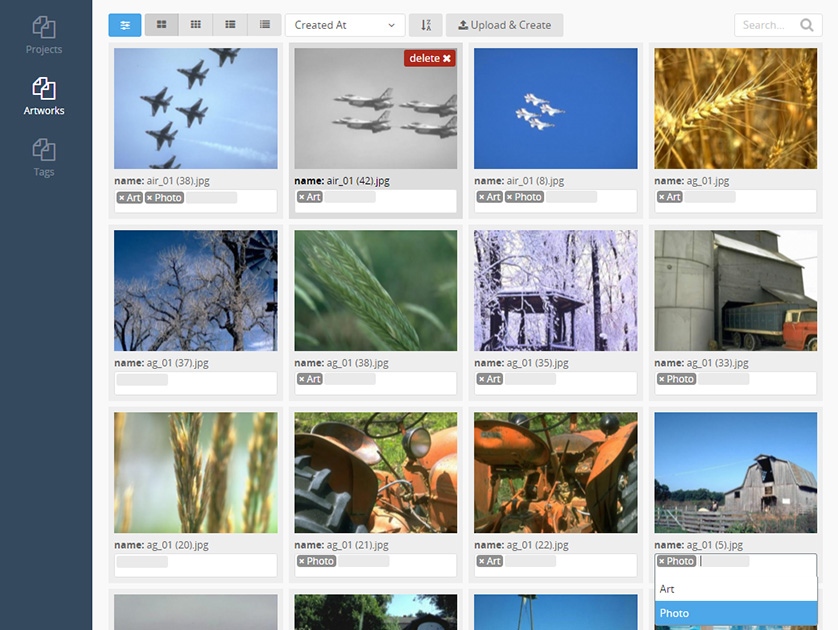
Replace your backend lists with more advanced widgets.
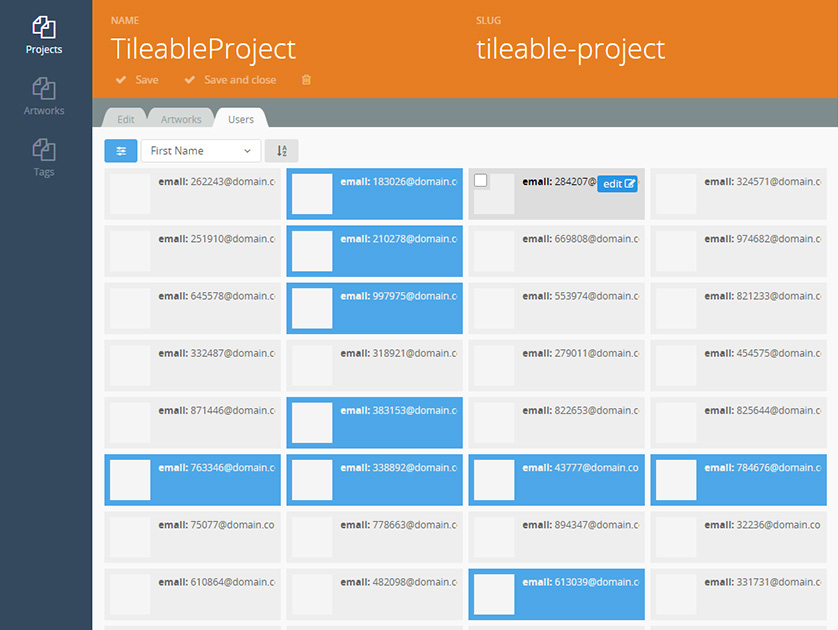
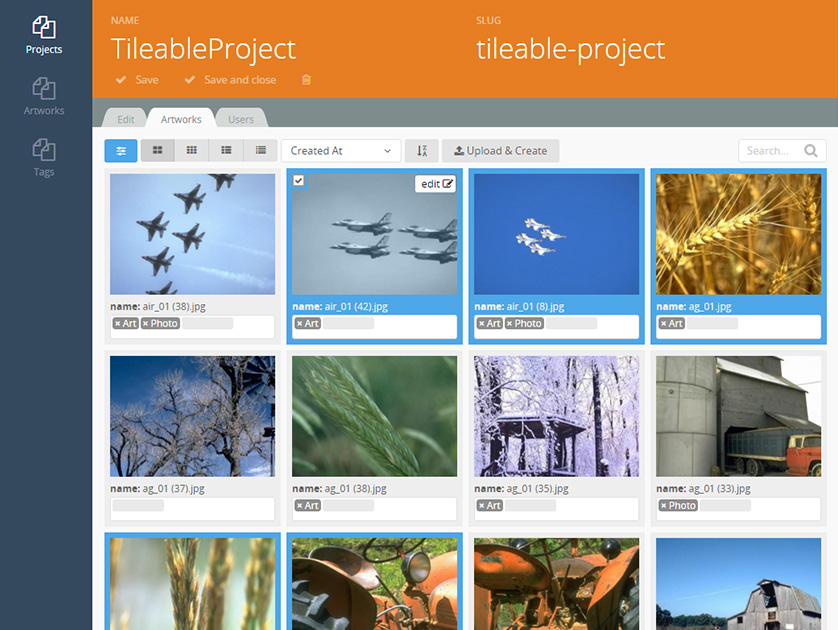
Even relation lists are supported - view your relations as tiles for example, with an image preview.
Features like a search box, paginator (for many items) and a few more make this plugin a "must-have".
Content
TileListControllerbehaviour for your controllersTileListwidgetTileRelationform widget
Features
- Overview List & Form Relation List
- Paginator
- Search Field
- Multiple Views
- Image Preview
- Deep (Nested) Relations Editing
- Batch Upload & Create
- ...
Please read the Documentation for details.
Installation via Command Line
php artisan plugin:install Sewa.Tileable
Tileable List Widgets for October CMS
Content
This package contains two backend lists to replace the default ones.
This plugin is based on the backend List widget Backend\Widgets\Lists
and the backend ListController behaviour Backend\Behaviors\ListController.
List Widget
- Display a tiled list straight out of your controller
- Replaces "
Backend\Behaviors\ListController"
1) Implement the TileListController into your Plugin Controller
- This file is located in
controllers/
<?php namespace Vendor\Plugin\Controllers;

use Sewa\Tileable\Behaviors\TileListController;

class MyController extends Controller
{
    // 1) Implement Tile List instead of the Backend List
    public $implement = [
        // 'Backend.Behaviors.ListController',
        'Sewa.Tileable.Behaviors.TileListController'
    ];
    public $listConfig = 'list.yaml';

    // 2) Change main site output
    public function index()
    {
        $this->asExtension('TileListController')->index();
    }
}
2) Edit list.yaml
- Create this file in
controllers/mycontroller
# Model List Column configuration
list: ~/plugins/vendor/plugin/controllers/mycontroller/list_fields.yaml

# Model Class name
modelClass: Sewa\Artnetwork\Models\Artwork

# Link URL for each record
recordUrl: sewa/artnetwork/artworks/update/:id

# Message to display if the list is empty
noRecordsMessage: backend::lang.list.no_records

# Records to display per page
recordsPerPage: 20

# Show preview image
# "previewFrom" must be an attachment field
showPreview: false
previewFrom: attachment_files

# Displays a button for further display options (popup)
showSetup: false

# Show Search Bar
showSearch: false

# Show Delte Button over each item
showDelete: false

# Show buttons, which switch the list display
# "views" filters, which sizes are selectable
# "defaultView" sets one view type as default
showViews: false
views: [lg, md, sm, xs]
defaultView: lg

# Batch Uploader - Upload an attachment file and create new model
# "uploadTo" is the attachment field name
# "uploadFill" sets the values, the newly created model will be filled with.
# Keys and values both represent field names [model->field => attachment->field].
# The model attributes will be filled with attachment attributes.
showUpload: false
uploadTo: attachment_files
uploadFill:
    name: file_name
    slug: file_name

# Header partial
# Insert a partial html file. It will be relative to our controller.
# So '$this' inside the partial will return the controller, not the widget.
headerPartial: false
3) Edit list_fields.yaml
- Create this file in
controllers/mycontroller - It represents the columns (fields) displayed by our list
columns:
    name:
        label: Name
        searchable: true
        invisible: false

    ### RELATIONS ###
    # Optional.
    # Now, even deep relations are possible.
    # Edit tags and stuff right out of the overview list.
    tags:
        label: Tags
        relation: tags
        select: name
        searchable: true
        invisible: false
Form Widget
- Display a relation field as a tiled list
- Works in backend forms created by the
BackendFormControllerbehavior. - Replaces "
Backend\FormWidgets\Relation"
1) Implement the FormController into your Plugin Controller
- This file is located in
controllers/
<?php namespace Vendor\Plugin\Controllers;

use Sewa\Tileable\Behaviors\TileListController;

class MyController extends Controller
{
    // 1) Implement Backend Form
    public $implement = [
        'Backend.Behaviors.FormController'
    ];
    public $formConfig = 'form.yaml';

    // 2) Return Create Form
    public function create()
    {
        $this->bodyClass = 'compact-container';
        return $this->asExtension('FormController')->create();
    }

    // 3) Return Update Form
    public function update($recordId = null)
    {
        $this->bodyClass = 'compact-container';
        return $this->asExtension('FormController')->update($recordId);
    }
}
2) Edit form.yaml
- This file is located in
controllers/mycontroller/
name: MyModel Update Form
form: ~/plugins/vendor/plugin/controllers/mycontroller/form_fields.yaml
modelClass: Vendor\Plugin\Models\MyModel
defaultRedirect: vendor/plugin/mymodel

create:
    redirect: vendor/plugin/mymodel/update/:id
    redirectClose: vendor/plugin/mymodel

update:
    redirect: vendor/plugin/mymodel
    redirectClose: vendor/plugin/mymodel
3) Edit form_fields.yaml
- This file is located in
controllers/mycontroller/. - It represents all columns (fields) displayed on the item
fields:

    name:
        label: Name
        span: left

    slug:
        label: Url
        span: right

tabs:
    stretch: true
    fields:
        attachment_files:
            tab: Edit
            label: Attachment Files
            type: fileupload
            mode: image
            imageWidth: 200
            imageHeight: 200

        ### TILE LIST ###
        tags:
            tab: Tags
            type: tilerelation
            label: false
            list:
                # Model List Column configuration
                # FOR MORE INFORMATION:
                # Read "List Widget - 3) Edit list_fields.yaml"
                list: ~/plugins/vendor/plugin/controllers/mycontroller/list_fields.yaml.yaml

                # Link URL for each record
                recordUrl: vendor/plugin/mymodel/update/:id

                # Records to display per page
                recordsPerPage: 20

                # Display checkboxes next to each record
                showCheckboxes: true

                # Show preview image
                # "previewFrom" must be an attachment field
                showPreview: false
                previewFrom: featured_files

                # Displays a button for further display options (popup)
                showSetup: false

                # Show Search Bar
                showSearch: false

                # Show Delte Button over each item
                showDelete: false

                # Show buttons, which switch the list display
                # "views" filters, which sizes are selectable
                # "defaultView" sets one view type as default
                showViews: false
                views: [lg, md, sm, xs]
                defaultView: lg

                # Batch Uploader - Upload an attachment file and create new model
                # "uploadTo" is the attachment field name
                # "uploadFill" sets the values, the newly created model will be filled with.
                # Keys and values both represent field names [model->field => attachment->field].
                # The model attributes will be filled with attachment attributes.
                showUpload: false
                uploadTo: attachment_files
                uploadFill:
                    name: file_name
                    slug: file_name

                # Header partial
                # Insert a partial html file. It will be relative to our controller.
                # So '$this' inside the partial will return the controller, not the widget.
                headerPartial: false
-

Larry B
Found the plugin useful on 13 May, 2019
Hey Sewa,
Thanks for a neat plugin. I have a couple issues if you are still around and available to help with them I would appreciate it! Thanks!
-

Blubcow
Found the plugin useful on 8 Apr, 2016
If it wasn't so useful I wouldn't have developed it...
-


| 1.0.4 |
TileListController _container.htm error fix Apr 03, 2021 |
|---|---|
| 1.0.3 |
OCTOBER BUILD Oct 10, 2016 |
| 1.0.2 |
Added languages Jun 07, 2016 |
| 1.0.1 |
Initialize plugin. Apr 07, 2016 |