


Deploy Extender adds bidirectional database and storage synchronization to RainLab.Deploy.
Push your local database and files to production, or pull remote data to your development environment, with automatic backups, step-by-step progress logging, and selective sync options.
Features
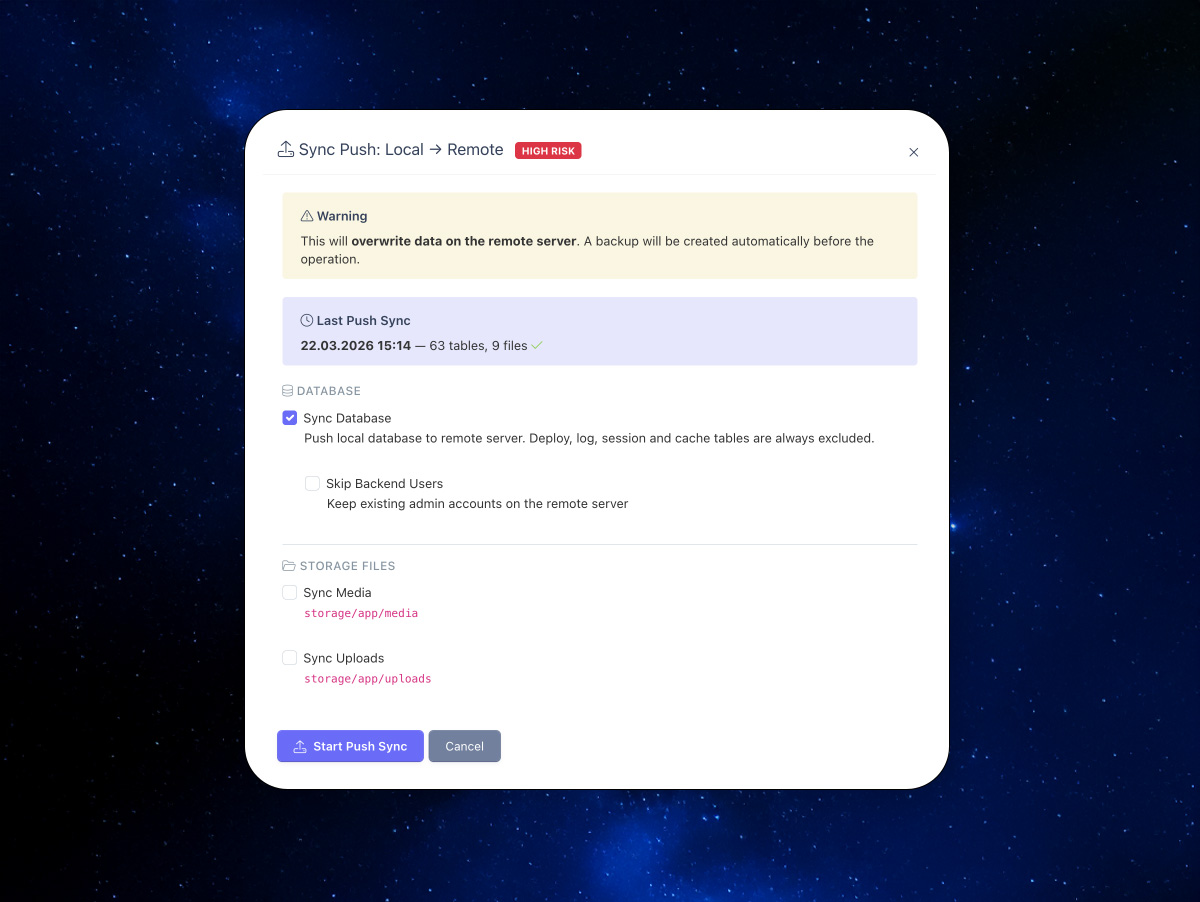
- Sync Push (Local → Remote) - Push database, media, and uploads to your remote server
- Sync Pull (Remote → Local) - Pull remote database, media, and uploads to your local environment
- Deploy Uploads - Adds upload file deployment to the standard RainLab Deploy workflow
- Automatic Backups - Full database backup created before every destructive operation
- Skip Backend Users - Preserve admin accounts on either side during sync
- Safety Exclusions - Deploy tables, event logs, sessions, cache, and job queues are never synced
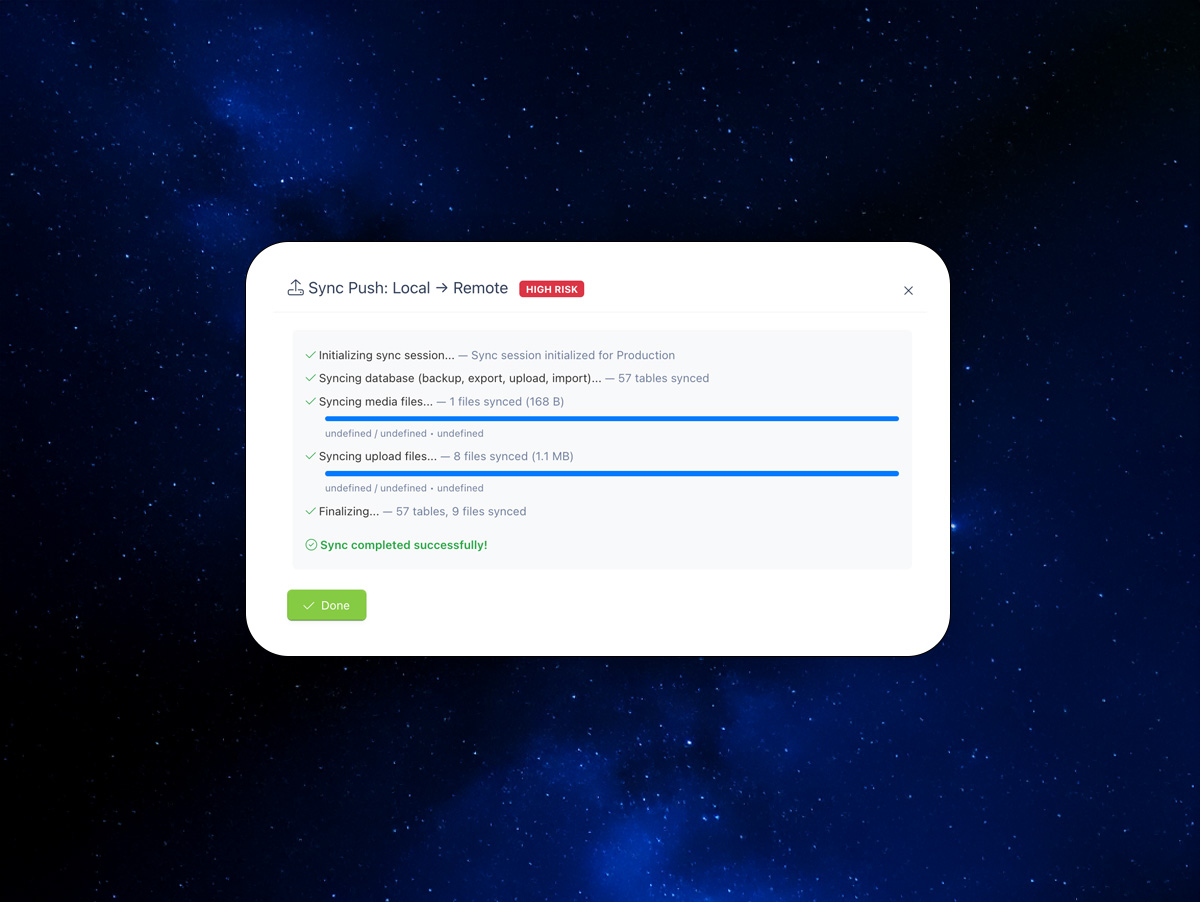
- Step-by-Step Progress - Live progress log showing each operation as it executes
- Sync History - Full log of all sync operations with status, counts, and backup paths
- Console Commands - Run sync push, pull, and upload deploy from the command line
- Remote DB Backup - Download a full database dump from any connected server
Requirements
- October CMS 3.x
- RainLab.Deploy 2.x

Installation via Command Line
php artisan plugin:install Pear.DeployExtender
Installation
Install via Composer:
composer require pear/deployextender-plugin
Or install from the October CMS Marketplace.
Requirement: RainLab.Deploy plugin must be installed and configured with at least one server.
Usage
Sync Push (Local → Remote)
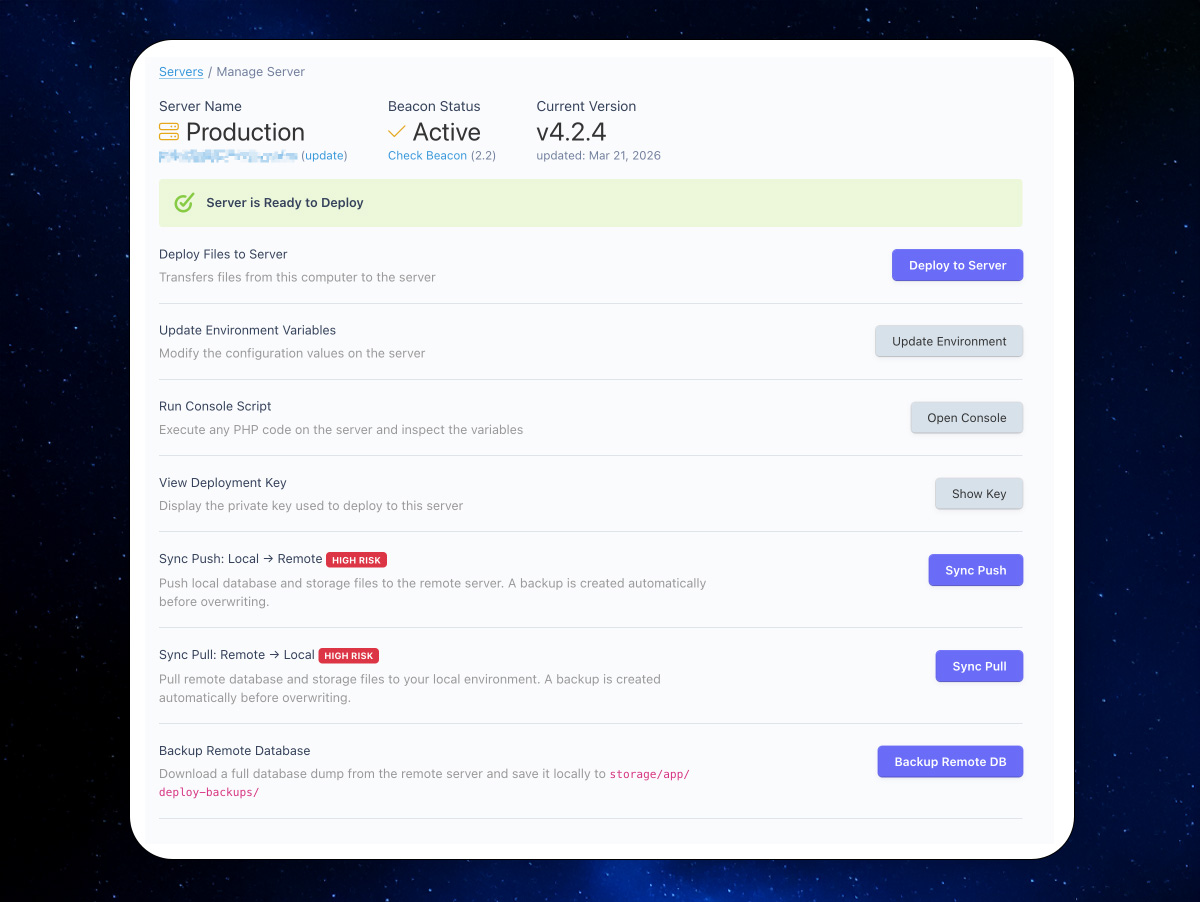
- Go to Settings → Deploy → Servers and open a server in Manage mode
- Click Sync Push: Local → Remote
- Select what to sync: Database, Media files, Upload files
- Optionally check "Skip Backend Users" to preserve remote admin accounts
- Click Start Push Sync and monitor the progress log
Sync Pull (Remote → Local)
- Open a server in Manage mode
- Click Sync Pull: Remote → Local
- Select what to sync and click Start Pull Sync
- A local database backup is created automatically before import
Deploy Uploads
When deploying via the standard RainLab Deploy interface, a new Deploy Upload Files checkbox appears. Check it to include storage/app/uploads in the deployment package.
Remote Database Backup
Click Backup Remote DB on any server to download a full database dump (all tables, no exclusions) to storage/app/deploy-backups/.
Console Commands
php artisan deployextender:sync-push {server_id} [--skip-users] [--db] [--media] [--uploads]
php artisan deployextender:sync-pull {server_id} [--skip-users] [--db] [--media] [--uploads]
php artisan deployextender:deploy-uploads {server_id}
Sync Logs
View all sync history at Settings → Deploy Extender → Sync Logs. Each entry shows direction, status, table/file counts, duration, and backup file path.
Excluded Tables
The following tables are always excluded from sync to prevent conflicts:
deploy_*(RainLab Deploy tables)sessions,cache,jobs,failed_jobssystem_event_logs,system_request_logs
Permissions
- Manage sync operations —
pear.deployextender.manage_sync - View sync logs —
pear.deployextender.view_logs
-

Devin Green
Found the plugin not useful on 27 Mar, 2026
Great Plugin. Sovles a gripe i've had about the plugin for a long time
-

| 1.0.5 |
Fixed push failing on 'Could not upload file' by streaming DB dumps and storage batches in chunks (bypasses remote upload_max_filesize). Jul 24, 2026 |
|---|---|
| 1.0.4 |
Fixed migration error when reinstalling plugin (table already exists). Mar 25, 2026 |
| 1.0.3 |
Fixed composer dependency: support RainLab Deploy v2 and v3. Mar 25, 2026 |
| 1.0.2 |
Fixed batch upload exceeding server upload_max_filesize (50MB size cap per batch). Mar 25, 2026 |
| 1.0.1 |
Batched storage sync with progress bar for large media/uploads (1GB+). Mar 22, 2026 |
| 1.0.0 |
Initialize plugin. Mar 22, 2026 |
Version 1.0.0
Initial release. No upgrade steps required.