

Debug Plus
Tools to get more information about events Timeline in debugbar
Debug Plus
Tools to get more information about events Timeline in debugbar
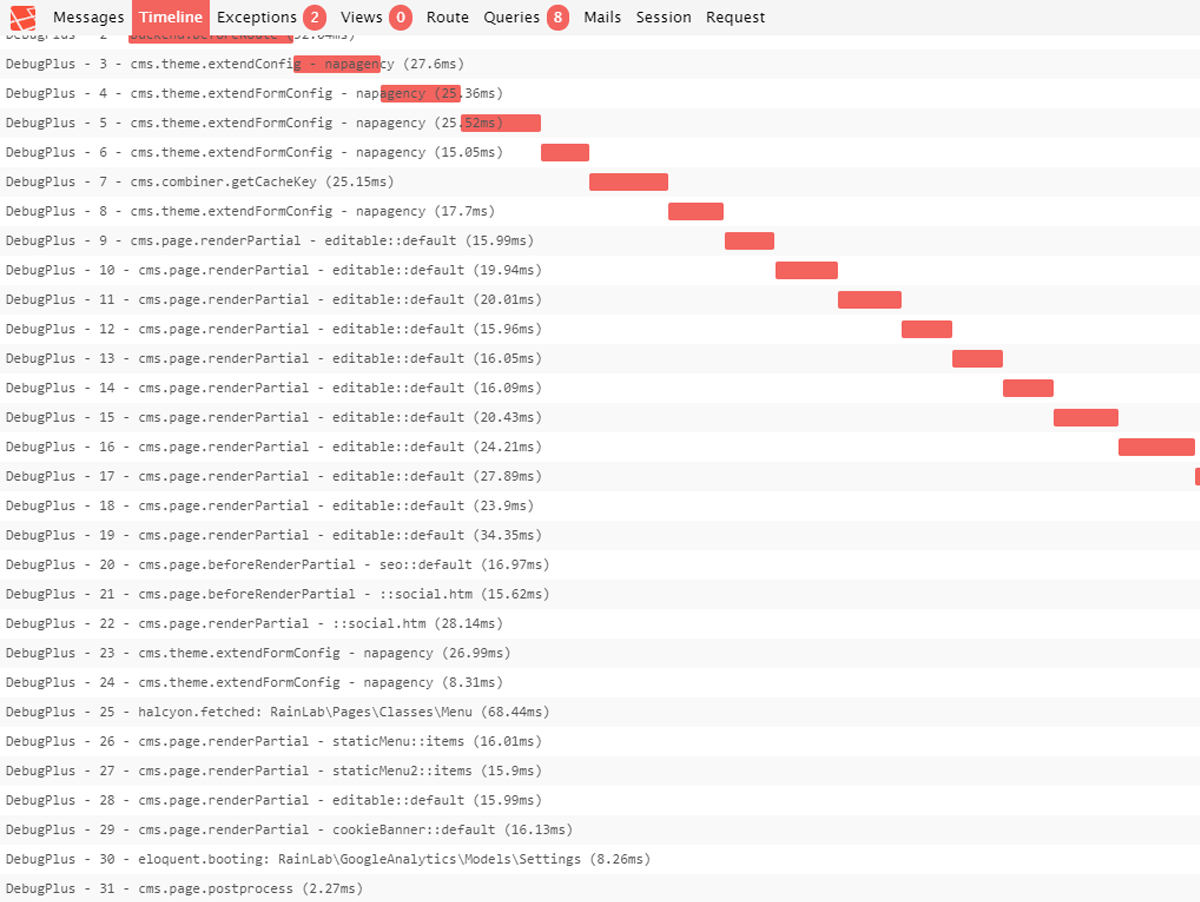
This plugin Extend Bedard.Debugbar and provide Timeline for all events running on the page. This is helpful when you want to speed up the time of execution of events.
Installation via Command Line
php artisan plugin:install NapAgency.DebugPLus
Debug Plus
This plugin Extend Bedard.Debugbar and provide Timeline for all events running on the page. This is helpful when you want to speed up the time of execution of events.
Installation
Install the plugin via October's plugin marketplace and don't forget to set debug to true in config/app.php.
Usage
You can change the napagency/debugplus/config/config.php and set the minimum time to track Event Timeline. An other usage of this plugins is to track everything you want:
use NapAgency\DebugPlus\classes\Helper;
$helper = Helper::instance();
Start Tracking :
$helper->starTimeline($label);
End Tracking :
$helper->endTimeLine();
See Bedard.Debugbar for more usage instructions and documentation about the DebugBar.
-

54354
Good extension for debugbar.
-


| 1.0.1 |
Fix Rainlab.User event expected return Jan 15, 2020 |
|---|---|
| 1.0.0 |
First version of DebugPlus Jan 13, 2020 |