

Features
- Interactive Maps Integration: Allows users to pick locations directly on a map.
- Customizable Markers: Configure marker colors, sizes, opacity, and more.
- Zoom and Pan Options: Enable automatic zooming and panning based on user interactions.
- Default Centering: Set a default location on the map for better user guidance.
Field Options:
markerColor: Customize the marker's fill color.defaultCenter: Define the default map center aslatitude,longitude.panToClick: Enable the map to pan when a user clicks.zoomToClick: Automatically zoom the map when a user clicks.markerScale: Adjust the marker's scale/size.markerOpacity: Define the marker's opacity.markerStrokeWidth: Set the stroke width for markers.markerStrokeColor: Define the stroke color for markers.
Installation via Command Line
php artisan plugin:install AliCemalTuran.GoogleMapsLocationPicker
Features
- Interactive Maps Integration: Allows users to pick locations directly on a map.
- Customizable Markers: Configure marker colors, sizes, opacity, and more.
- Zoom and Pan Options: Enable automatic zooming and panning based on user interactions.
- Default Centering: Set a default location on the map for better user guidance.
Installation
1. php artisan plugin:install AliCemalTuran.GoogleMapsLocationPicker
2. or composer require alicemalturan/googlemapslocationpicker-plugin
Usage
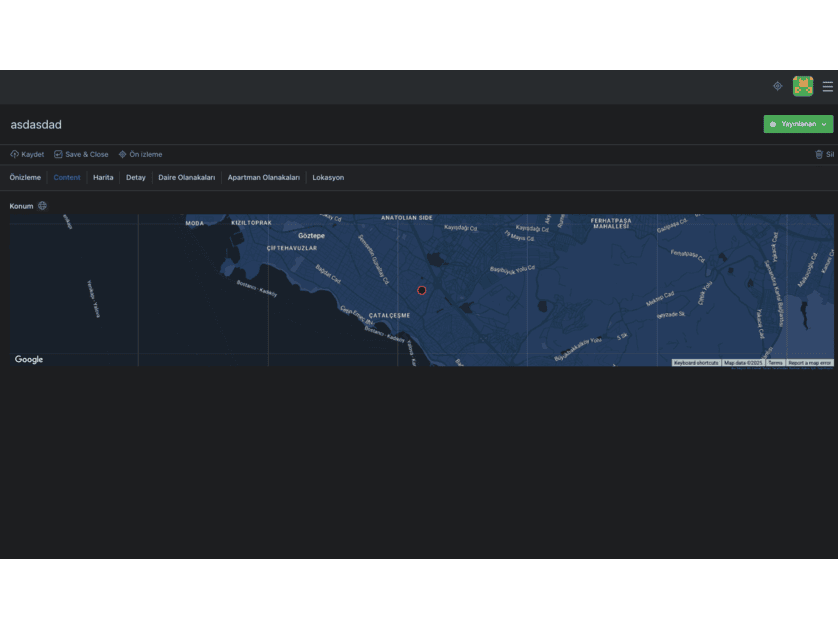
To use the location picker field in your forms, configure it as shown below:
fields:
    location:
        type: mapspicker
        label: Konum
        defaultCenter: "41.01384,28.94966" # Default map center (latitude, longitude)
        panToClick: true
        zoomToClick: true
        markerColor: "#ff3838"
        markerScale: "8"
        markerOpacity: "0.6"
        markerStrokeWidth: "2"
        markerStrokeColor: "#ff4d4d"
Field Options:
markerColor: Customize the marker's fill color.defaultCenter: Define the default map center aslatitude,longitude.panToClick: Enable the map to pan when a user clicks.zoomToClick: Automatically zoom the map when a user clicks.markerScale: Adjust the marker's scale/size.markerOpacity: Define the marker's opacity.markerStrokeWidth: Set the stroke width for markers.markerStrokeColor: Define the stroke color for markers.
Configuration
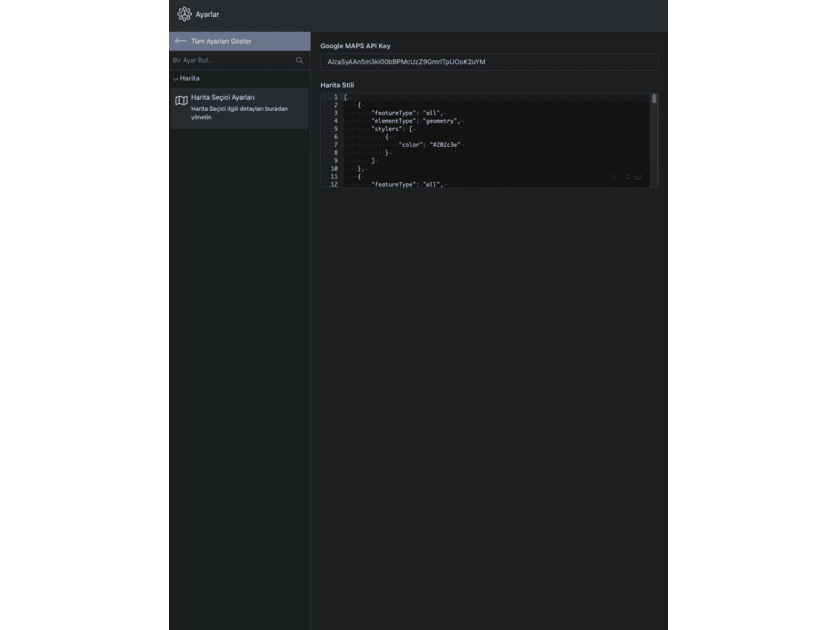
- Open the Settings section of OctoberCMS.
- Navigate to the plugin's configuration area.
- Enter your Google Maps API key and adjust additional settings as needed.
Requirements
- Google Maps API Key: Required for map functionality.
- OctoberCMS Version: Compatible with OctoberCMS 2.x and later.
- PHP Version: Ensure PHP 7.4 or later is installed.
-
This plugin has not been reviewed yet.
-
| 1.0.1 |
First version of GoogleMapsLocationPicker Jan 23, 2025 |
|---|