

Yoga Theme for OctoberCMS
Yoga is a modern and flexible October CMS theme designed for yoga studios, wellness centers, and professional fitness service websites. Built with Tailor-powered dynamic sections, reusable layouts, and scalable content architecture.
Pages of Yoga
- Home Pages (4 variants)
- About Us Page
- Classes Page (2 variants)
- Single Class Page
- Class Category Page
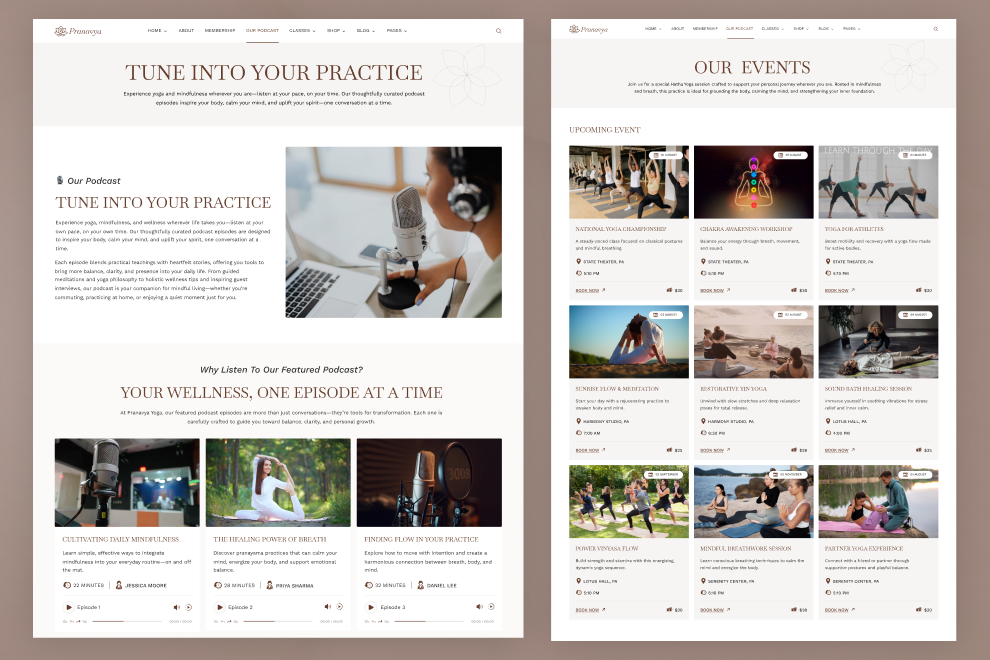
- Events Page (2 variants)
- Single Event Page
- Retreats Page
- Single Retreat Page
- Team Page
- Single Team Page
- Podcast Page
- FAQ Page
- Testimonials Page
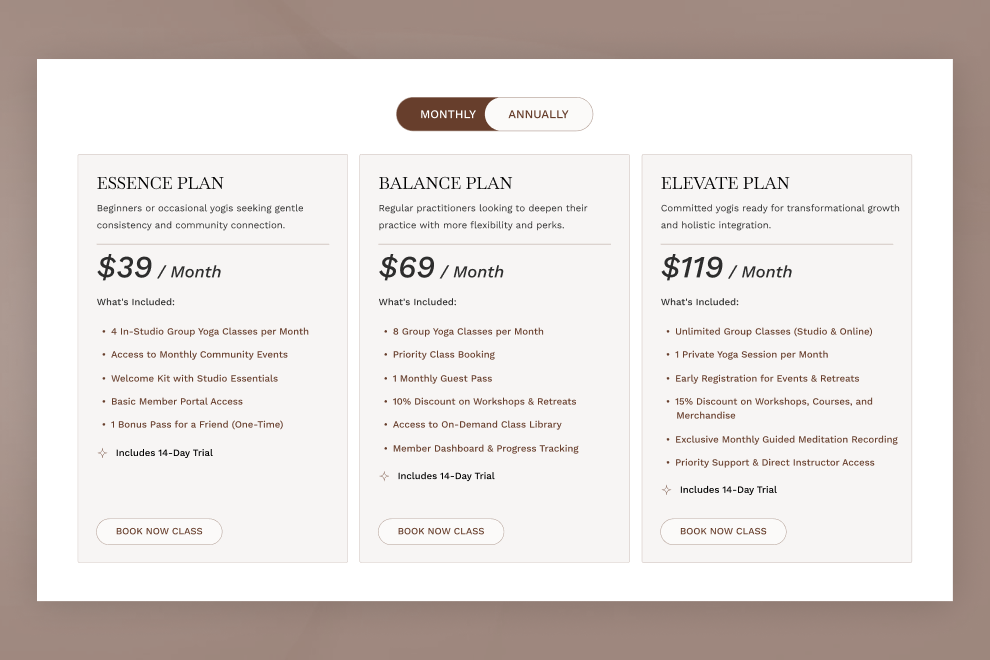
- Membership Page
- Schedule Page
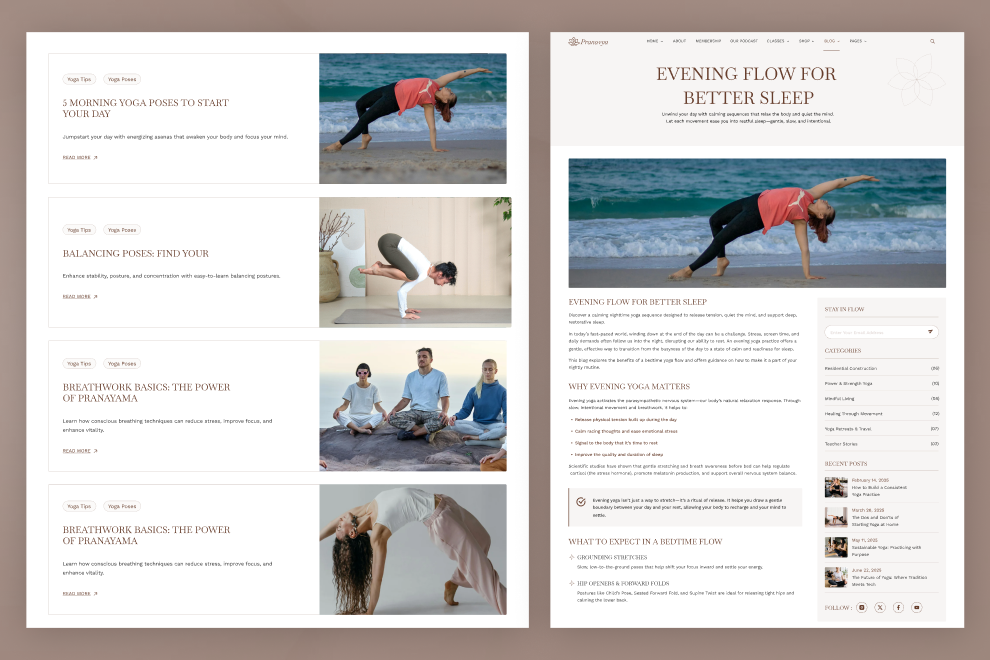
- Blogs Page (3 variants)
- Single Blog Page
- Contact Us Page
- Terms & Conditions Page
- Privacy Policy Page
- 404 Error Page
Features of Yoga
- Tailor-powered dynamic content
- Responsive and modern layout using Tailwind CSS
- Modular section-based design, including:
- About Content Section
- About Pranavaya Yoga
- About Studio Section
- About Yoga Section
- Book Class Section
- Class Schedule FAQs
- Class Schedule Section
- Client Testimonials
- Contact Details Section
- Contact Section
- Core Values Section
- Featured Classes Section
- Hero Class Slider
- Hero Offer Section
- Hero Section
- Hero Slider Section
- Highlights Strip
- Instagram Section
- Journey Section
- Key Highlights Section
- Marquee Text Section
- Meet the Instructors
- Membership Benefits
- Membership FAQs
- Newsletter Section
- Our Philosophy
- Podcast Introduction
- Pricing Plans
- Purpose Driven Model Section
- Section Header
- Testimonials Section
- Weekly Schedule Section
- Why Choose us Section
- Yoga Blog Section
- Yoga Highlight Section


Installation via Command Line
php artisan theme:install WebbyCrown.yoga
Installation Instructions
1. Install theme via admin panel or from terminal using command:
php artisan theme:install WebbyCrown.yoga
2. Activate the Theme
- Go to Settings → Frontend Theme
- Select and activate "Yoga Theme"
3. Register Tailor Blueprints
php artisan tailor:refresh
php artisan tailor:list
4. Seed the Theme Data
php artisan theme:seed webbycrown-yoga
5. Seed Plugin Data (Menu Items etc.)
php artisan db:seed --class="Acme\\Menu\\Updates\\MenuItemsTableSeeder"
6. Seed Media via Tinker (Optional)
If using media seeder:
php artisan tinker
Then in the shell:
require base_path('themes/webbycrown-yoga/seeds/MediaSeeder.php');
seedMediaImages(); // if this is a global function
-
This theme has not been reviewed yet.
-
| 1.0.0 |
Initial release of the Yoga Jul 09, 2026 |
|---|