


Installation
Add the plugin to your project on the marketplace, then install it:
composer require powersystems/mediaoptimizer-plugin
php artisan october:migrate
Configuration
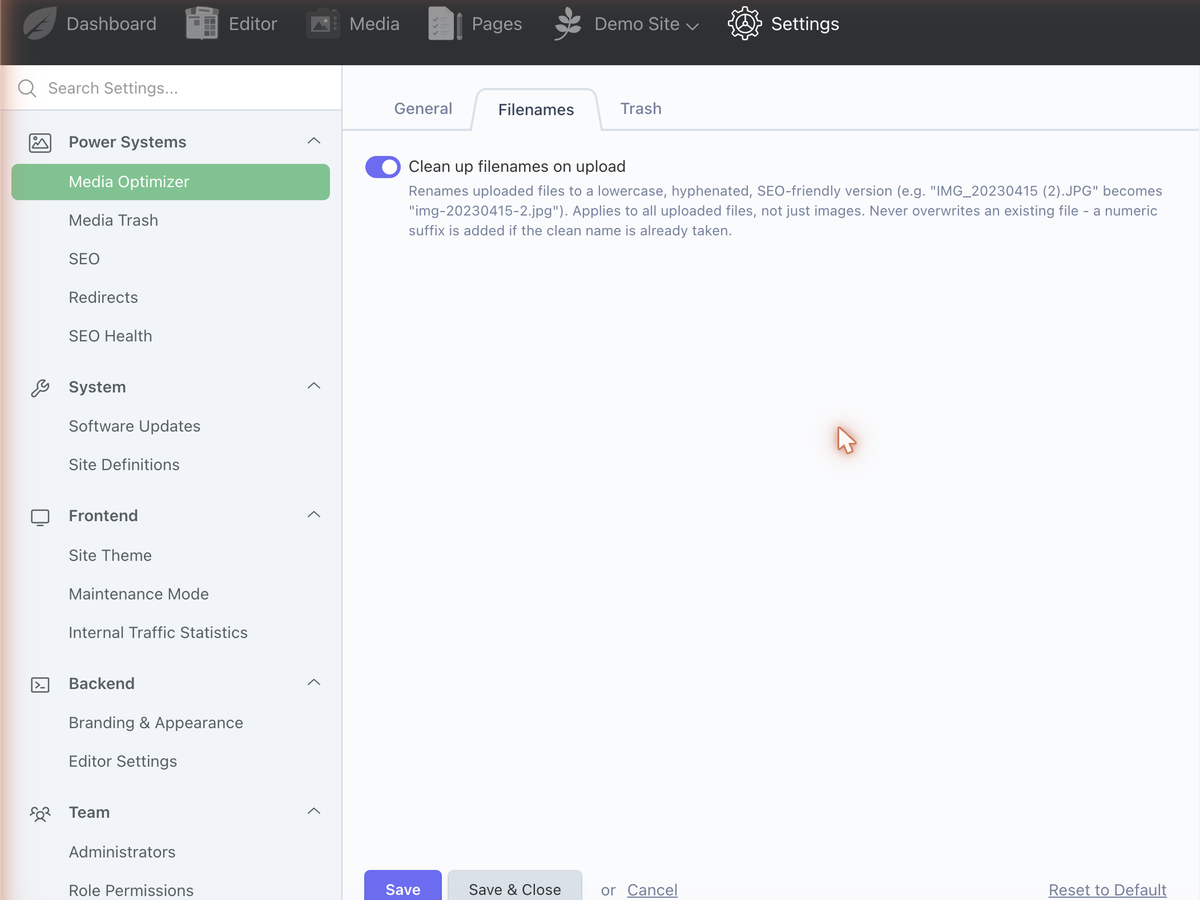
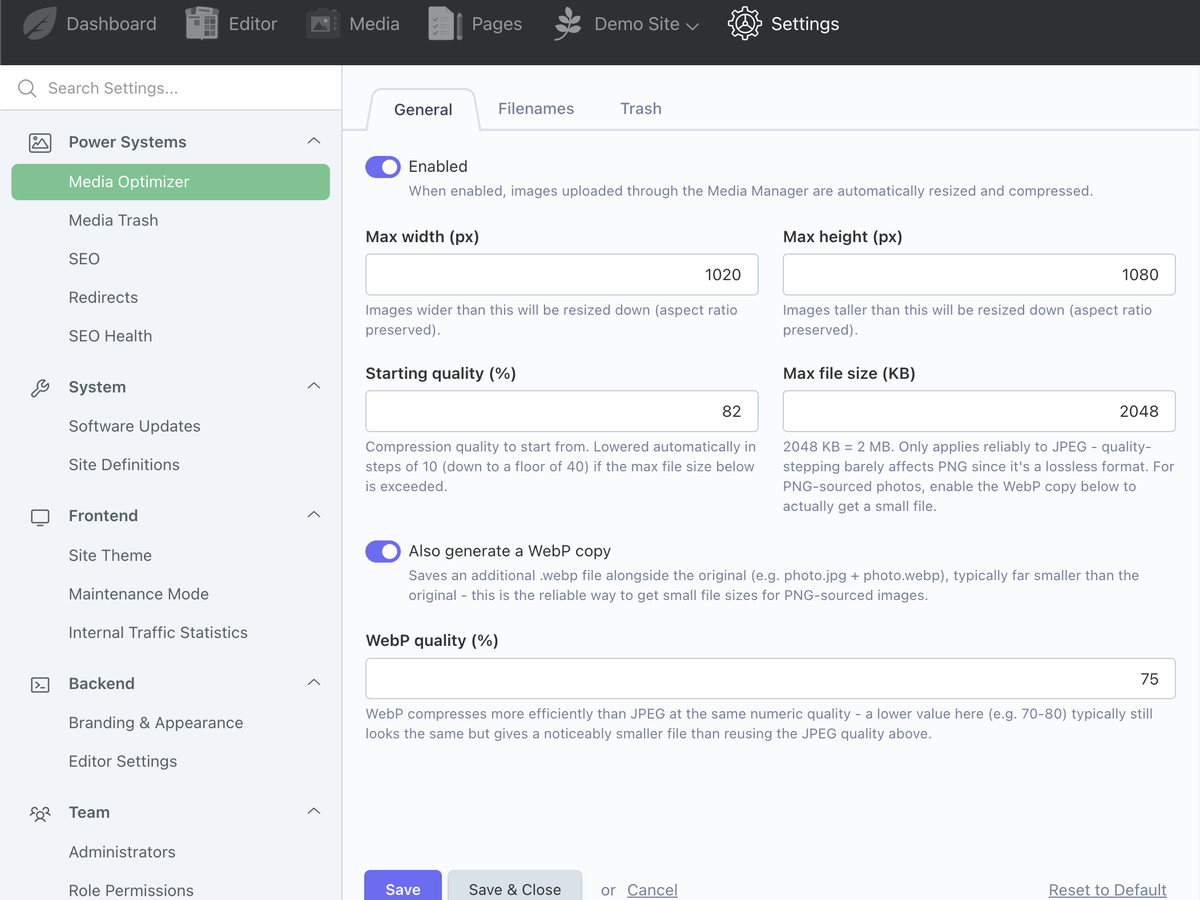
Go to Settings → Media Optimizer in the backend. All settings apply immediately, no cache clear needed:
- Max width / max height — images larger than this are resized down (aspect ratio preserved).
- Size limit (KB) — JPEGs are re-encoded at stepping-down quality until they fit under this, or hit a floor of quality 40.
- WebP enabled — writes a
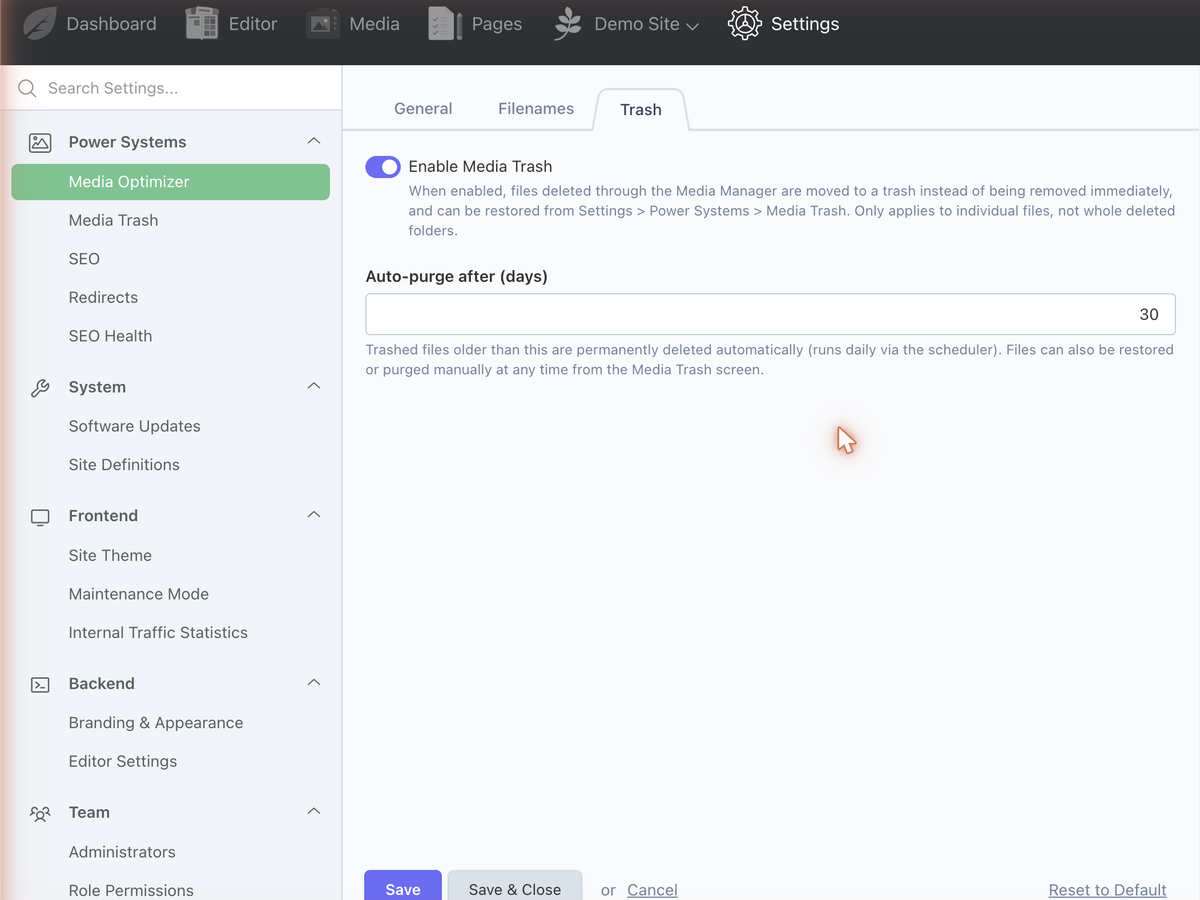
.webpsibling next to every processed image, using its own quality setting. - Media Trash enabled — intercepts deletes instead of removing files immediately; Retention period (days) controls automatic cleanup.
Resize, WebP generation, filename cleanup and Media Trash all work immediately after install with these settings — no further wiring needed.
Wiring the ImageWithAlt field
This is the one part that needs manual setup, since it's a field type you add to your own blueprints or models:
hero_image:
    label: Hero image
    type: mediaoptimizer_imagewithalt
    defaultFolder: /hero-images
Render it in your theme:
{% set banner = post.hero_image|imageWithAlt %}
{% if banner.url %}
    <img src="{{ banner.url }}" alt="{{ banner.alt }}">
{% endif %}
The filter safely handles the raw JSON string that Tailor content types return for this field.
Media Trash
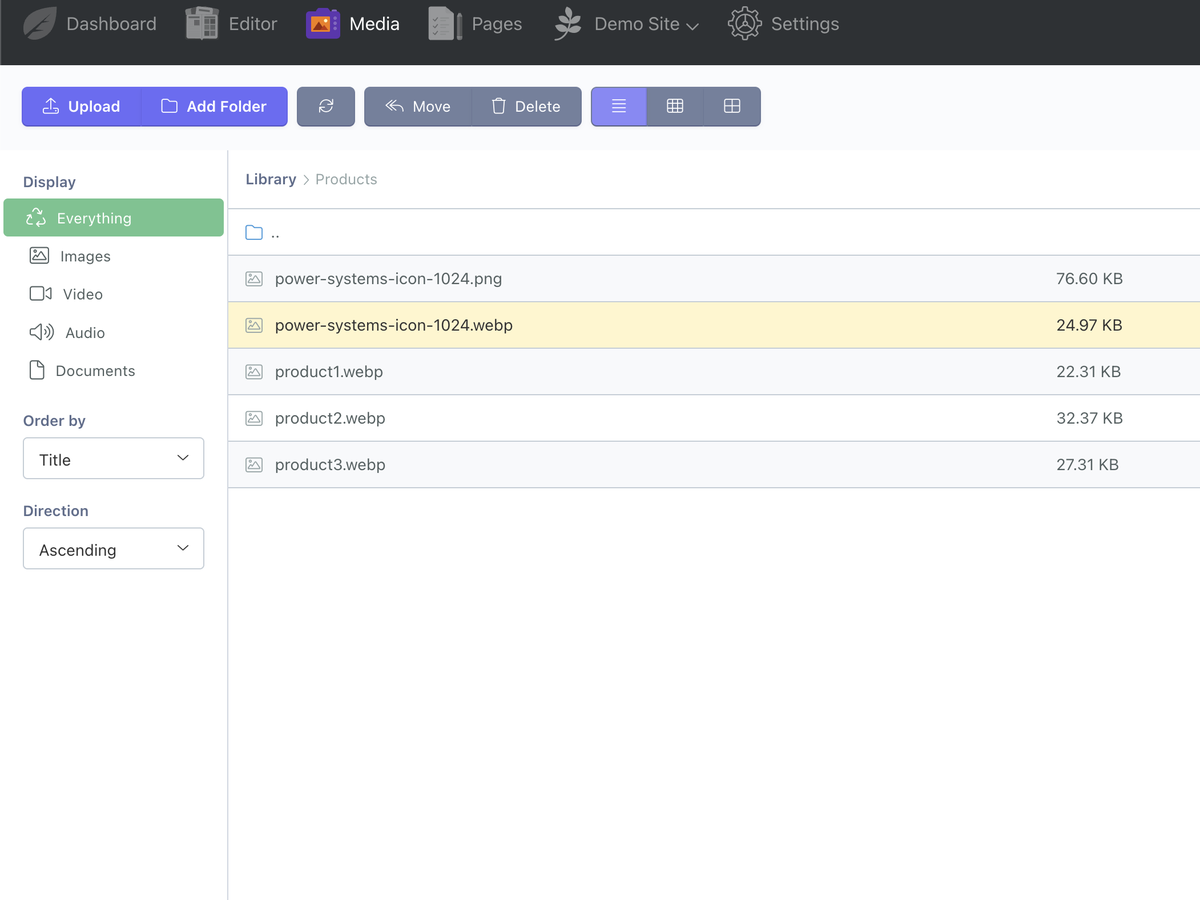
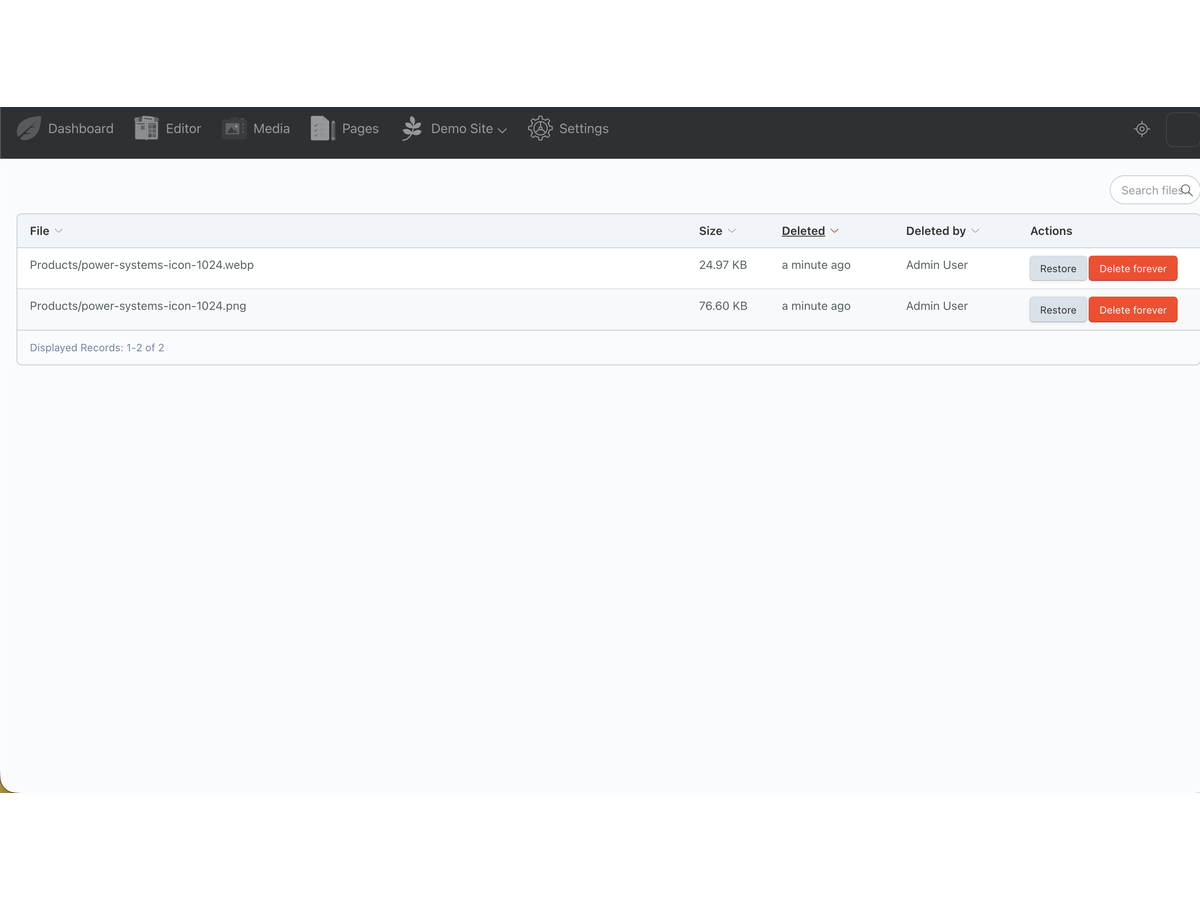
Deleted files move to a hidden .trash/ directory instead of being removed from disk. Restore or permanently purge them from Media Manager → Trash in the backend. Anything past the retention period is purged automatically by October's scheduler — make sure php artisan schedule:run is wired into your server's cron.
Support
Email support@psaruba.com for help with installation, configuration, or custom feature requests.
Installation via Command Line
php artisan plugin:install PowerSystems.MediaOptimizer
Installation
Add the plugin to your project on the marketplace, then install it:
composer require powersystems/mediaoptimizer-plugin php artisan october:migrate
Configuration
Go to Settings → Media Optimizer in the backend. All settings apply immediately, no cache clear needed:
- Max width / max height — images larger than this are resized down (aspect ratio preserved).
- Size limit (KB) — JPEGs are re-encoded at stepping-down quality until they fit under this, or hit a floor of quality 40.
- WebP enabled — writes a
.webpsibling next to every processed image, using its own quality setting. - Media Trash enabled — intercepts deletes instead of removing files immediately; Retention period (days) controls automatic cleanup.
Resize, WebP generation, filename cleanup and Media Trash all work immediately after install with these settings — no further wiring needed.
Wiring the ImageWithAlt field
This is the one part that needs manual setup, since it's a field type you add to your own blueprints or models:
hero_image:
label: Hero image
type: mediaoptimizer_imagewithalt
defaultFolder: /hero-images
Render it in your theme:
{% set banner = post.hero_image|imageWithAlt %}
{% if banner.url %}
<img src="{{ banner.url }}" alt="{{ banner.alt }}">
{% endif %}
The filter safely handles the raw JSON string that Tailor content types return for this field.
Media Trash
Deleted files move to a hidden .trash/ directory instead of being removed from disk. Restore or permanently purge them from Media Manager → Trash in the backend. Anything past the retention period is purged automatically by October's scheduler — make sure php artisan schedule:run is wired into your server's cron.
Support
Email support@psaruba.com for help with installation, configuration, or custom feature requests.
-
This plugin has not been reviewed yet.
-
| 1.4.3 |
Support the October CMS 3.x line alongside 4.x (PHP floor lowered to 8.1). Core classes that moved between releases (MediaLibrary, ResizeImages) are now resolved at runtime instead of being imported directly. Aug 04, 2026 |
|---|---|
| 1.4.2 |
Add an imageWithAlt Twig filter so theme templates can safely read an ImageWithAlt field's value (handles the same raw-JSON-string case as the widget itself). Aug 04, 2026 |
| 1.4.1 |
Fix ImageWithAlt not reloading saved image/alt text on Tailor content types (value came back as a JSON string, not a decoded array). Aug 04, 2026 |
| 1.4.0 |
Also clean up filenames when a file is manually renamed via the Media Manager, not just on upload. Aug 04, 2026 |
| 1.3.3 |
Fix Media Trash restore/purge not invalidating the Media Manager's folder cache. Aug 04, 2026 |
| 1.3.2 |
Fix Media Trash list columns config structure (columns must be nested under list.columns). Aug 04, 2026 |
| 1.3.1 |
Fix missing index.php view for the Media Trash page (was showing blank). Aug 04, 2026 |
| 1.3.0 |
create_image_alt_suggestions_table.php Aug 04, 2026 |
| 1.2.0 |
create_trashed_files_table.php Aug 04, 2026 |
| 1.1.0 |
Add an independent WebP quality setting, since WebP compresses more efficiently than JPEG at the same numeric quality value. Aug 04, 2026 |
| 1.0.0 |
Resize, compress and optional WebP generation for images uploaded via the Media Manager. Aug 04, 2026 |
Updates install through Composer or the backend Settings → Updates & Plugins screen. After updating, run:
php artisan october:migrate
Notable changes by version
- 1.2.0 — added the Media Trash feature (new database table). Existing media and settings are untouched; Trash is disabled by default until you enable it under Settings → Media Optimizer.
- 1.3.0 — added the ImageWithAlt field and its alt-text suggestion table. This is opt-in: nothing changes until you add the field type to a blueprint or model yourself.
- 1.4.0 — filename cleanup now also runs on manual rename through the Media Manager, not just on upload.
- 1.4.1 / 1.4.2 — fixes for ImageWithAlt not reloading saved values on Tailor content types, and the
imageWithAltTwig filter. - 1.4.3 — adds October CMS 3.x support alongside 4.x. No configuration changes; core classes that moved between October releases are now resolved at runtime.
Recommended process
Test on a staging copy first, especially if you rely on the Media Trash or ImageWithAlt field in production. Take a database backup before running migrations, as is good practice for any plugin update.