


A powerful dynamic drag & drop form builder for October CMS that allows you to create, manage, and render fully customizable forms with support for field groups, layouts, validation rules, and integrations.
Installation via Command Line
php artisan plugin:install Okle.Forms
Documentation
Installation
- Download or install via Marketplace
- Copy plugin to:
plugins/okle/forms
- Run migrations:
php artisan october:up
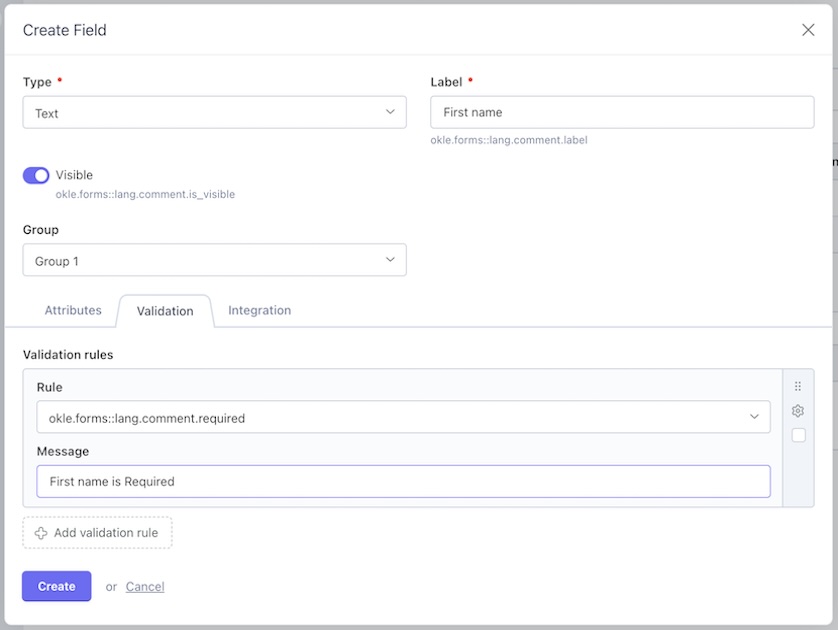
Creating a Form
- Go to Forms in backend
- Create a new form
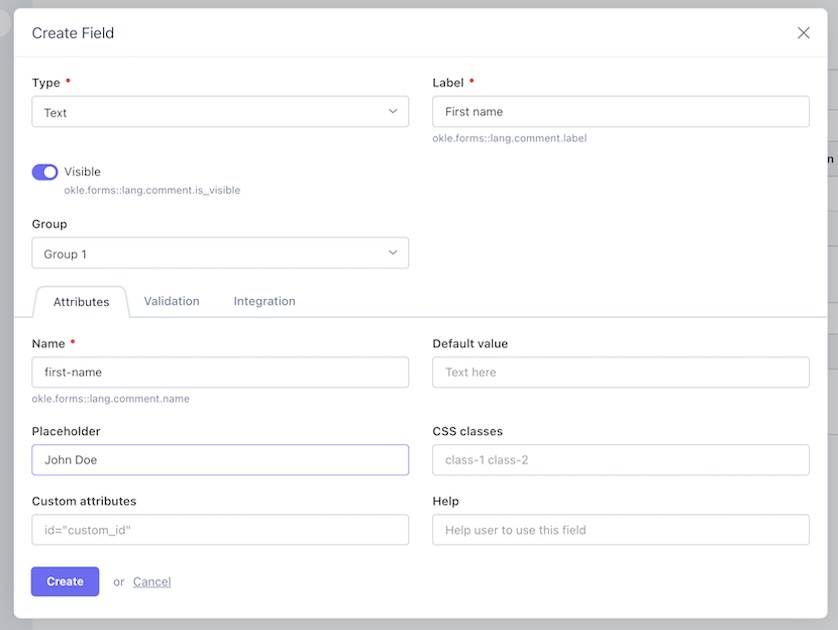
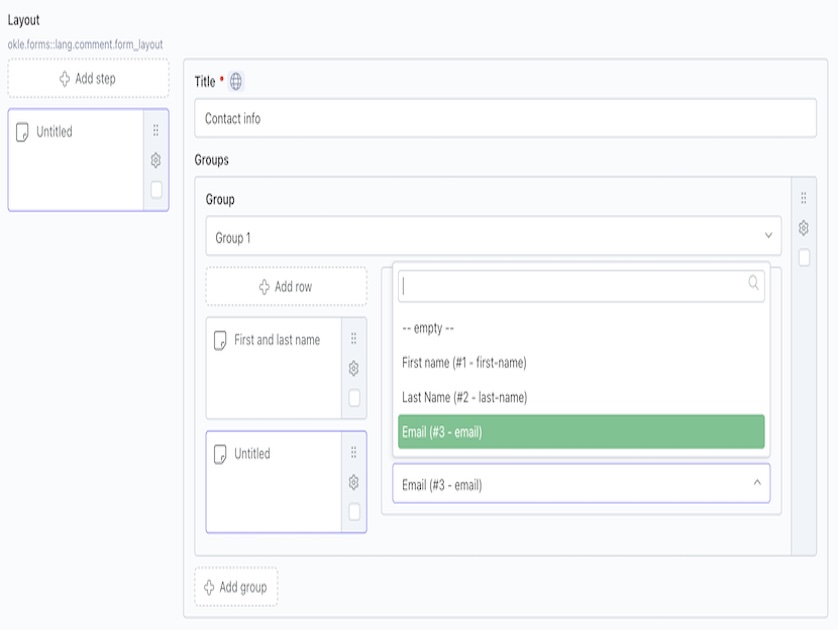
- Add groups
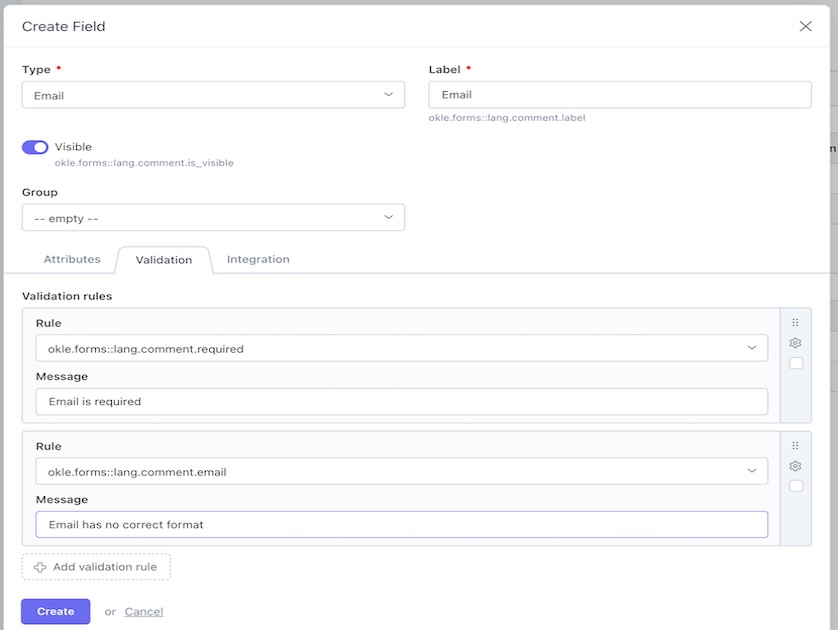
- Add fields inside groups
- Configure layout and validation
- Save and publish
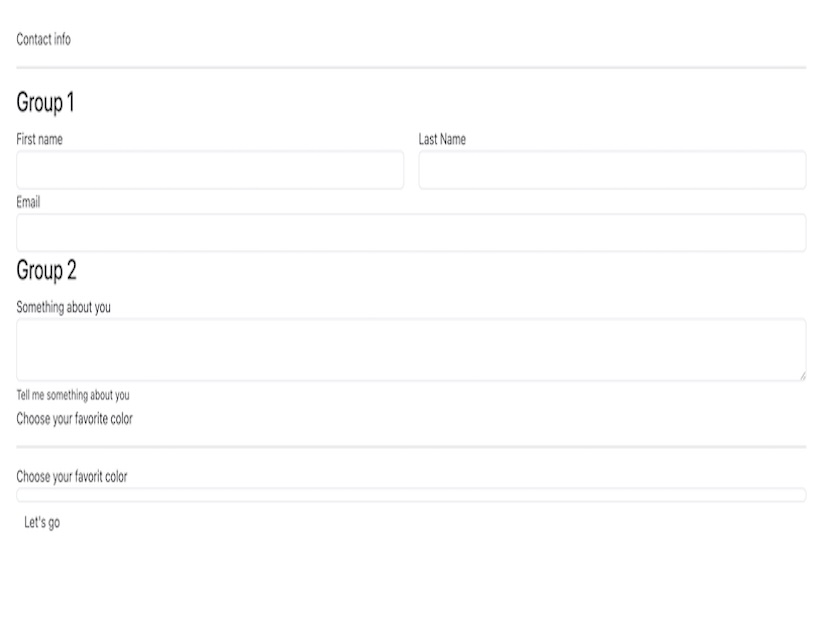
Rendering a Form
Use the component:
[formDisplay] slug = "your-form-slug"
Twig:
{% component 'formDisplay' %}
Field Types
Supported field types include:
- Text
- Textarea
- Select
- Radio
- Checkbox
- File upload
- Date / Time
- Hidden
- Custom types
Validation Rules
Each field can have validation rules such as:
- required
- min / max
- digits
- url
Validation errors are automatically handled by October AJAX framework.
Layout Configuration
Each field supports layout width:
- custom (1–12)
Fields are rendered in a responsive grid.
Email Notifications
You can configure:
- Admin notifications
- Auto-reply to user
- Custom email templates
CRM Integration
Forms can send data to external systems:
- Map fields to API keys
- Configure integration per form
- Send data after submission
Extending the Plugin
You can override partials:
components/formdisplay/ default.htm group.htm field.htm
Troubleshooting
Form not submitting
Make sure your layout includes:
{% framework %} {% framework extras %}
Validation not working
Add:
data-request-validate
Support
For issues or feature requests, please contact the author.
-
This plugin has not been reviewed yet.
-
| 1.2.4 |
Added Drag&Drop form builder Apr 10, 2026 |
|---|---|
| 1.2.3 |
Fixed bugs in components and sent records logs Apr 07, 2026 |
| 1.2.2.2 |
Updated default value for field visibility to visible Apr 02, 2026 |
| 1.2.2.0 |
Added field value to fields Apr 02, 2026 |
| 1.2.0.2 |
Added field (is_contest_form) for integration Apr 02, 2026 |
| 1.2.0.1 |
Added integration manager Apr 02, 2026 |
| 1.1.7 |
Added default value for field Apr 02, 2026 |
| 1.1.4 |
added CRM fields Apr 02, 2026 |
| 1.1.3 |
Field groups Apr 02, 2026 |
| 1.1.1 |
Added fields to form Apr 02, 2026 |
| 1.0.8 |
Added autoreply switcher Apr 02, 2026 |
| 1.0.6 |
Added seo & OG management to forms Apr 02, 2026 |
| 1.0.4 |
Added sent records log Apr 02, 2026 |
| 1.0.2 |
Forms management Apr 02, 2026 |
| 1.0.1 |
First version of Forms Apr 02, 2026 |