


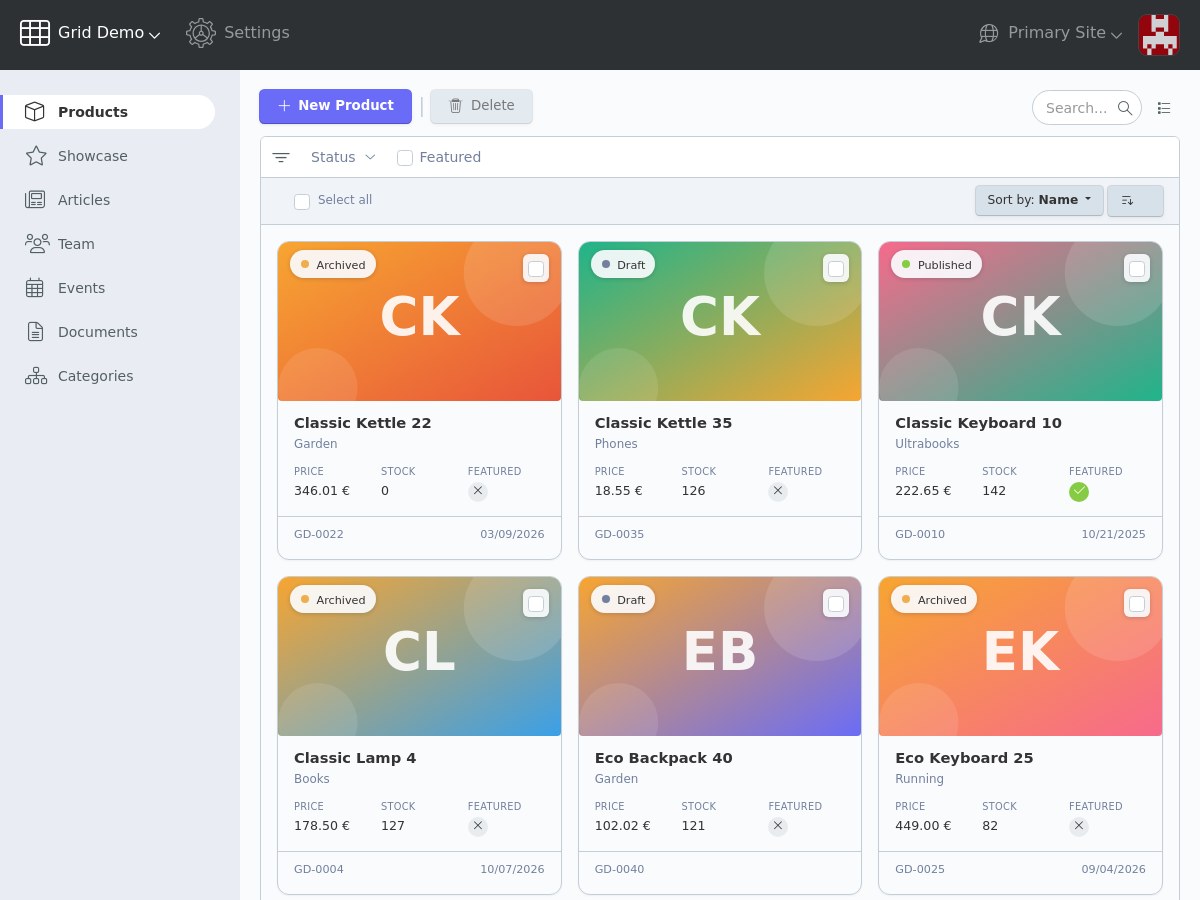
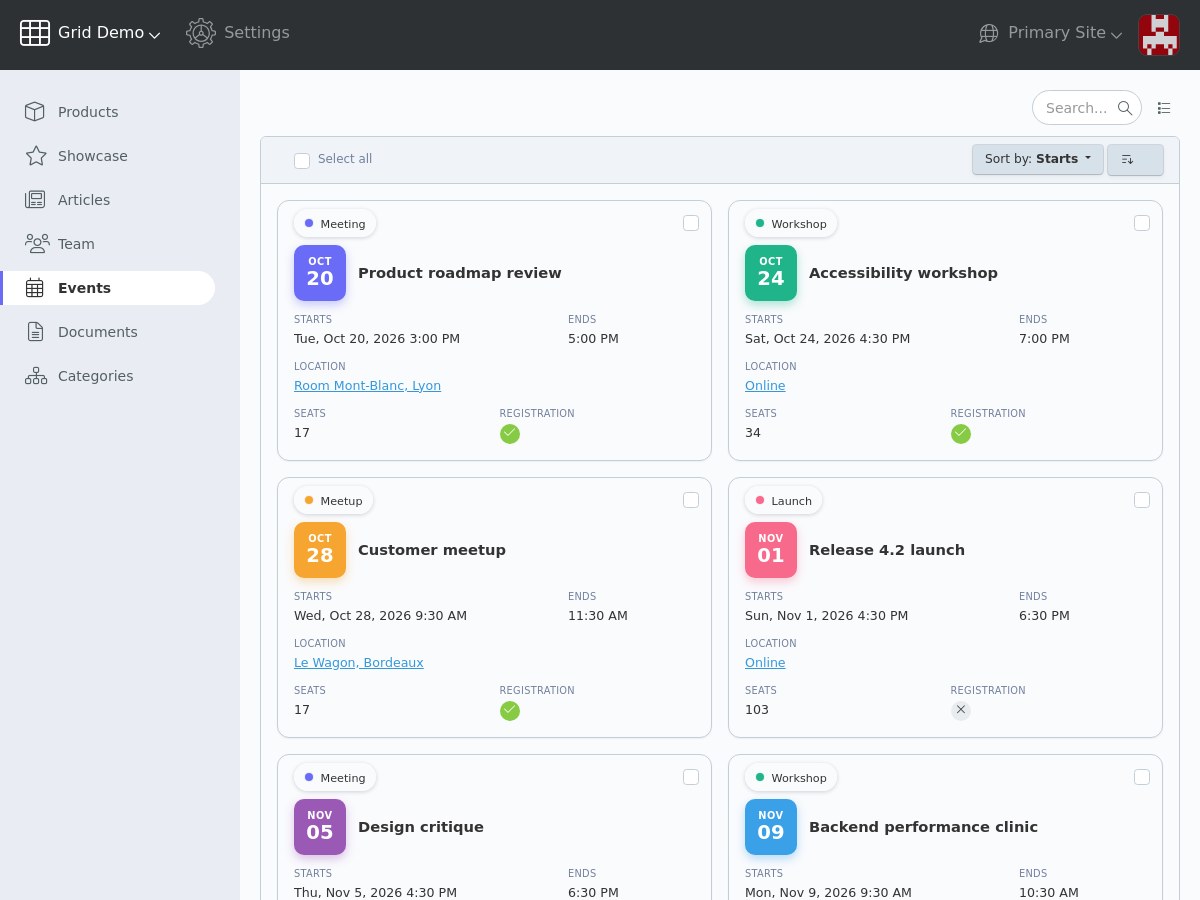
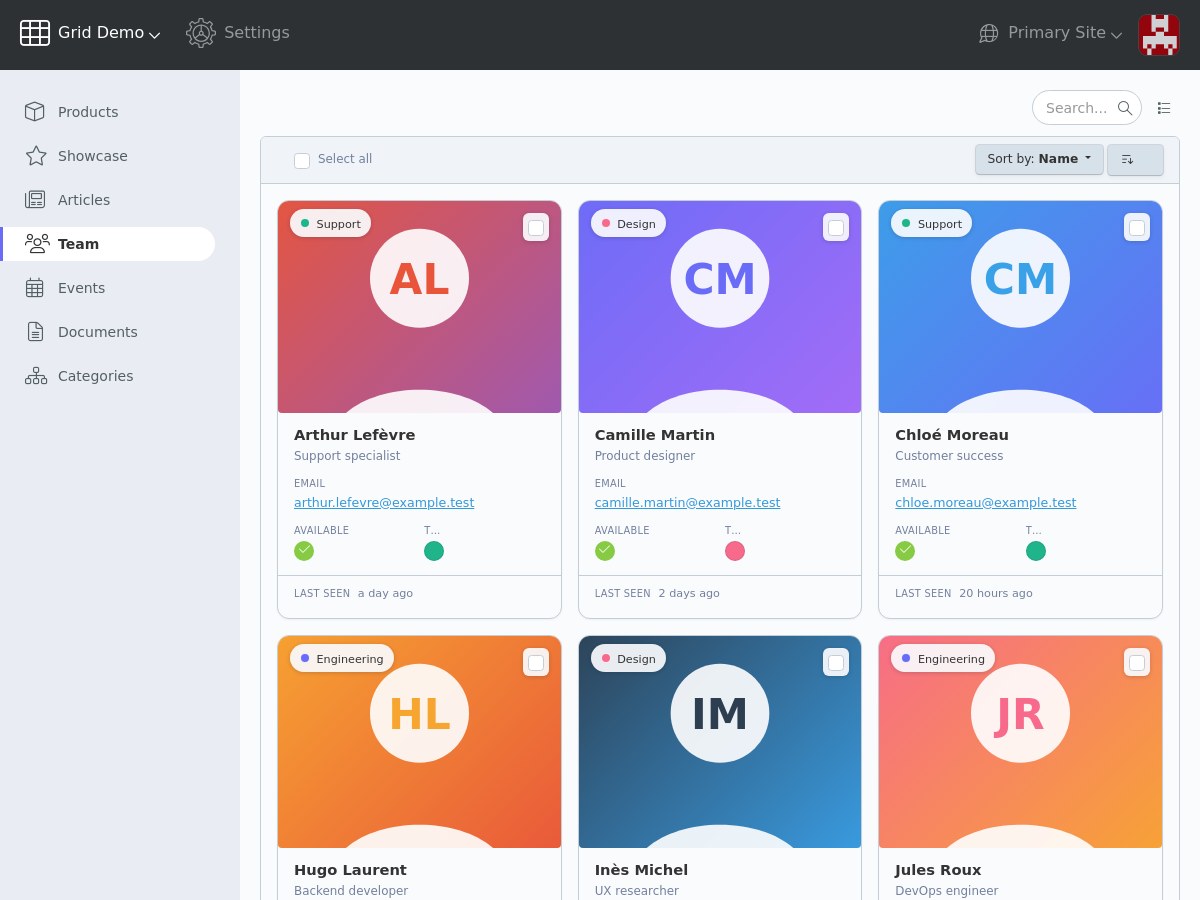
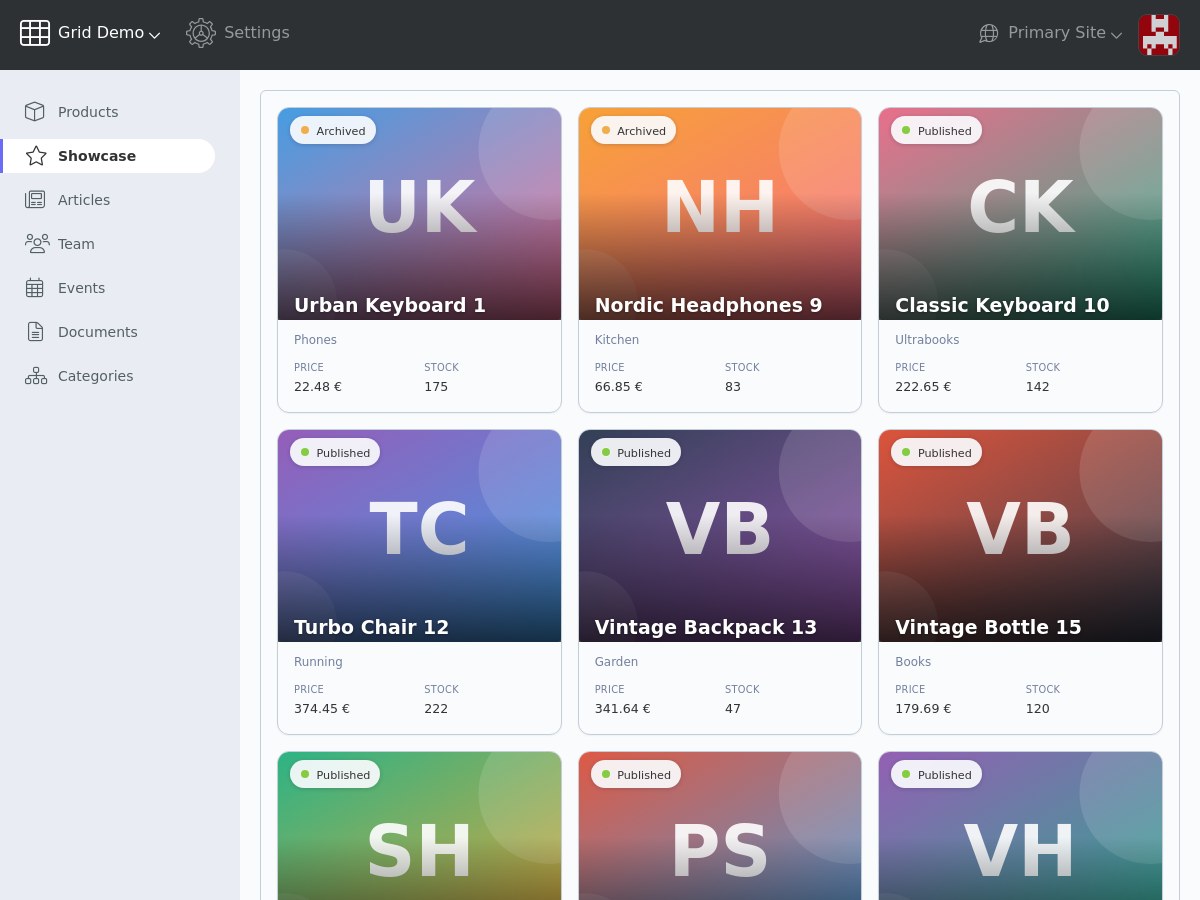
Grid Cards displays the backend lists of October CMS as a grid of cards instead of a table. It suits the records that are recognised at a glance: products with a photo, team members, articles, events, documents, packs or offers.
A drop-in replacement for the ListController
Replace ListController with GridController in your controller and rename $listConfig to $gridConfig. Your configuration file, your column definitions and your controller overrides keep working:
- toolbar, search and filters
- sorting, with a sort selector in place of the column headers
- pagination and records per page
- checkboxes, select all and bulk actions such as Delete
- list setup (visible columns and records per page)
listExtendQuery,listInjectRowClass,listOverrideColumnValueand the other overrides- reordering of sortable records by drag and drop
Nested records (showTree) keep the usual tree table of October CMS.
Cards designed from your columns
No template to write: each column is placed in the card with a single option.
- media: a full width image at the top of the card
- badge: a pill over the image, for example a status
- header: the title of the card, followed by subtitles
- body: fields with their label above the value
- footer: small fields on the bottom line
Several fields share a line with the cardSpan option (half, third, quarter… or 1 to 12 columns). The Bootstrap col-* classes already used in headCssClass are supported.
Every column type
Text, number, switch, summary, image, file, selectable, color picker, linkage, partial, date, date and time, time, time since and time tense columns are displayed with their usual rendering, adapted to the card.
Two layouts
- default: the image above the title
- overlay: the title over the image, with a gradient
The width of the cards, the number of cards per line and the proportions of the image are set in the configuration file.
Built for October CMS 4
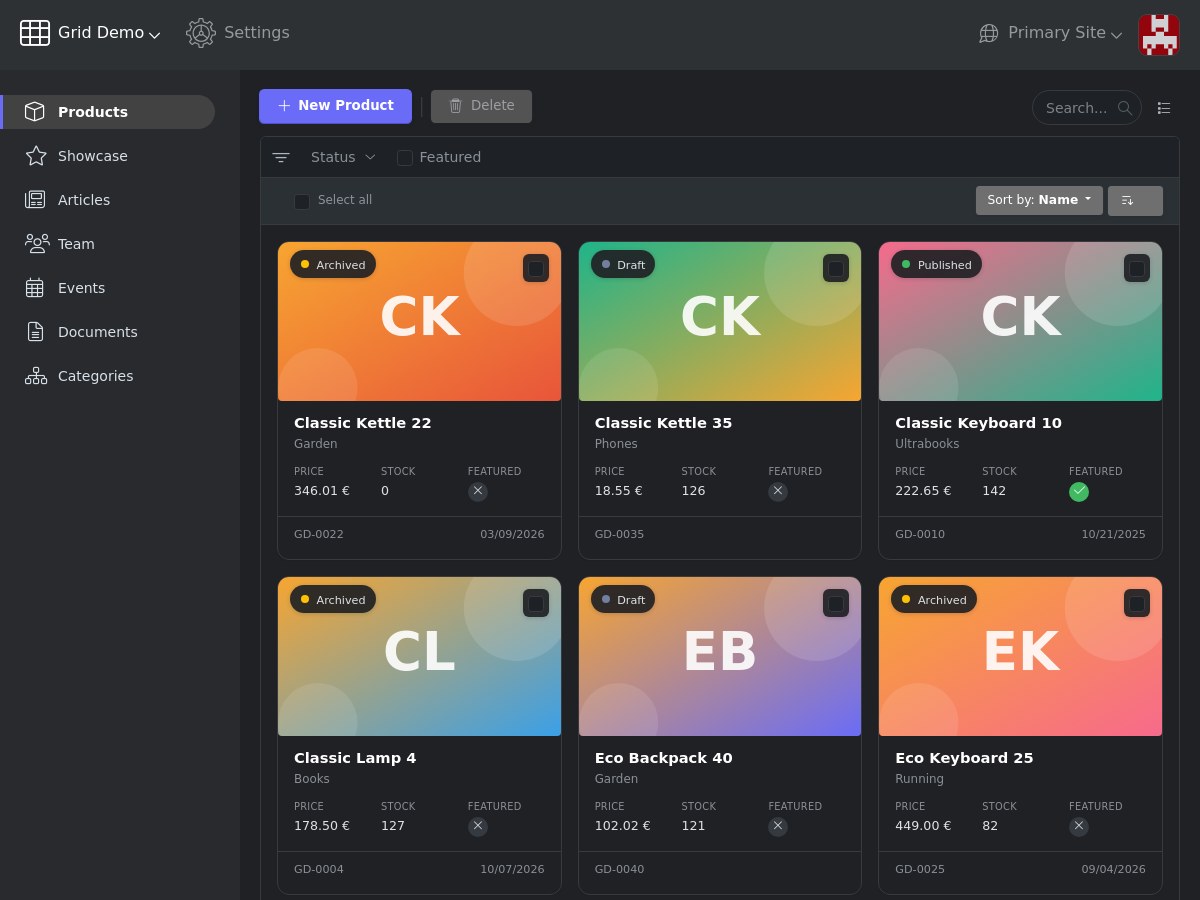
- light and dark modes, using the colors of the backend theme
- responsive grid, from one card per line on mobile
- the list scripts of October CMS are used unchanged
- English and French translations
Installation via Command Line
php artisan plugin:install LucasPalomba.Grid
Documentation
Requirements
- October CMS 4.4 or later
- PHP 8.2 or later
Installation
Install the plugin from the Marketplace in Settings › Updates & Plugins, or with composer:
composer require lucaspalomba/grid-plugin
Display a list as cards
In the controller, replace the ListController behavior with the GridController and rename the $listConfig property to $gridConfig:
class Products extends \Backend\Classes\Controller
{
    public $implement = [
        \Backend\Behaviors\FormController::class,
        \LucasPalomba\Grid\Behaviors\GridController::class,
    ];

    public $formConfig = 'config_form.yaml';

    public $gridConfig = 'config_grid.yaml';
}
The configuration file takes the same options as the list configuration (list, modelClass, recordUrl, toolbar, filter, defaultSort, showCheckboxes, structure…). The view renders the grid like a list:
<?= $this->listRender() ?>
gridRender(), gridRefresh() and gridGetWidget() are aliases of listRender(), listRefresh() and listGetWidget().
Place the columns in the card
Each column goes in a section of the card with the cardSection option:
| Section | Content |
|---|---|
media |
Full width image at the top of the card, for image columns |
badge |
Pill displayed over the media (or above the title without media), for example a selectable status |
header |
The first column is the title of the card, the next ones are subtitles |
body |
Fields with their label above the value (default section) |
footer |
Small fields sharing the bottom line of the card |
columns:
    cover:
        label: Cover
        type: image
        cardSection: media
    status:
        label: Status
        type: selectable
        cardSection: badge
    name:
        label: Name
        cardSection: header
    category:
        label: Category
        relation: category
        select: name
        cardSection: header
    price:
        label: Price
        type: number
        cardSpan: third
    stock:
        label: Stock
        type: number
        cardSpan: third
    is_featured:
        label: Featured
        type: switch
        cardSpan: third
    sku:
        label: SKU
        cardSection: footer
    published_at:
        label: Published
        type: timetense
        cardSection: footer
        cssClass: text-end
Several fields on the same line
The card is laid out on 12 columns. cardSpan sets the width of a field:
| Value | Width |
|---|---|
full |
12 columns |
three-quarters |
9 columns |
two-thirds |
8 columns |
half |
6 columns |
third |
4 columns |
quarter |
3 columns |
1 to 12 |
the number of columns |
The Bootstrap col-* classes in headCssClass are also read, for example headCssClass: col-6.
Without cardSpan, body fields take half of the card, long values (summary, partial, image, file) the full width, and the footer fields share the line.
Labels
Column labels are displayed above the values in the body section. cardLabel: false hides the label of a column, cardLabel: true displays it in another section. cardLabels: false in the configuration file hides all the body labels.
Grid options
These options are added to the configuration file, next to the list options:
| Option | Default | Description |
|---|---|---|
cardMinWidth |
280px |
Minimum width of a card, the grid fits as many cards as possible on each line |
cardColumns |
— | Fixed number of cards per line |
cardLayout |
default |
overlay displays the title over the media, with a gradient |
cardMediaRatio |
16 / 9 |
Aspect ratio of the media, for example 1 / 1 or 4 / 3 (4 / 3 with the overlay layout) |
cardLabels |
true |
Display the column labels in the card body |
showSortSelector |
true |
Display the sort selector above the cards (requires showSorting) |
list: $/acme/shop/models/product/columns.yaml
modelClass: Acme\Shop\Models\Product
recordUrl: acme/shop/products/update/:id
showCheckboxes: true
showSorting: true
recordsPerPage: 12

cardMinWidth: 240px
cardLayout: overlay
cardMediaRatio: 4 / 3
Reorder the cards
Sortable records are reordered by drag and drop with the structure option of the list configuration. Set showTree: false, the list structure displays a tree by default:
structure:
    showTree: false
    showReorder: true
    dragRow: true
With dragRow: true, the whole card is dragged, otherwise the handle displayed in its corner. The sort selector is hidden on reorderable cards, since sorting by a column disables the reordering; showSortSelector: true displays it again.
Nested records (showTree: true) are displayed with the usual tree table of October CMS: a tree reads from top to bottom and its drag and drop changes the level horizontally, which does not suit a grid of cards.
Customize the markup
The partials of the grid override those of the list widget, the other list partials (pagination, checkboxes, column types) are used as they are. To change the content of a card, copy widgets/grids/partials/_grid_card_cells.php from the plugin to a folder of your plugin and set it with the customViewPath option of the list configuration.
The cards use CSS variables that can be changed in the stylesheet of your plugin:
.control-grid {
    --grid-card-gap: 16px;
    --grid-card-radius: 12px;
    --grid-card-padding: 16px;
    --grid-card-selected: var(--bs-primary);
}
How it works
The grid keeps the table markup of the list widget and displays it with a CSS grid: the table body is the grid, each row is a card and each cell a field of the card. The list scripts of October CMS (checkboxes, range selection, toolbar actions, row links, drag and drop) are used unchanged, and the extension events of the list widget are fired as usual.
Support
Report an issue or suggest a feature on GitHub.
-
This plugin has not been reviewed yet.
-
| 1.0.1 |
Display the media images at the size of the card instead of 68 x 68 pixels Oct 18, 2026 |
|---|---|
| 1.0.0 |
First version of Grid Cards, a card layout for the backend lists of October CMS 4 Oct 18, 2026 |