

Hazelchat
Adds your Hazelchat AI chat agent to every page from one installation code. It answers visitors from your own pages, shows its sources and passes on enquiries.
Hazelchat
Adds your Hazelchat AI chat agent to every page from one installation code. It answers visitors from your own pages, shows its sources and passes on enquiries.
Hazelchat is an AI chat agent that answers your visitors from the pages and documents you approved, shows the sources under every answer and passes enquiries on to you. This plugin puts it on your October CMS site without editing any layout.
What the plugin does
- Adds the Hazelchat chat to every page October renders, on every theme and layout, including layouts without the scripts tag. Changing or updating your theme does not remove it.
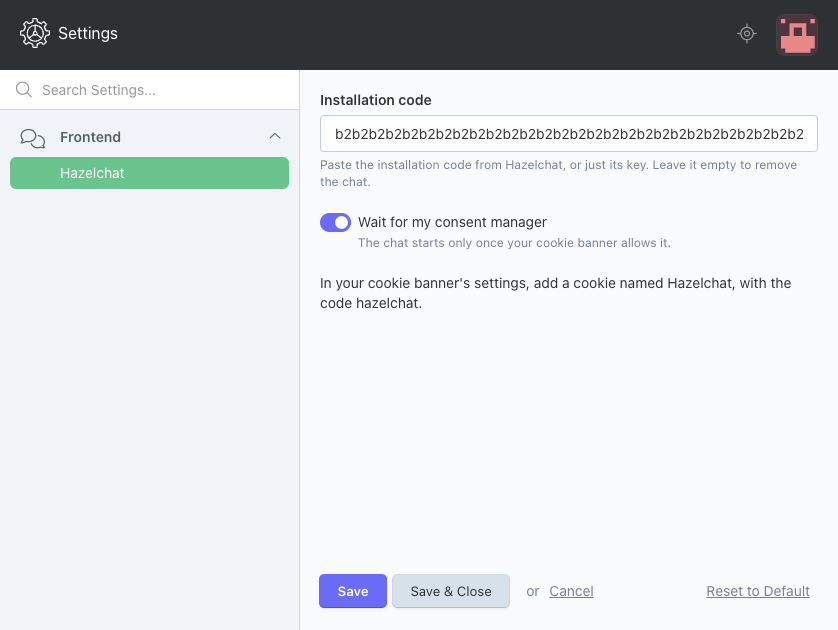
- One setting: paste the installation code from Hazelchat under Settings → Hazelchat and save. The code is checked when you save; anything that is not a Hazelchat installation code, such as an API key, is refused with one sentence.
- Its own permission, Change the Hazelchat settings, so you decide who may change it.
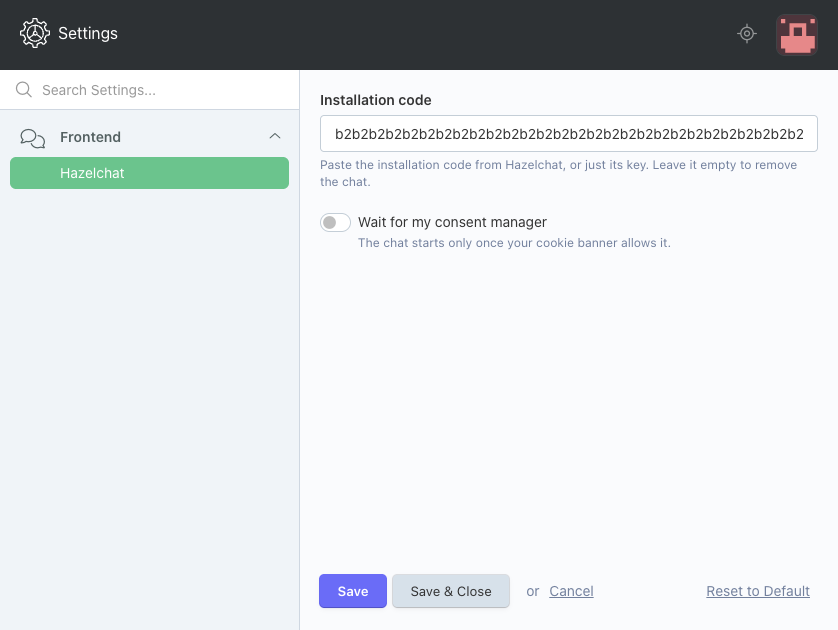
- Wait for my consent manager: the chat starts only once your cookie banner allows it. With OFFLINE.GDPR's cookie banner, add a cookie named Hazelchat and the plugin shows the chat only to visitors who accepted it. The settings page tells you if that cookie is missing.
- The back end, AJAX responses and pages without a closing body tag never load the chat.
- Back-end texts in English and German.
How to use it
- Create a free account at Hazelchat, add your website and copy its installation code.
- Add this plugin to your project and update October.
- Open Settings → Hazelchat, paste the code and click Save.
- In Hazelchat, click Publish and switch on. Hazelchat checks that the chat is on your website.
Full guide: Hazelchat for October CMS
Requirements
October CMS 3 or 4 and a Hazelchat account. The Free plan covers one website and stays free. The plugin has no other plugin dependencies.
Data
Visitors' browsers load the chat from app.hazelchat.co (Hazelchat, Germany), which processes the questions they type and any enquiry they leave. The chat sets no cookies; it keeps a reference to the conversation in session storage until the tab is closed. The plugin itself makes no requests from your server, adds no tables, routes or components, and stores only the key and one switch in October's settings. Privacy notice
Installation via Command Line
php artisan plugin:install Hazelchat.Agent
Installation
- Marketplace: add the plugin to your project, then
php artisan october:migrateor System → Updates. - Composer:
composer require hazelchat/agent-plugin, thenphp artisan october:migrate. - Manually: put the release zip's
hazelchatfolder intoplugins/.
Settings
Settings → Hazelchat (Hazelchat\Agent\Models\Settings, a SettingModel with the code hazelchat_agent_settings). Fields: code (only the 64-character public key is stored) and consent (bool). Both can be set in code with Hazelchat\Agent\Models\Settings::set(['code' => '…']); an invalid code throws a ValidationException. The key is public: it names an agent and grants no access.
Permission: hazelchat.agent.manage. Non-super roles also need October's general.backend to reach any back-end page.
The tag
On the cms.page.postProcessContent and cms.page.postprocess events, the plugin inserts one script tag just before the page's closing body tag. It loads https://app.hazelchat.co/widget.js with the id hazelchat-october, defer and data-agent set to the key.
With the consent switch on it adds data-require-consent="true"; the chat then waits until the page dispatches window.dispatchEvent(new CustomEvent('hazelchat-consent', { detail: true })), or a consent manager Hazelchat knows allows it. With OFFLINE.GDPR and a cookie whose code is hazelchat, the plugin decides on the server instead and prints the tag without the attribute only for visitors who accepted that cookie.
The script address is fixed in the plugin. Pages served by other plugins' own routes, AJAX responses and pages without a closing body tag are left unchanged. The plugin provides no components.
Removing
Empty the code under Settings → Hazelchat, or php artisan plugin:remove Hazelchat.Agent.
-
This plugin has not been reviewed yet.
-

| 1.0.0 |
First version of Hazelchat for October CMS. Nov 04, 2026 |
|---|