

Command Palette Plugin for October CMS
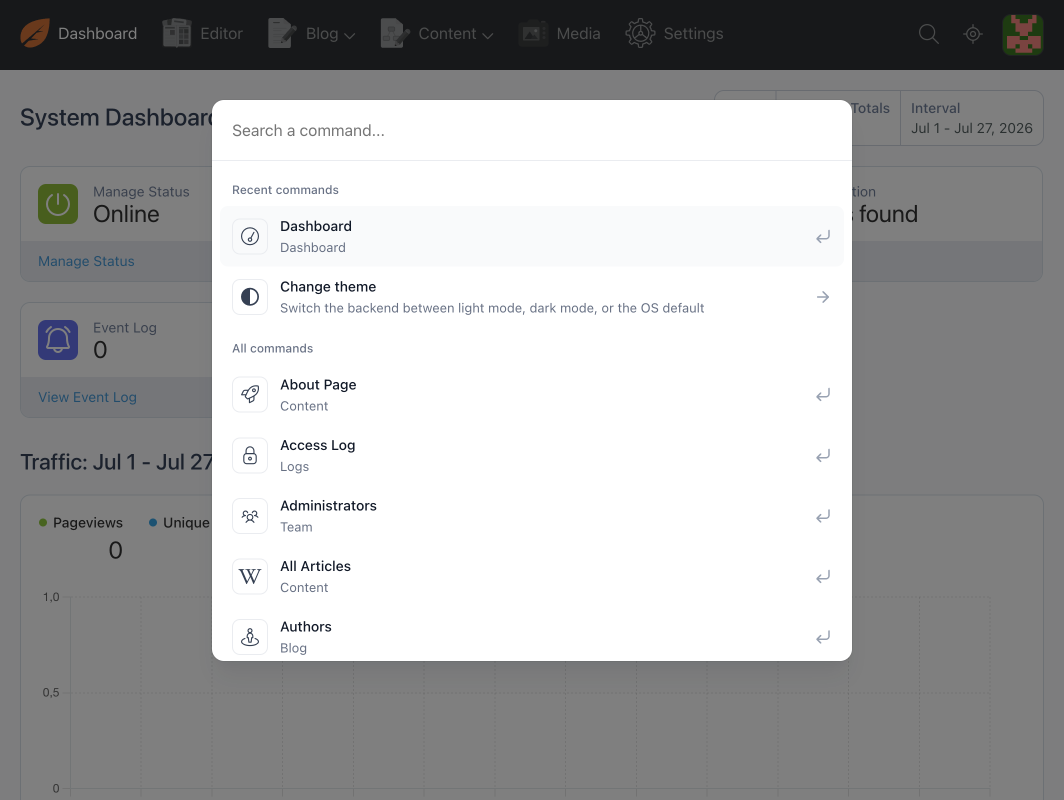
Command Palette is a backend plugin for October CMS that adds a command palette (Cmd+K / Ctrl+K style) accessible from any admin page. It lets you navigate, run common actions, and access settings in just a few keystrokes, without ever leaving the keyboard or searching through menus.
This plugin is inspired by the wire-elements/spotlight implementation (Laravel Livewire), adapted here for the October CMS ecosystem.
Main Features
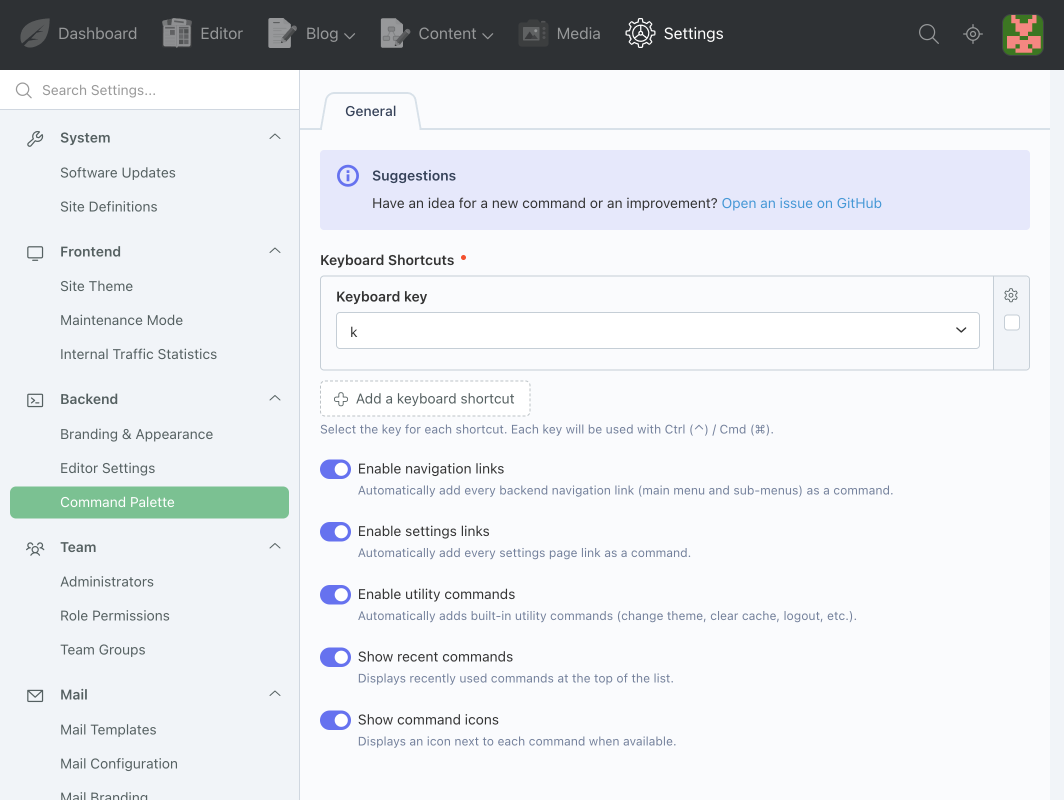
- Instant opening via a configurable keyboard shortcut (Ctrl/Cmd + a key of your choice).
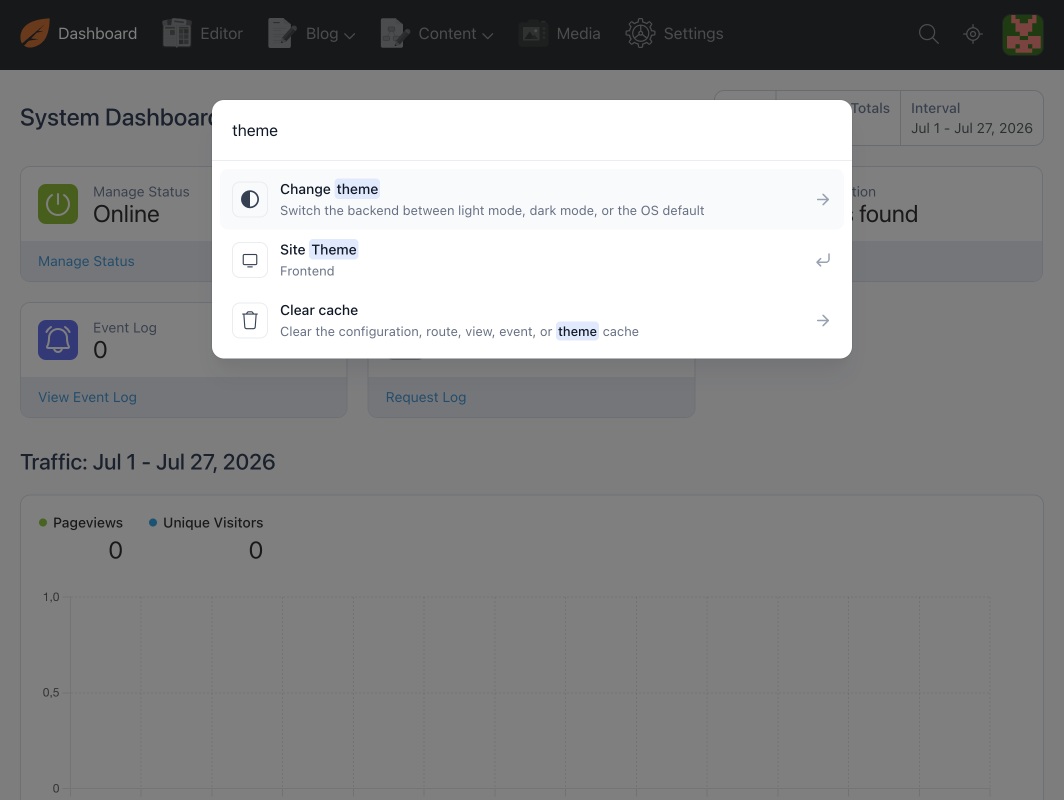
- Smart search: case- and accent-insensitive, tolerant of word order and punctuation, with match highlighting.
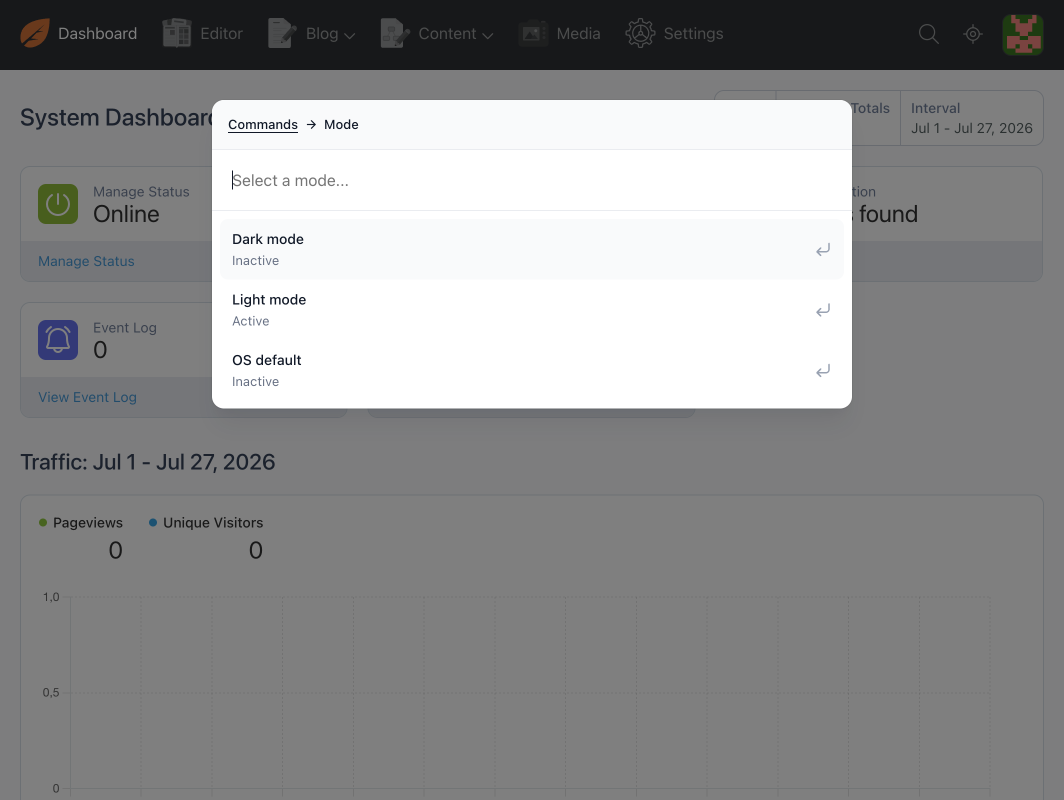
- Ready-to-use built-in commands: switch theme (light/dark/auto), clear caches (config, views, routes, theme...), enable/disable maintenance mode, enable/disable a plugin, log out.
- Automatic navigation: every link in the main menu and backend submenus automatically becomes a searchable command, with no configuration needed.
- Automatic settings pages: every settings page (System > Settings) also becomes a searchable command.
- Recent commands: the last commands you ran appear at the top of the list.
- Dynamic dependencies: a command can request free-text input or a search (with validation) before running, for example, choosing a mode, a plugin, or a target.
- Extensible by developers: any plugin can register its own commands in the palette.
Documentation
For installation, configuration, and usage examples, please refer to the Documentation tab.
Installation via Command Line
php artisan plugin:install Ducharme.CommandPalette
Command Palette Plugin for October CMS
Installation
You can install this plugin from the October CMS Marketplace or using Composer.
Via Marketplace
- Go to the October CMS backend: Settings > System > Plugins.
- Search for the Command Palette plugin.
- Click the plugin to install it.
Via Command Line
Open your terminal, navigate to the root of your October CMS project, and run the following command:
php artisan plugin:install Ducharme.CommandPalette
Configuration
The Command Palette plugin is fully configured from the backend, under Settings > Command Palette. No file changes are needed for everyday use.
| Setting | Description |
|---|---|
| Keyboard shortcuts | Add one or more keys (letter or digit) that, combined with Cmd (⌘) / Ctrl (⌃), open the palette. |
| Enable navigation links | Automatically adds every main menu and submenu link as a command. |
| Enable settings links | Automatically adds every settings page as a command. |
| Enable utility commands | Enables the built-in commands (theme, cache, maintenance, plugins, logout). |
| Show recent commands | Displays the last commands run at the top of the list. |
| Show icons | Displays an icon in front of each command, when one is defined. |
Access is also controlled by the usual October CMS permissions (Settings > Administrators > Roles):
- A general permission to access the palette.
- A dedicated permission to customize the palette (settings page above).
- A separate permission for each utility command, to finely restrict who can run what.
Creating Your Own Commands
Any plugin can register its own commands in the palette by implementing registerCommands() in its Plugin.php file:
public function registerCommands()
{
    return [
        'author.myplugin.myCommand' => \Author\MyPlugin\Commands\MyCommand::class,
    ];
}
Command Types
A command can be as simple or as elaborate as needed:
| Type | Description |
|---|---|
| Simple | No dependencies: the command runs as soon as it's selected. |
| Input | Requests free-text input (text, number...) before running, with validation. |
| Search | Requests you choose an item from a searchable list before running. |
| Search chained | Multiple cascading searchable choices (e.g. a category, then an item within that category). |
| Javascript | Runs JavaScript code in the browser after execution (e.g. applying an immediate visual change). |
| Blank | Blank template with all options commented out, for advanced cases. |
A command can return a redirect, a message (success, error, warning, info), or JavaScript to run, see Classes\CommandResponse.
Generating a Command
The easiest way to get started is to use the provided artisan command:
php artisan commandpalette:make
It walks you through a short wizard (target plugin, name, description, class name, template type) and generates the corresponding class, ready to be customized, along with a reminder of the code to add in registerCommands().
You can also browse the plugin's stubs/ folder directly: each template is commented and illustrates a complete use case (validation, cascading search, running JavaScript, etc.).
Contributing
Contributions are welcome!
- Fork the project and create your branch for improvements or fixes.
- Make sure the tests pass before submitting your Pull Request:
- PHP tests:
vendor/bin/phpunit plugins/ducharme/commandpalette/testsorcomposer testfrom the plugin root - JavaScript tests: from
plugins/ducharme/commandpalette/assets, runnpm installthennpm test
- PHP tests:
- Submit a Pull Request with a clear description of the changes.
- Report bugs or issues via Issues.
Please follow good contribution practices and document your changes.
License
This plugin is distributed under the MIT license. The full text of the MIT license is available here: MIT License
Documentation
This documentation was generated in part with the help of artificial intelligence. The French version of this README is available here: README.fr.md
-

David Watson
Found the plugin useful on 23 Aug, 2026
Inching ever closer to a mouse-free future. Great plugin. Thank-you.
-

| 1.0.0 |
Initial version of Command Palette plugin Jul 27, 2026 |
|---|