


No-code dashboard charts and KPIs from any model or Tailor section.
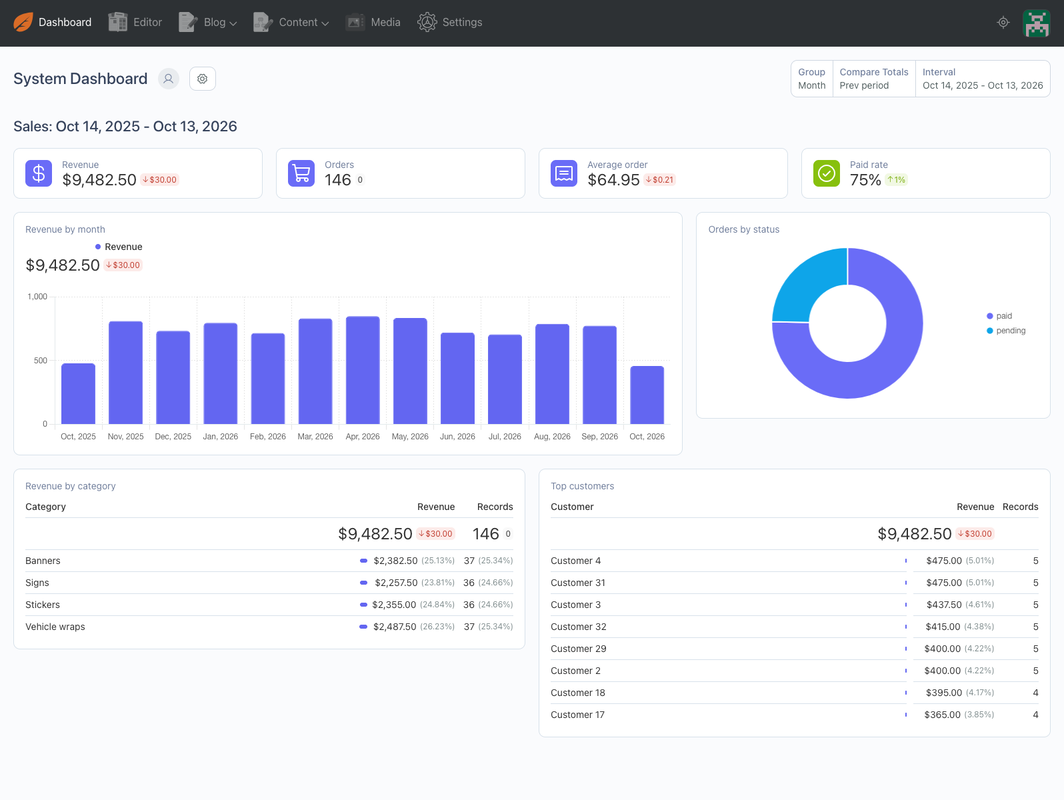
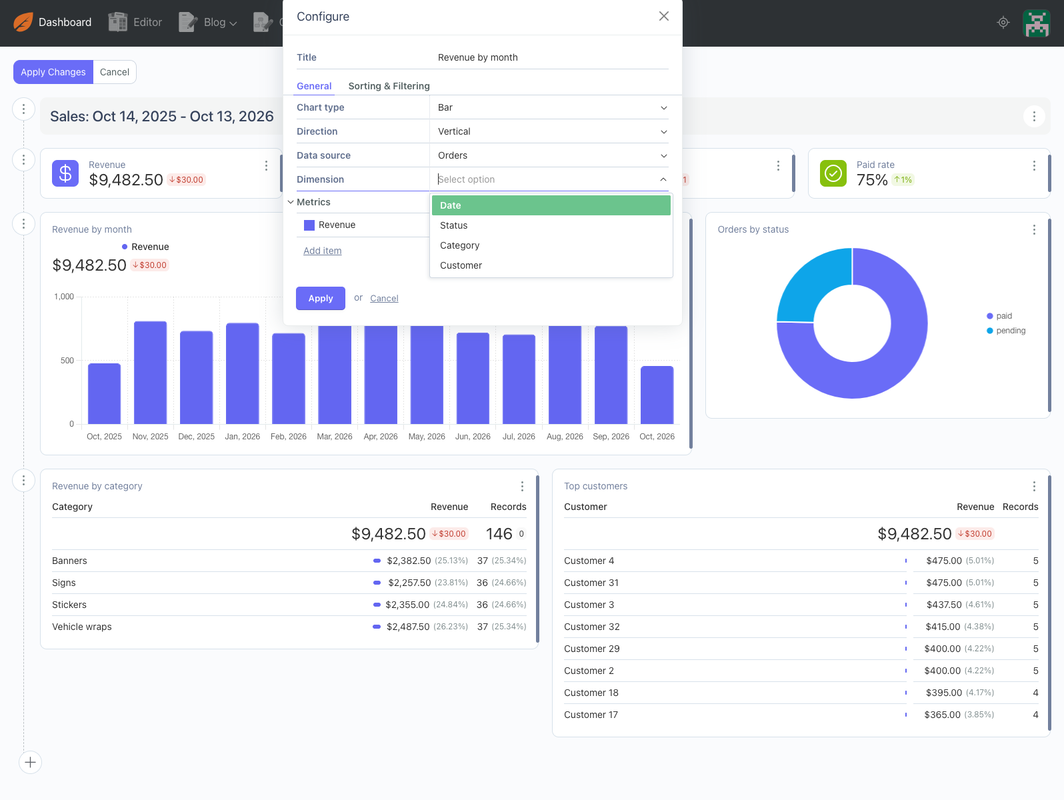
October CMS 4 has a great Dashboard, but showing your own data on it (orders, sign-ups, bookings, form entries) means writing a PHP data source. DashMetrics turns that into a settings screen. Pick a model or Tailor section, choose what to count or add up and how to group it, and October's own Indicator, Chart and Table widgets show it, with the Dashboard's date range and period comparison.
WHAT YOU GET
- Datasets: in Settings → Dashboard Metrics, pick any model of an installed plugin, or any Tailor entry, stream or structure section, and the date column the Dashboard's date range uses. Each dataset shows up in the Data source list of every Dashboard widget.
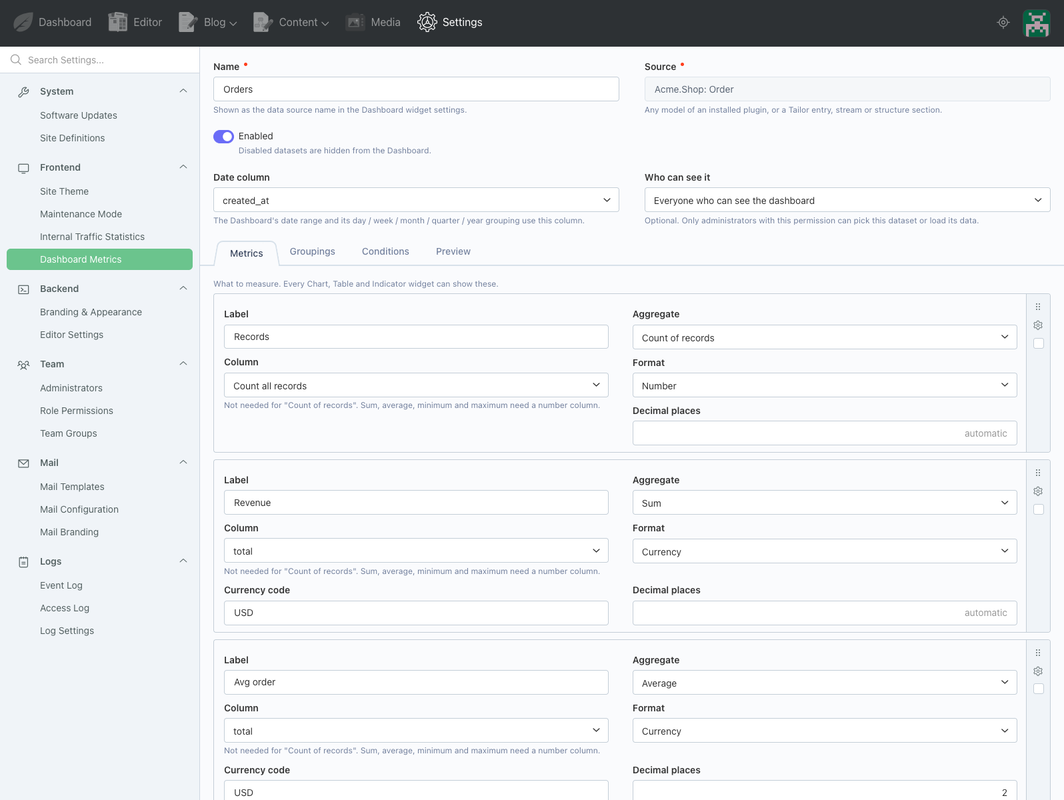
- Metrics: count of records, count of distinct values, sum, average, minimum and maximum. Show them as numbers, as currency (any three-letter code, e.g. USD or EUR) or as percentages. The average of a yes/no column is a rate, such as "paid rate".
- Grouping by date: day, week, month, quarter or year, following the Dashboard's own interval, date range and "compare with previous period".
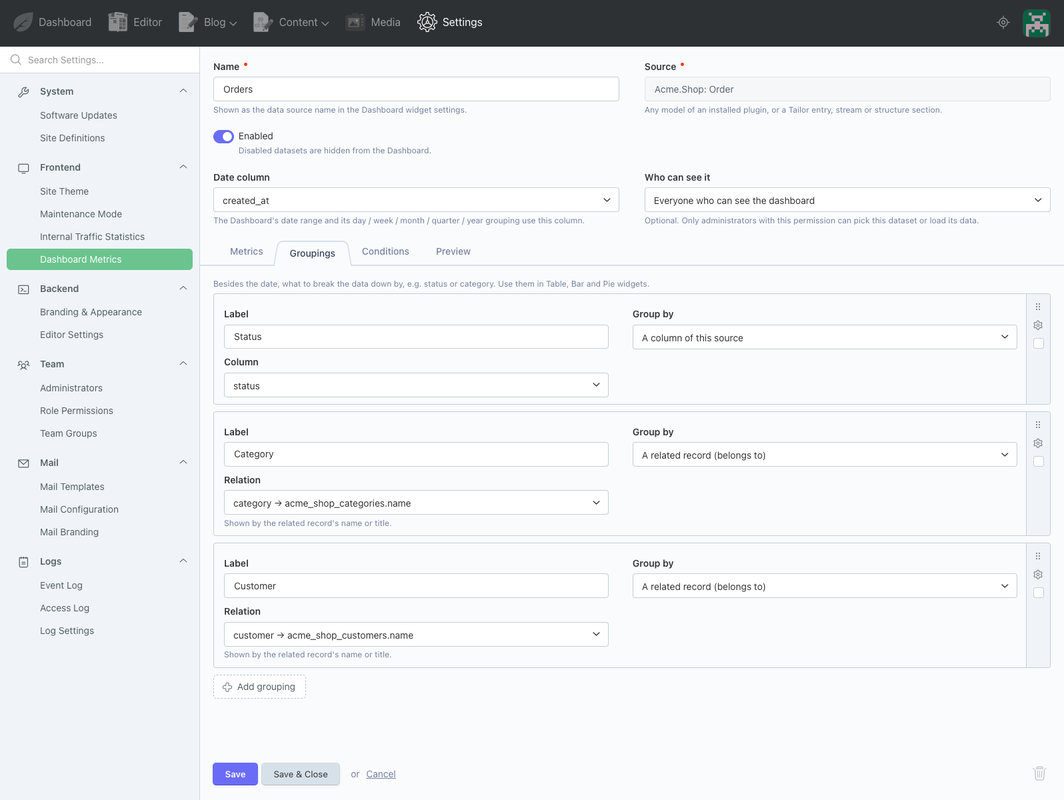
- Grouping by anything else: any column (e.g. status) or a related record (e.g. category or customer, shown by its name).
- Conditions: only count the records you want, e.g. "status equals paid" or "total is greater than 100".
- Tailor sections: only live entries count, never drafts or saved versions, and you choose whether disabled, scheduled and expired entries count.
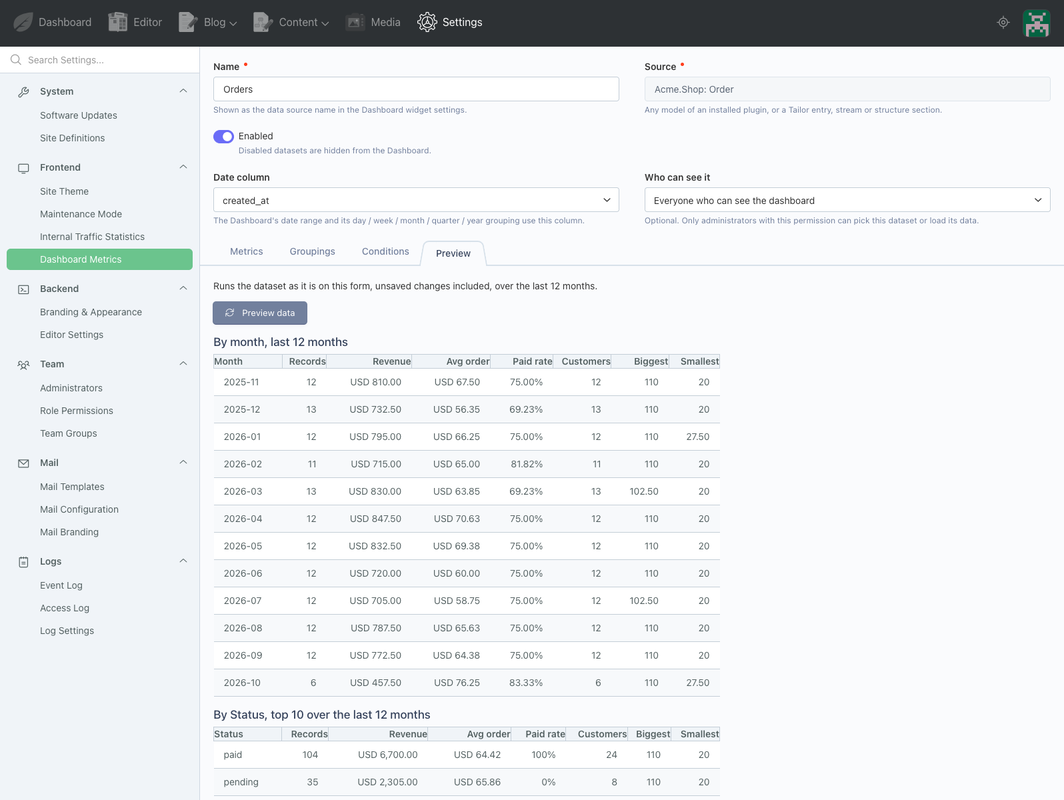
- Preview: see the numbers on the dataset form, by month and by each grouping, before adding a widget.
- Every database: weekly, monthly, quarterly and yearly grouping work on MySQL, MariaDB, PostgreSQL and SQLite. (October's own report query builder only groups those on MySQL.)
- Safe by default: password, token, secret and similar columns are never offered. A dataset can be limited to administrators with a permission you choose, and managing datasets is its own permission.
No PHP. No SQL. No theme changes.
WORKS WITH
October CMS 4.4 and later, with the Dashboard (on by default). PHP 8.2 or later. MySQL, MariaDB, PostgreSQL and SQLite.
SUPPORT
Email support@amjad.com.pk. First reply within 2 business days.
Full guide and product page: https://amjad.com.pk/october-cms/plugins/dashmetrics
Installation via Command Line
php artisan plugin:install AmjadIqbal.DashMetrics
REQUIREMENTS
October CMS 4.4 or later with the Dashboard module (on by default; DashMetrics does nothing if LOAD_MODULES leaves it out). PHP 8.2 or later.
SETUP
- Install DashMetrics. The migration creates one table: amjadiqbal_dashmetrics_datasets.
- Settings → Dashboard Metrics → New Dataset. Enter a name and pick a source:
- Models: every Eloquent model in an installed plugin's models folder whose table exists.
- Tailor sections: entry, stream and structure blueprints (singles and globals hold one record, so they are not offered).
- On the next screen choose the date column (any date or datetime column; created_at is preselected), then add metrics, groupings and conditions. Use the Preview tab to check the numbers.
- Open the Dashboard → Edit Dashboard → add an Indicator, Chart (bar, stacked bar, line, pie, doughnut) or Table widget, and choose the dataset as its Data source.
HOW IT WORKS
Each dataset is registered as a Dashboard data source (Dashboard\Classes\ReportDataSourceBase) through registerDashboards(), only when the Dashboard asks for data sources. Queries go through October's own ReportQueryBuilder, so the Dashboard's date range, intervals, period comparison, sorting and record limits work as they do for core data sources.
- Dimensions: "date" (the chosen date column) plus one per grouping. A belongs-to grouping joins the related table and shows its name, title, label, code or slug column (the first one found).
- Metrics: every metric is available on every dimension. Count of records uses COUNT(*); count distinct uses COUNT(DISTINCT column).
- Date grouping: week (starting Monday), month, quarter and year use SQL for the current driver (MySQL/MariaDB, PostgreSQL, SQLite); day grouping is core's.
- Conditions are applied to every query of the dataset, with bound values. "contains" is case-insensitive on every database. "is empty" means NULL (or '' on text columns).
- Tailor: draft_mode = 1 and is_version = false always; with "Published entries only" also is_enabled, published_at in the past (or empty) and expired_at in the future (or empty).
- PostgreSQL booleans are cast to integers for sum, average, minimum and maximum.
STABLE CODES
Widgets store the data source class and metric/dimension codes. DashMetrics keeps them stable:
- Each dataset gets a data source slot (AmjadIqbal\DashMetrics\Classes\Slots\Dataset1 … Dataset100). A deleted dataset's slot is not given to a new dataset until all 100 slots have been used, so an old widget never silently shows another dataset. Up to 100 datasets can exist at once.
- Each metric and grouping has a fixed key (codes m<key> and d<key>), so renaming, reordering or editing them does not break widgets.
- A widget whose dataset was deleted or disabled shows a clear message instead of failing.
PERMISSIONS
amjadiqbal.dashmetrics.manage_datasets: Settings → Dashboard Metrics. Per dataset, "Who can see it" passes any registered permission to the Dashboard: only administrators with it can pick the dataset or load its data. Leave it empty for everyone who can see the Dashboard.
SENSITIVE COLUMNS
Columns whose names contain password, secret, token, api_key, persist_code, activation_code, reset_code, remember, two_factor, credit_card or card_number, or a part named salt, hash, otp, totp, 2fa, cvv, cvc, iban, ssn or pin, are never listed and are rejected if posted.
UNINSTALL
php artisan plugin:remove AmjadIqbal.DashMetrics drops amjadiqbal_dashmetrics_datasets. Your own tables and Tailor content are not touched. Dashboard widgets that used a dataset show an error until you remove them.
LIMITATIONS (v1)
- One source per dataset: no joins across unrelated models, and no calculated metrics (ratios of two metrics). The average of a yes/no column covers simple rates.
- Belongs-to groupings only (not has-many or many-to-many, and not Tailor relation fields).
- Widget filters on a belongs-to grouping are not supported on databases that use a table prefix (October's default is no prefix).
FULL GUIDE
-
This plugin has not been reviewed yet.
-
| 1.0.0 |
First version of DashMetrics Oct 19, 2026 |
|---|
1.0.0: First release. No upgrade steps.